
The Original Pre-Viz Tool – A DIY Lens Angle Calculator


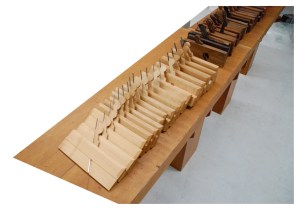
Some of my collection of traditional studio lens angle templates. The ones on the left are for long lenses while the ones on the right are wide-angle lens. The third from the left is a zoom lens template.

Some of my collection of traditional studio lens angle templates. The ones on the left are for long lenses while the ones on the right are wide-angle lens. The third from the left is a zoom lens template.


Pre-vis Before Previs

Before the term “Pre-visualization” ever existed, there was the lens angle template. These were a staple of any Hollywood studio Art Department and were used when laying out a set to determine camera angles, backing sizes needed, rear projection screens and planning back-projected set illustrations for the producer and director to approve sets long before there were 3D computer programs.

There was a time when a basic knowledge of optics and lenses was considered mandatory and was necessary not only because the Art Director would design the sets to be shot in a specific way but this information was needed when designing effects shots such as forced perspective sets, glass shots and the like.

Todd AO template

A template for a 100mm to 300mm zoom lens in the Todd AO format. Todd AO was an early 70mm film format with an aspect ratio of 2.20.

The templates were for a single lens, usually a prime lens, and were made using 1/8″ or 1/4″ thick plexiglas. The projection lines were scratched or engraved into the acrylic, sometimes by a Set Designer but other times they were made by the studio sign shop. Some of my examples are obviously done with a hand held engraving tool while others have been done with a lettering template and have inked letters.

Todd AO lens template

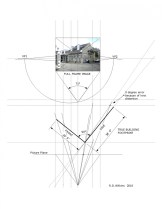
Each template had two sets of projection lines, one set for the horizontal plane (for use with a plan view) and another for the vertical plane, for use with scale room elevations. Most are made for use with 1/4″ scale drawings but they are accurate for any orthographic drawing because the angle is unaffected by the scale. Most will have markings to note the distances from the lens entrance pupil in 1/4″ scale.

angle of view

The “Quick View”

By the 1990’s, there were so many different formats and lens combinations most of us in the Art Department in Hollywood carried thick manila envelopes of acetates of the various focal lengths, but I always seemed to be missing one that I needed and I found some were inaccurate from being cloned so many times. In 1998 I designed a device that had all the available formats and prime lenses  so you could just dial up the one you needed. I redesigned it in 2008 to include the digital formats but sold out of them a year ago.

I stopped having them made since they were expensive but hated to see them become obsolete since they are still so useful. For a director, they are the perfect way to see if a shot is possible at a location or see the limitations of a particular lens on a set when you can’t rely on wild walls.

Making A Quick View

Yours won’t be on Lexan like the originals were but will be sturdy enough plus cheap enough to replace if it’s damaged or lost. Download the files below and take them to your nearest copy center and have both the dial and the nomen printed on clear acetate. They don’t have to be printed at exactly 100% but they should be at the same scale to each other. Then you just line up the center marks and use a compass point or push pin to pierce the centers, creating a pivot point in place of the brass rivet as in the photo above.

The diagrams from the original instruction manual will explain how to use them. You’ll note that I’ve added a feature that wasn’t on the originals, a protractor which will tell you the angle of a selected lens.

Quick View II User Manual_2

Quick View II User Manual_3

QuickViewII_nomen

QuickViewII_dial

New Bookshelf And Toolbox Pages

When I created a post several years ago on doing metric to imperial conversions, and vice – versa, I added a PDF of a set of scales I made for converting 1/4″ to metric 1:50 thinking someone might find it useful. Well, it’s now been downloaded over 9,000 times so I’m glad I included it.

Some people have had trouble finding a particular link to a book or diagram I’ve included in a past post so I’ve included two new pages in the header above with lists of the digital books I’ve mentioned and links to the various tools I’ve created to make it easier to find them.

And in case you want that set of conversion scales, here’s the link again below:

Metric_Imperial_ConversionScales

Calculating Reflections – No Computer Required

It doesn’t happen often, but you occasionally have to calculate reflections.  A scene will be staged in a way that the camera is seeing the action in a mirror and it’s immediately clear that the shot will determine how the set is staged and dressing placed.

On one production I was asked how long it would take me to render a digital model with true reflections so they could determine whether the character would be able to see the other person from where he was seated.

I told them it would probably take about  an hour to texture the model and do the render they wanted, or I could figure it out with a pencil and it would only take about 2 minutes. They thought I was kidding.

DSC_0384

You’ll want to have the plan view and an elevation. Line them up so that the plane of the mirror is along an identical line. It doesn’t have to be in any certain scale as long as they are both the same size. It can be a printout or just a quick drawing on grid paper, as long as the mirror is correctly placed and sized.

DSC_0388

Cover the drawing with trace, being sure to extend it twice as far over the line of the mirror plane.

DSC_0386

DSC_0390

Now draw lines from the vantage point through the edges of the mirror on both the plan and elevation.

DSC_0392

Draw a heavy vertical line through the mirror plane. Then fold the trace along this line.

DSC_0394

Since the angle of reflection is equal to the angle of incidence, the reflected view is easily seen once the trace is folded back over the drawing, and it’s clear the person in the chair would have no way to see the person standing at the door.

DSC_0396


You can now pivot the ‘mirror plane’ down until the person is in view, although it will be clear that in plan the mirror would be at a strange angle from the wall.

DSC_0398

The Digital Bookshelf – Furniture Mouldings

“There is a tendency among those accustomed to the large-scale of moulding detail on exterior work in wood or stone to make their mouldings on furniture and interior woodwork too large. The full-size furniture moulding so carefully drawn by Mr. Warne should be of the utmost service not only to furniture designers but to students of architecture and interior decoration.”

plate 21_warne


plate 4_warne


“This book covers many different types of English furniture; bedsteads, bookcases, bureaus, cabinets, chests, cupboards, chairs and others. This book illustrates cover this book covers molding details on English furniture from about 1574 to 1820 molding is the method adopted by the cabinetmaker to give definition to the lines of his work and the sections of molded detail very very much as one style has succeeded another through the oak, walnut, mahogany and satinwood periods of English furniture the workings of moldings was then so laborious that the craftsman use them with greater restraint and obtained more pleasing effects by their use than is frequently the case today when profusion often eliminates interest.”

H. P. Shapland, 1923


E.j. Warne’s book, Furniture Mouldings, is still one of the best resources on 16th to 19th century British furniture. Almost never out of print, copies can be had for as little as $1.

Until you get a print copy, you can download a digital scan of the book below. Scanned from an ex library copy, there are a number of damaged pages but you can get a good idea of the scope of the book.

FurnitureMoulding_EJWarne_1923


– R.D. Wilkins
 

3 Methods Of Scaling From Photographs


photo-6In February I posted an article about using your hand in photographs as a scale reference but didn’t go into how you extract that information once you have a copy of your photos. Here are three methods, two analog and one digital, that you can use to figure out hard dimensions from objects in photos.

Equal Space Dividers

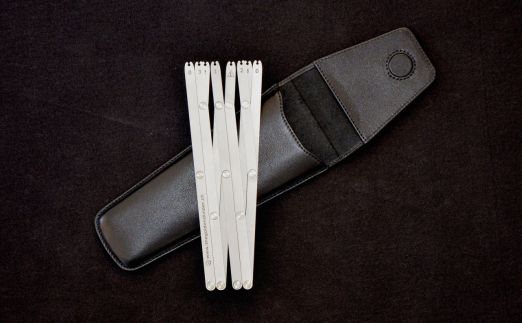
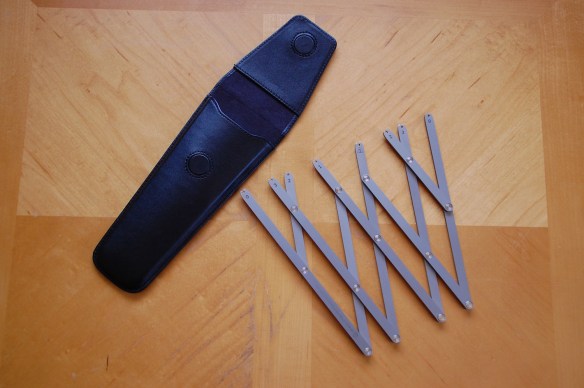
Once you have had some practice, this is the fastest method of the three, even faster that the digital method and you can use them right off a photo from a book or even a smart table screen. If you don’t have a set of equal dividers, also called 10 point dividers, you can buy a new pair for between $250 and $300 from various sites such as this one, or this one . They sometimes show up on Ebay but plan to pay around $75 to $100 for a used set.

In this photo of a 1840’s Greek revival casing, we’ll scale the actual size using the hand in the photo as a reference nomen.

IMG_6890The first thing you’ll want to do is draw lines outlining the sides and edges of the moulding details, then you’ll draw a centerline through your scale, whether it’s a hand or tape measure. Then draw a line parallel to this at the top of the picture crossing the outlines. Now continue the lines perpendicular to this new datum line so that they are parallel which eliminates the perspective/foreshortening effect of the photo. Then mark a known distance on the original centerline, in this case it’s the distance from the tip of the middle finger to the end crease which is 3 3/4″.

IMG_6886Now transfer these two points to the new datum line at the top of the photo. With the dividers, open them along this datum line allowing the distance between each point to equal 1/2″. They can represent any distance you want them to, but 1/2″ works best for this example. This means that 7 1/2 spaces will equal 3 3/4″ scale inches along the new datum.


IMG_6887Once you have these marks set, carefully move down to the bottom of the page and mark the distance at the first and last point. As each space represents 1/2″, the distance over the width of the dividers is a scale 5″ along the nomen line. For accuracy you’ll want to continuously check the spacing of the dividers against this ‘master’ to be sure you haven’t changed the setting. Most dividers are manufactured with fairly ‘tight’ joints but you can easily bump them while you’re working and throw off the setting.


IMG_6891Now we have a scale to measure the spacing between each of the line extensions above the top nomen line. You can mark the distance at the middle point and reduce the spacing of the dividers to equal 1/4″ in scale and so forth. I came up with an 8″ width, which when I checked the casing with an actual measuring tape, found it to be in reality 7 7/8″ to 7 15/16″. Not bad, well within the accuracy of most applications.


Digital Calipers

mutoh digital calipersThis method is not only more accurate than the equal space dividers but is a cheaper method as well, just not as fast at first. I have a set of Mitutoyo digital calipers which run about $180, but you don’t need anything that accurate. You’re going to be dealing with nothing finer than a thou of an inch and even that’s pushing it. A $12 pair like these are more than adequate, in fact this $9 cheap plastic pair are even better as the sharp points on the jaws of the better calipers will rip the crap out of the surface of the page of a book or the emulsion of an enlargement. They’re a lot safer to use when you’re scaling off a computer screen as well! They all have the ability to be set for decimal inches or metric.

IMG_7157The nomen in this photo is a Keson Pocket Rod, a retractable builder’s survey pole, ( don’t know if it comes in a metric version) if you don’t have one, get one right now. You’ll wonder how you got by without it. With a graduated scale in the photo it’s easy to find a correct scale. Turn the calipers on, squeeze the jaws together and zero out the reading. then you just set the jaws between a one foot increment and record the reading.

IMG_7158In this example 1 foot equals 2.665 inches. Divide this number by 12 and you come up with .222 inches equaling 1″ in the photo. Record these numbers for reference at the top of the photo. Remember that this equivalent will only be accurate over the whole area of the photo if you have been careful to make sure your camera was perpendicular to your subject matter.

IMG_7159


I could go into allowing for foreshortening and lens distortion calculations but that would take an entire chapter of a book.


IMG_7161There are other options to the survey pole or tape measure. Richard Mays introduced me to graduated adhesive tape on a movie several years ago and it’s a great tool. You can put several pieces within the frame and you’ll quickly see if you have  foreshortening issues. Art Director Jim Wallis has provided a manufacturer and source for ordering some for your kit. Or this one, Or this source for both imperial and metric with story pole writing space.

Photo Scaling With Sketchup

I know there are a number of ways to scale from photos digitally but if you pla
n to do any 3D modeling with them, Sketchup is a good place to start.Screen Shot 2015-04-09 at 4.36.35 PM

In Sketchup you’ll create a horizontal face and import your photo using file/import. Be sure to import the image as a texture. Stretch the image to fill the face and click. The image will tile itself over the face, so just trim  the excess repeated images.


Create a Group and double-click to open it for editing. This is an especially important stepScreen Shot 2015-04-09 at 4.38.50 PM if you already have other object or images in your model file. With the Pencil tool you’ll draw a line along your nomen marking out a specific distance, in this case 12″. the longer the line the more accurate your scaling will be.


With the ruler tool, measure this line from one end to the other. Ignore what it tells you theScreen Shot 2015-04-09 at 4.38.50 PM length is. Type the length you want it to be which will appear in the Value Control Box in the lower right corner of the window. When you hit return , a box will appear asking you if you want to resize the object. Click ‘Yes’ and the object will shrink/grow to the correct size and your photo image will now be at full size scale.

Screen Shot 2015-04-09 at 4.39.50 PM


Now you can trace any area you like and the tape tool will give you a correct length, Screen Shot 2015-04-09 at 4.42.54 PMproviding you are measuring in the same focal plane as the nomen. Obviously if you are measuring something in the foreground or background the measurement will be off, which is why you need lots of survey photos  if your subject is complicated,


–  R.D. Wilkins
 

Protected by Copyscape Original Content Check

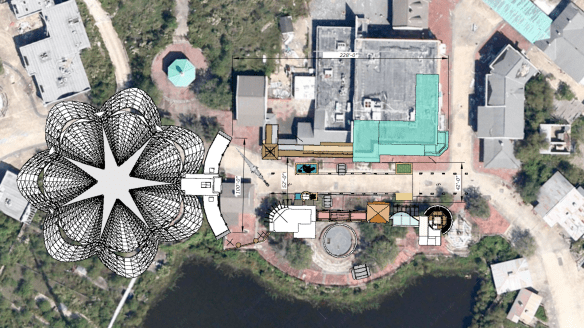
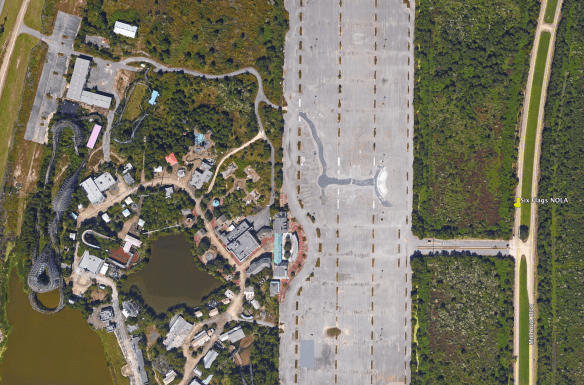
Superdome To Be Converted To World’s Largest Soundstage

Superdome-world's biggest stage_rdwilkins

With film production reaching ever larger numbers in Louisiana, adequate stage space has been a constant complaint from film companies looking to shoot in New Orleans. Now that the New Orleans Saints have moved to their new state-of-the-art sports facility in Metarie, the Superdome’s future looked dim.

The city has announced today that the facility will be remodeled as a soundstage and will by 2017 be reopened as the largest film production stage in the world.

Plans call for up to 12 films to be able to be shot simultaneously with new sliding curtain walls to divide the space as required. As a single stage, the dome will be large enough to conduct aerial dogfights inside. The film Apollo 11 is scheduled to be the first production shot here as the new floor will now retract to expose a deep tank for a 800 foot floor-to-perms height which will allow the rocket launch footage to be shot without worrying about bad weather.

Ernest Fuertmann, the projects manager, has announced that filmmakers can certainly take advantage of the bad weather when they need it as the dome’s roof will be configured to open for full sky exposure. The dome will also have the ability to become a giant water tank and will be completely filled with water for the 2018 remake of Red October.

During the news conference, Fuertmann said future plans include numerous subterranean levels which will house blocks of 3-story facades of every major city in Europe.

The Measuring Tool At The End Of Your Arm

I like photographing architectural details. But they’re only really useful if I have a scale in the photo. Measurements written down in a journal somewhere are bound to get separated or lost and the photo won’t do me much good if I want to replicate the detail. I rarely carry a tape measure with me all the time and usually carry a small paper ruler in my wallet, but that often gets lost of left behind.

When those times occur where I need a scale in the photo, i just use my hand. It’s handy because it’s always with me, I know how big it is and I can always refer to it later when I’m scaling the photo. It’s my built-in story-stick.hand photos_1

The hand has been a measuring device for thousands of years and is still used as a measure of the height of  horses in the U.S. and UK. The hand’s width was standardized at 4 inches by Henry VIII in the 16th century, the hand’s breadth, (just across the 4 fingers) at 3 inches, making the average finger width 3/4″.

hand measurements_1

The first joint or distal phalanx makes a handy scale for small details as well.

finger photos_2

And don’t forget your shoe makes a good scale object too.

IMG_4324


So what do you do with these? How do you translate these into working documents? Next time I’ll explain the basics of scaling from photos using dividers.

But in the mean time, this video by writer and woodworking instructor Jim Tolpin and animator Andrea Love gives a great intro into designing with hand and body proportions.


For more on proportional design, get Jim and George Walker‘s book, By Hand & Eye from Lost Art Press. George also writes a great blog on design you can find here.

And if you want some hands-on help, Jim will be teaching a class based on By Hand & Eye at the Port Townsend School Of Woodworking on March 21-22.

-Randall Wilkins

Google Earth Pro Price Drops From $400 To $0

Google announced last Friday that they were going to start offering their Pro version of Google Earth at no cost. The Pro version was meant mainly for developer, architects, contractors and real estate agencies who need both more advance measuring tools than the basic version offered plus higher resolution printouts.


Here is a table showing the differences between the two versions.

Screen Shot 2015-02-03 at 8.54.07 AM

The Superdome is 66.82 Smoots In Diameter

Unlike with the free version the Pro version allows you to measure diameters, heights and 3D paths and polygons.

Google Earth Pro 2 Google Earth Pro


How Accurate Is It?

I decided I’d test the measuring tools on something small to test the accuracy. I zoomed over to Colonial Williamsburg Courthouse which I built the model of years ago based on HABS surveys. The footprint measured out to be accurate within 99% and the height to within 98% accuracy. That’s pretty amazing.

williamsburg courthouse


You can download the model here and check the results for yourself.

10 Design Reference Books You Should Have On Your Shelf


design book montage_1

I think I’ve already made it clear that you just can’t have too many books, especially ones on design and architecture. But it’s also a real pain dragging a lot of them around with you from job to job and it becomes a bigger job to keep track of them once they’re out of your house. So, I try to only take books to my current workplace that I either don’t have a digital version of or just really need to have close at hand.

If I had to limit myself to just 10 books, these would be the books I’d take to start a job.

Here is my must-have list with sources:

1. Architectural Graphic Standards – 5th Edition – This was when the books were filled with great hand drawings and actually showed you in detail how things were built. Lots of period details as well. Out of print for over 50 years (at least in this edition) you can still find copies for anywhere from $20 to $200. The 3rd edition would be a suitable replacement. the first edition is also good to have and has been reprinted several times. Check Abebooks for copies. Not available digitally.

If you are in Great Britain, McKays is the closest equivalent, and is actually superior in a number of ways from our standpoint as set designers. On the Continent, an older copy of Neufert’s is a must. See this earlier post for details. Not available digitally.

In Germany, the best book on period construction I’ve found is Konstruction Und Form Im Bauen, by Friedrich Hess. There are lots of very nice drawings and measured details. Long out of print but you can still find copies second-hand. In Sweden, an excellent book on traditional construction is Stora Boken Om Byggnadsvård, by Göran Gudmundsson. This is a current book and still in print. Neither are available digitally.

2. Time-Saver Standards for Interior Design and Space Planning, 2nd Edition. This is the design complement to Architectural Graphic Standards and covers nearly every situation regarding building interiors. You can find used copies for around $75. There is a digital version available but it’s not only difficult to navigate because of the size of the book but at the price you’d be better off getting a hardback edition.

3. Styles Of Ornament – Alexander Speltz.  Originally published in 1904, this book uses over 4000 drawings to illustrate 6000 years of historical design. As a general design reference I don’t think it has an equal. Architecture, furniture, text, carving, metalwork are all covered. A must-have. (Handbook Of Ornament by Franz Meyer would be a close second.) Available from a number of publishers for as little as $10. A digital version is available.

Low Budget Option- download the online PDF here.

4. The Stair Builder’s Handbook – T.W. Love – Not a design book per se, but a book of rise and run tables that make stair layout a breeze. Available from Contractor Resource for about $18.

Low Budget Option – download the PDF Common Sense Stairbuilding and Hand-railing. Skip the mind bending section on handrail layout and skip to page 99. Also, Stair building, which has a nice section on ornamental ironwork.

Also, In April a new book will be out called  Simply Stairs – The Definitive Handbook for Stair Builders, by Mark Milner, published by Whittles Publishing in London for £25. Pre-release information on the book makes it look very promising.

5. Backstage Handbook – Paul Carter. Originally a technical manual for theatrical designers, the book is full of great information for film work as well. There are more details in this earlier post from several years ago. Available from Broadway Press for about $22. No digital version is available.

6. American Cinematographers Manual – The new 10th edition will cost you about $80 in hardback and almost the same in it’s digital version through the iTunes and Android sites. There’s a free pdf of the 7th edition here, but much of the latest technology isn’t in it. This is the go-to book for all things dealing with cameras and image capture. A lot of people will tell you you don’t need this. I’m sure you could also have a great career as a car designer without knowing anything about how cars work. Because when it comes down to it, all we’re really doing is designing big, pretty things to bounce light off of. Just remember, if the department names were based on physics we’d be the Light Reflector Design Department.

7. Building Construction Illustrated – Francis Ching. An excellent and thorough book about construction details including wood framing systems as well as masonry. About $30. No digital version is available.

Low Budget Option – access the online PDF here.

8. The Classical Orders of Architecture – Robert Chitham. I think this is the best modern book around that deals with the classical architecture proportional system. This book was out of print for quite a while and fortunately is back in print. The new edition deals with the proportions for both metric and Imperial systems. Used copies can be found for about $45.

Low Budget Option – Get the PDF American Vignola by William Ware and The Five Orders by Vignola. Also, download the very nice PDFs on classical architecture from the The Institute of Classical Architecture & Art.

9. Illustrated Cabinetmaking – Bill Hylton. I covered this book in an earlier post. If you want or need to know basic furniture design and how furniture goes together this is the book you’ll want to refer to. It’s been referred to as the Grey’s Anatomy of furniture building. Full of exploded drawings of many kinds of pieces. Available from Fox Chapel Publishing for $24.95.

10. By Hand & Eye – George R. Walker & Jim Tolpin. Just because this is number 10 on the list doesn’t mean it’s the least important. In fact if you’re just starting out in set design this is the first one I’d tell you to buy. Most bad designs are caused by bad proportions. This book will give you a solid understanding of proportion and keep you from making simple mistakes. You can download a sample chapter here. Also, I wrote a longer post on the book earlier. Walker and Tolpin are promising a workbook that will come out later this year based on the book’s concepts so look for that. Available from Lost Art Press for $38, hardbound.

Low Budget Option – Cut back on the Starbucks for a couple days and buy a digital version for $18. The mental stimulation might be just as good as the caffeine and it’ll be a lot healthier too.

So what have I missed? There are other books I could list these are the best. What’s on your shelf? What books would you say are ‘Must Haves’?

Share your titles with the rest of us. Let me know the important titles I’ve missed here, I’m sure there are a lot. As an incentive, everyone who posts book suggestions goes into a drawing at the end of the week for a free digital version of By Hand & Eye.

C’mon, give us your list.


Last Minute Holiday Gifts For Set Designers

Beware. This is what happens when you give a set designer a crappy holiday gift. source: Awkwardfamilyphotos.com

Beware. This is what happens when you give a set designer a crappy holiday gift. source: Awkwardfamilyphotos.com

So, it’s just 12 days until Hanukkah and 13 until Christmas and you still haven’t gotten that special set designer in your life a gift. You could just give up in defeat and buy them that same aged cheddar cheese sampler you got them last year, ( which they carefully hid underneath your car seat and is the reason it smells like mold inside ) or you can get them something decent like one of the the items on the list below. At this point you’re probably going to have to resort to hideously expensive 2nd day air shipping, but who’s fault is that??

Best Value  –  Spike GPS device for smartphones and tablets – $299

The Spike GPS device for smartphones and tablets

The Spike GPS device for smartphones and tablets

That may sound like a lot of money but that’s 50% off the introductory price of $619. I got one of these during their Kickstarter program in 2013 and have been thrilled with it. This device does everything my $500 Bushnell rangefinder does and a lot more. Take a photo of a building up to 200 meters away and then take measurements off the screen, even after you’re back at the office, even weeks later. Easily get accurate heights, door and window sizes, measure billboards, estimate square footage. You can instantly send the photo to someone else with the measurements, GPS coordinates and square footage. Soon to come are the capability to turn your shots into a Sketchup model and point cloud scanning of irregular shapes. For iOS and Android devices.

This offer is only good until December 23 with the offer code FRIENDSOFIKE14.

By Hand & Eye – $16.00

BHAE_scan_cover_500_1024x1024

Another gem from Lost Art Press, this is probably one of the best design books written in the last 100 years. It outlines the world of design without a rule and using only dividers and proportional methods. I covered this in a previous post and always recommend it. It’s so popular that it’s currently out of print and only a digital version is available. Buy them this and a good pair of second hand dividers from Ebay and you will completely change the way they think about design.

Drafting Apron – $25.95

apron1

Harkens back to the days of graphite dust, arm protectors and a time when you didn’t have to worry about hours of work disappearing from a computer failure. Hide a box of Tombow pencils in the pocket and watch them weep with joy.


WE Wood Watches – $75 to $150

we wood watches

WE Wood watches are beautiful analogue timepieces made from a number of hardwoods and use precision movements. Each one is absolutely unique due to it’s wood case.They’ll have something nice to look at while they’re waiting for their render to finish or that endless production meeting to come to an end.

FastCap ProCarpenter Lefty/Righty Tape Measure – $8.99

29855-01-1000

Most measuring mistakes that occur while doing a survey come from misreading numbers upside down when you’re measuring from right to left. This tape solves that problem by having the numbers read correctly no matter which way you hold it. The same company also makes the Flatback tape which works like a flexible story pole, making it possible to easily measure round objects. You need this.


 Magna Tip – $2.49

MagnaTip

This little guy will save you when you’re surveying alone and have a metal surface to stick it to. It attaches to the end of most 1″ wide tape measure and becomes a third hand. Especially good if you’re trying to measure something overhead. A great stocking stuffer.


Tape Tip – $4.95

Tape tip

Another little device that’s a lifesaver when you’re trying to measure inside corners. Attaches to the ends of most tapes. Inexpensive enough you can buy one for your whole art department.

GripTip – $3.00 for two

Unknown

OK, you’re saying, enough with the survey stuff. But this little gadget will save you someday when you’re trying to measure that stone or brick wall and the end of your tape keeps slipping off. The serrated edge will bite into just about anything and stop the cursing fast! At $3.00 for two, you can afford to have several in your kit.

Smartphone Projector – $27

smartphone projector

For the gadget lover, this is a low-tech projector option that works with palm-size smart phones, not the phablets. Made from cardboard, the device works with simple lens physics as the image and light from the phone is projected by way of a convex lens onto any white surface up to 6 feet away. You’ll need a dark room though, it won’t work in a brightly lit space. A great way to share when you don’t happen to have a 27″ monitor in your bag.

Geometrigraph – $14.95

Geometrigraph set

First manufactured in the late 1800s, these two stainless-steel templates were designed to make it possible to create curved, parallel or perpendicular lines as well as circles, angles and a range of polygons from 3-sided to 20-sided. By using the inset shapes of various curvatures with the circles and polygons, you can create an unlimited variety of ornamental designs.  All this can be done without using any other drawing instruments; all that is needed is paper, a pin, and a sharp pencil or fine-tip ballpoint pen. Two nickel-plated steel T-head anchor pins are included.  The templates are suitable for designers of inlay in wood, graphic artists, quilters, sign-makers, innovative youngsters, etc. The set comes with a 16-page instruction booklet explaining the various uses as well as showing numerous examples of typical designs. Remember the Spirograph? Well this is it’s Granddad.
Tape Measure Uniform – $42.00

GetImage.ashx

For those times when you need to stand out and let people know there’s a Art Department professional on the job. Or, more likely what it will be saying about you is, “Yes, I am a proud member of the Art Department and I have gone completely insane from breathing Spray77 and Zip Kicker fumes, living on stale coffee, doing endless revisions and dealing with constant software issues. So just stay away from me and no one will get hurt.”


Really, Really Last Minute Gifts

When you realize you’ve really screwed up and forgotten someone and have no time to run to the store, much less order anything, you can always gift a good app.

Log onto the Apple or Android store and gift your so-important-you-forgot-about-them friend one of these apps and your reputation will be saved:

I own and can recommend all these apps.

BuildCalc – construction calculator – $19.99

Magic Plan – indoor mapping, survey tool – free, pay per use

Photo Measures – saving and sharing measurements – $6.99

Artemis – professional director’s finder – $29.99 *

pCAM – camera info calculator – $29.95 *

Sun Surveyor – sun and moon calculator – $6.99

Stereo Calc – 3D stereo film calculator – $39.99 *

Moviola Pro Camera Guide – extensive database of camera info – $3.99 *

I.D. Wood – samples and data for 200 kinds of wood – $4.99

* iOS versions only