Painted Backings – Film’s Best Kept Secret

“In 1903, Pathé (the first Pathé studio in Vincennes) had two cameramen [who were] paid 55 francs a week. The designers/painters, much better paid, began at 90 francs a week. A week then was 60 hours and payment was made every Saturday in gold.”

Gaston Dusmenil, Bulletin de l’ A.F.I.T.E.C., no. 16  (1967)

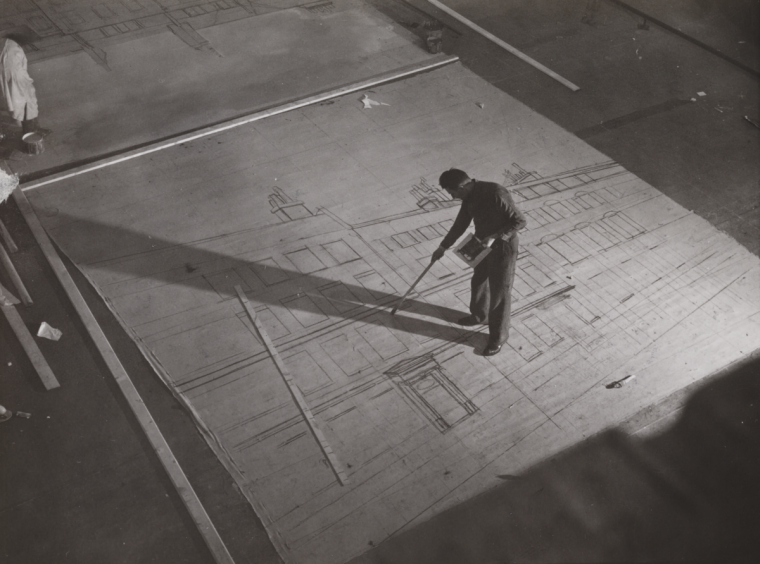
“The scenery [ in early 1900‘s France ] was painted flat, like stage scenery. The canvas (about 20 x 30 feet) was tacked to the floor, and after applying a coat of glue size and whiting, the designer drew the design in charcoal. For complicated architectural sets a small sketch was made and squared for enlargement. Since the size paint was used hot, a scale of grays running from black to white was prepared in advance in small flameproof buckets. The scene painter worked standing, walking on the canvas (in rope shoes or socks) and using very long-handles brushes: straight lines were drawn with the aid of a long flat ruler, similarly attached to a handle. To judge the whole, in order to accentuate effects if needed or to remove unnecessary details, the artist had to mount a ladder. The completed canvases were attached either to wooden frames to form flats, or else, to vertical poles so they could be rolled up.”

Léon Barsacq, Caligari’s Cabinet and Other Grand Illusions

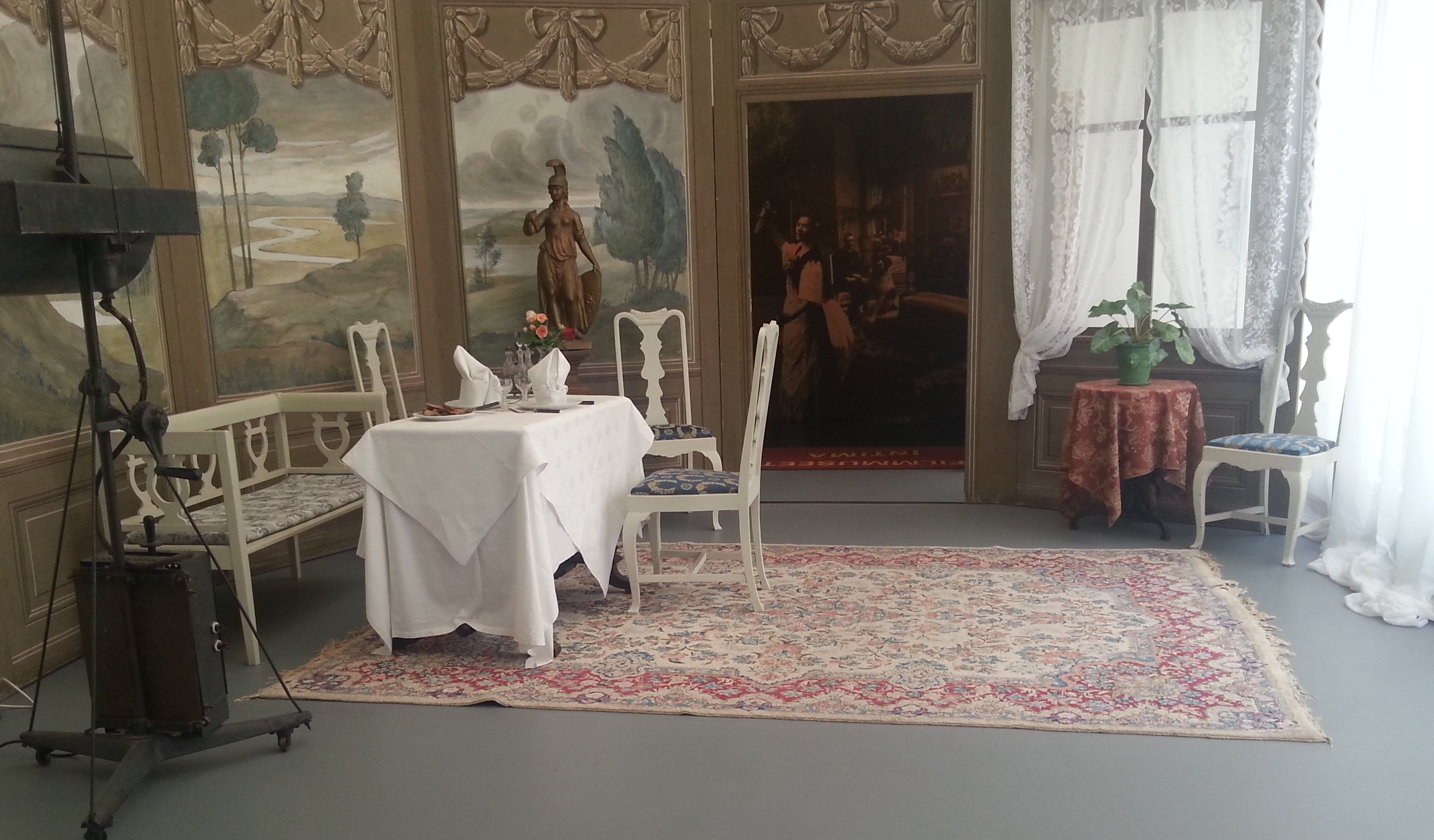
Mèliés' Montreuil Studio

Mèliés’ Montreuil Studio

Painted backings have been a staple of filmwork since the very beginning. Georges Méliès was the first to recognixe the possiblilites of incorporating painted backings in his films which he realized could be a vehicle for creating a dramatic narrative and not just for recording real-life as the first short films had.

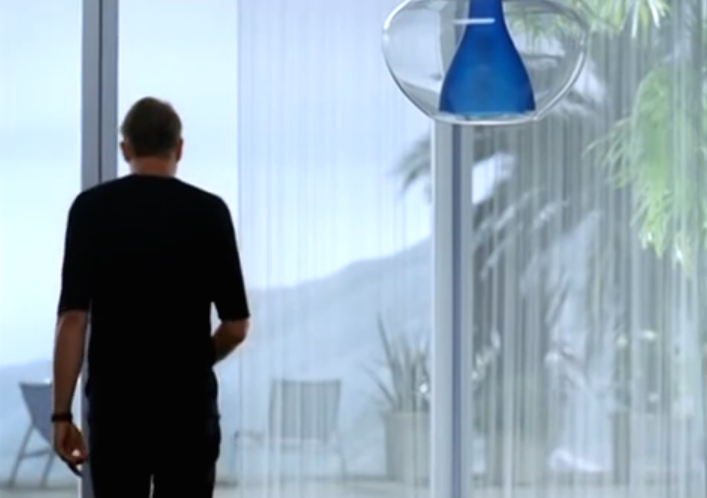
Even today, with the current trend of green screens and digital effects, audiences are often unaware that the view outside the windows of a set are actually hand-painted backings. While photographic backings, basically photographic images greatly enlarged and printed on heavy mylar or polyester fabric, are the norm in backings these days, the painted backing still has not only a definite place but even distinct advantages over their photographic competitor.

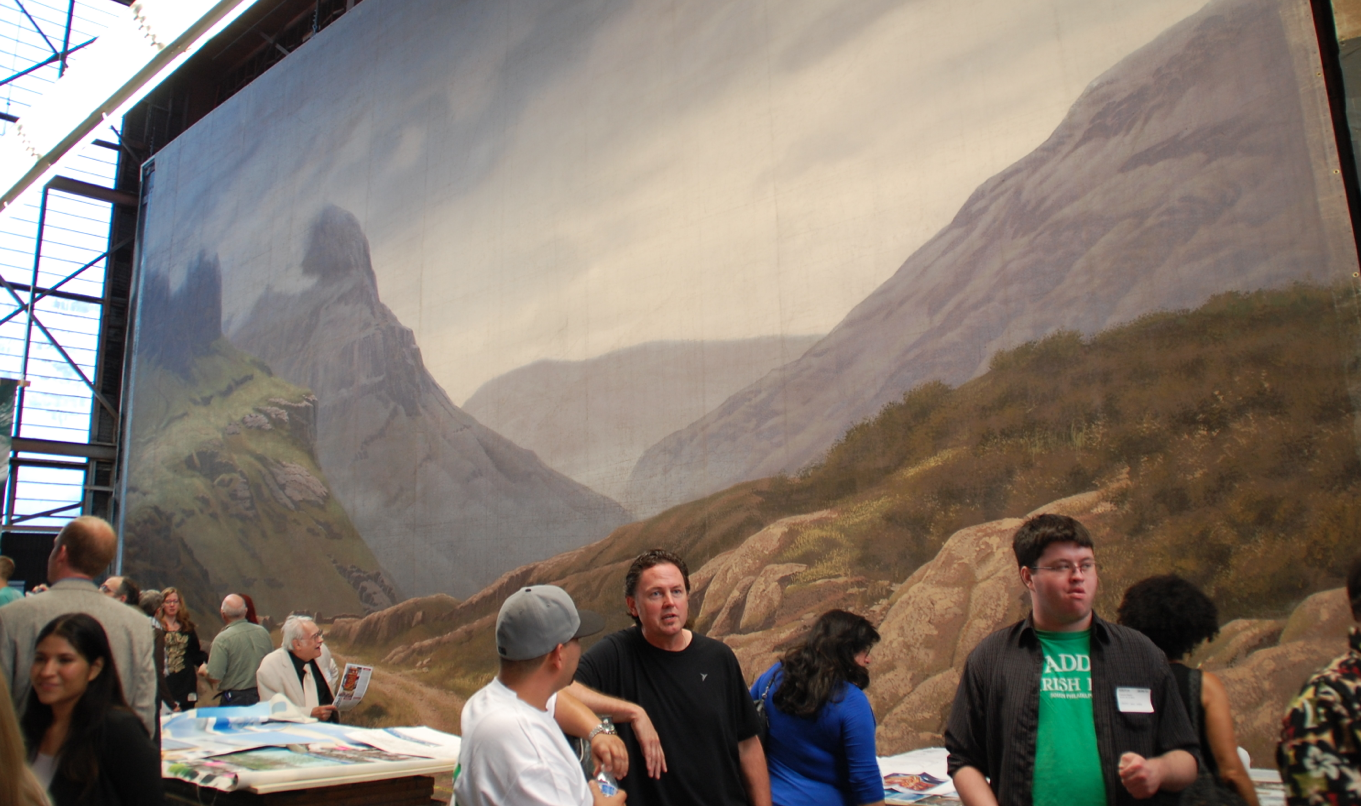
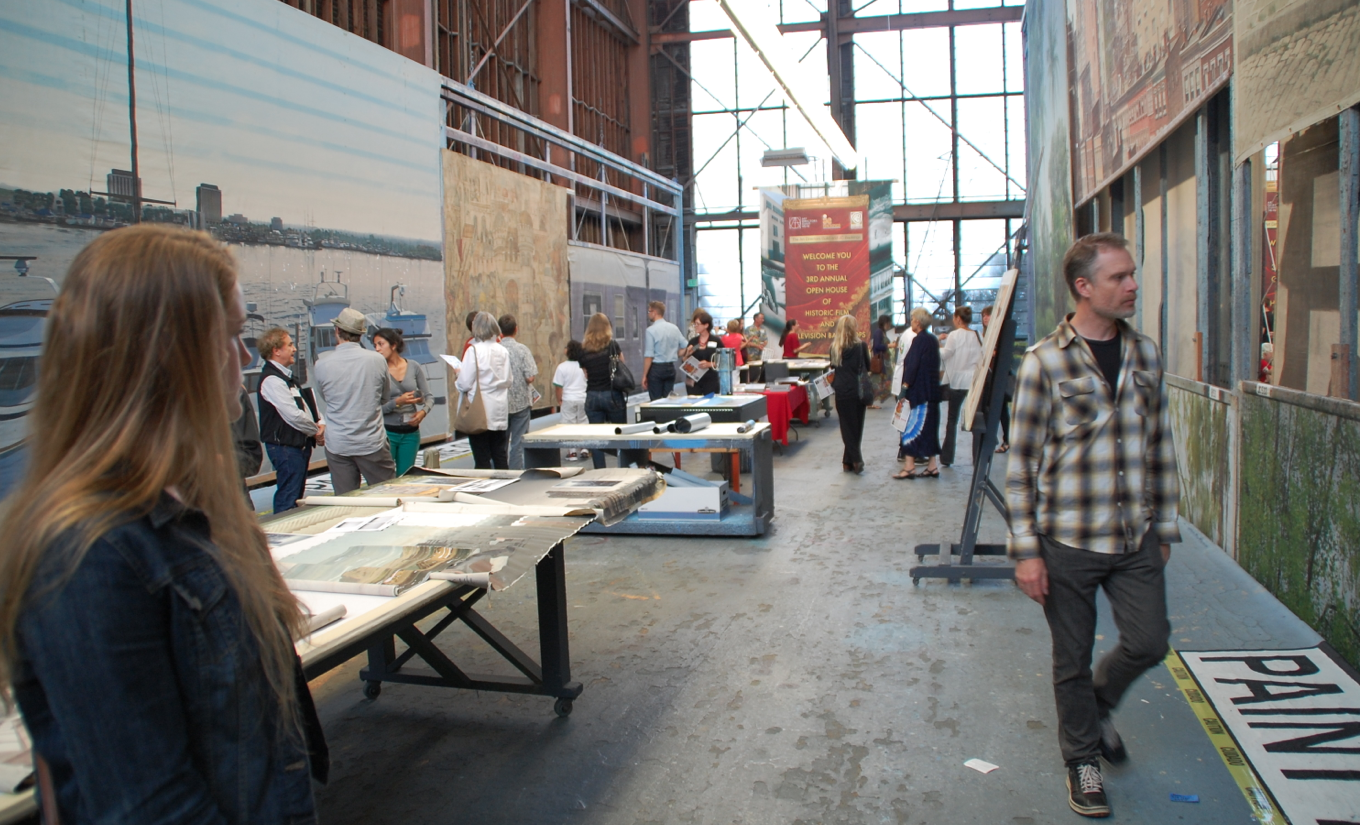
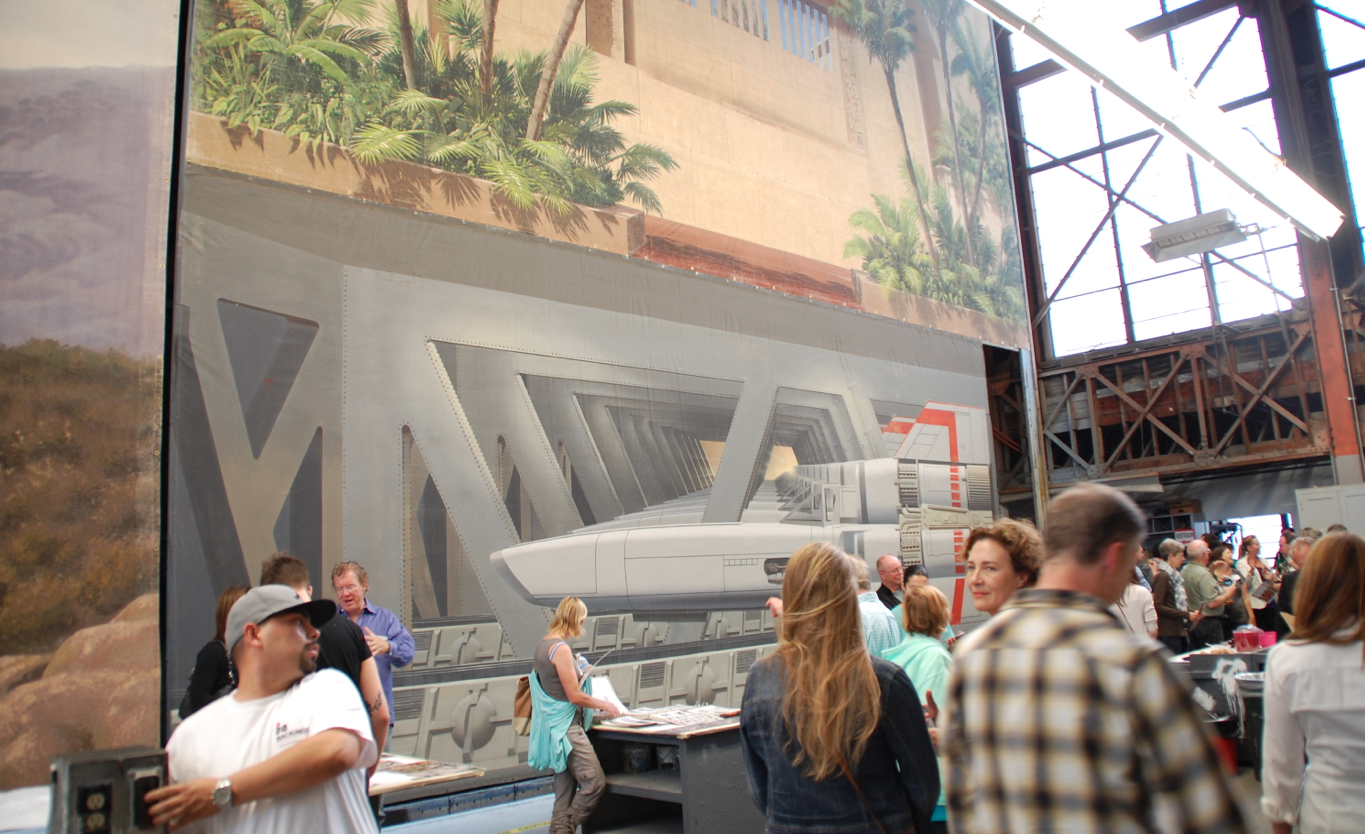
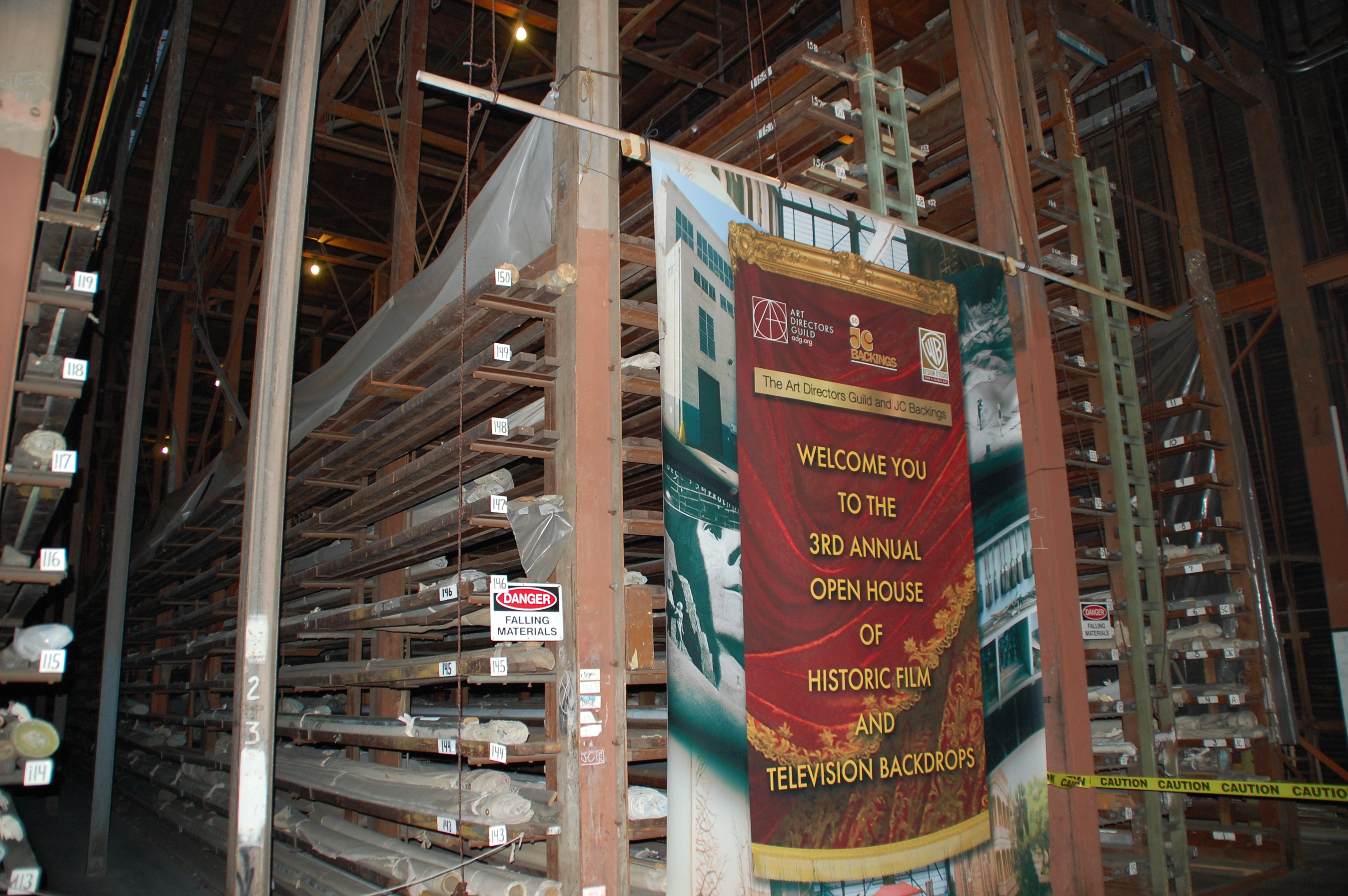
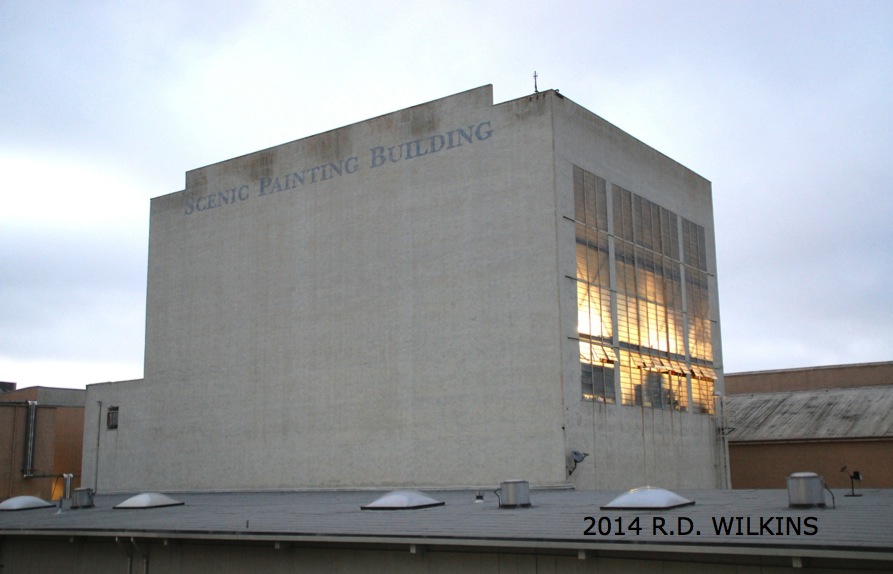
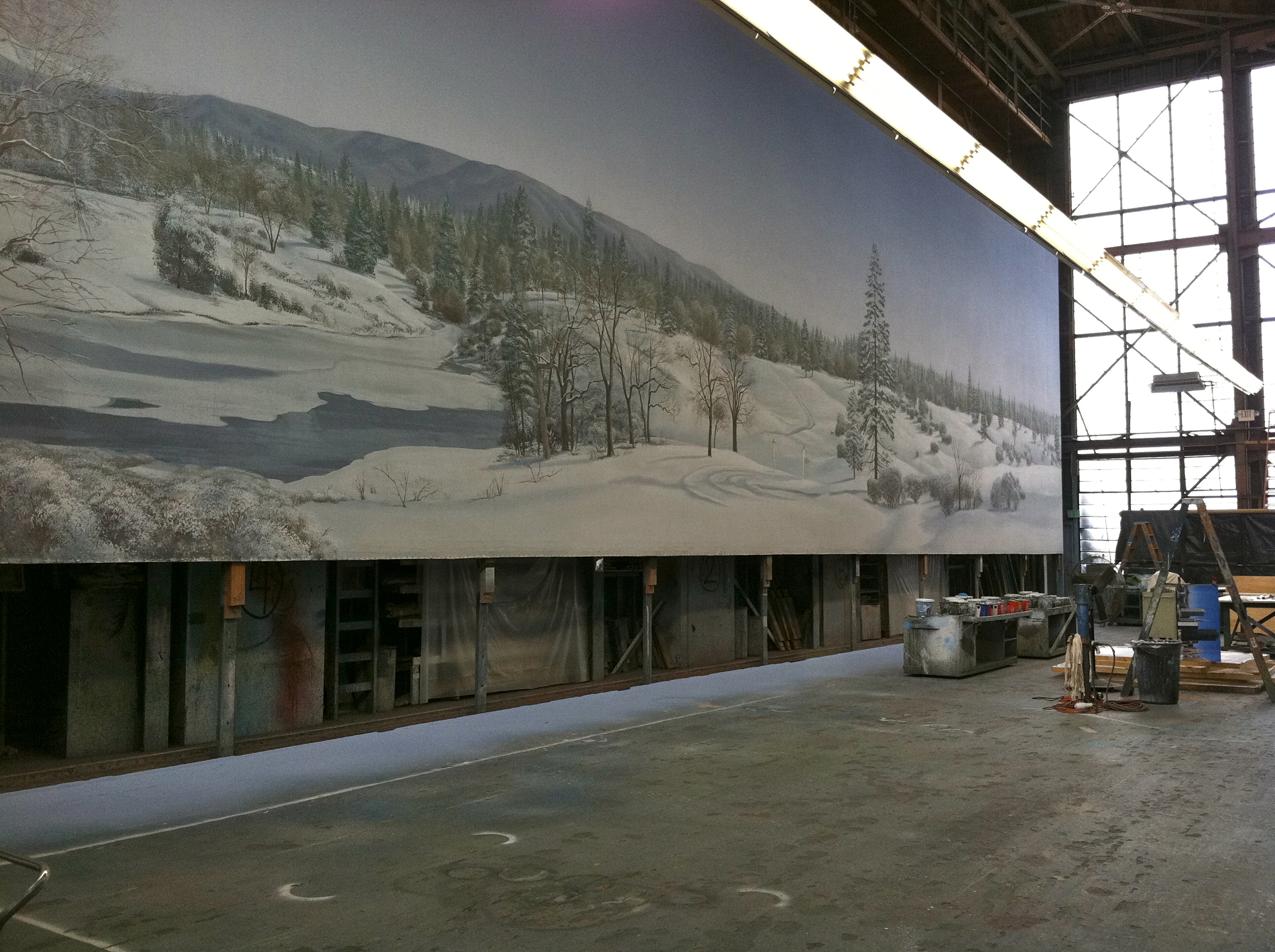
J. C. Backings, who make their home in the historic Scenic Painting Building on the old MGM lot in Culver City (now Sony Studio) recently hosted a Historic Backings event along with the Art Directors Guild here in Los Angeles. They pulled a number of backings from their collection of over 5000 backings, along with several from the Warner Bros. collection and displayed them on the six paint frames where the backings were painted originally.

The storage racks for backings at J.C. Backings

The storage racks for backings at J.C. Backings

Along with the backings were displayed a collection of smaller scale studies, paint notes, research photographs and examples of the backing design process as well as numerous photos of backings from their archives.

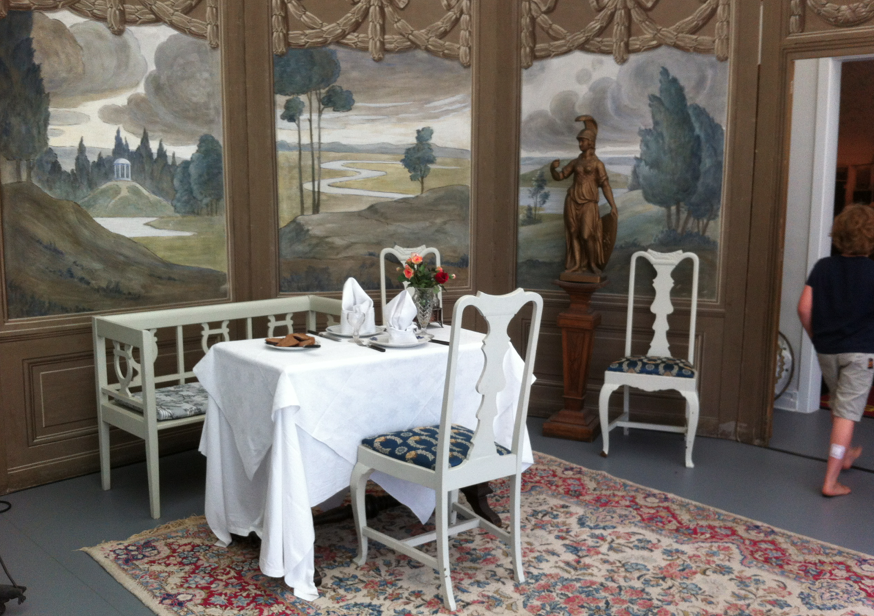
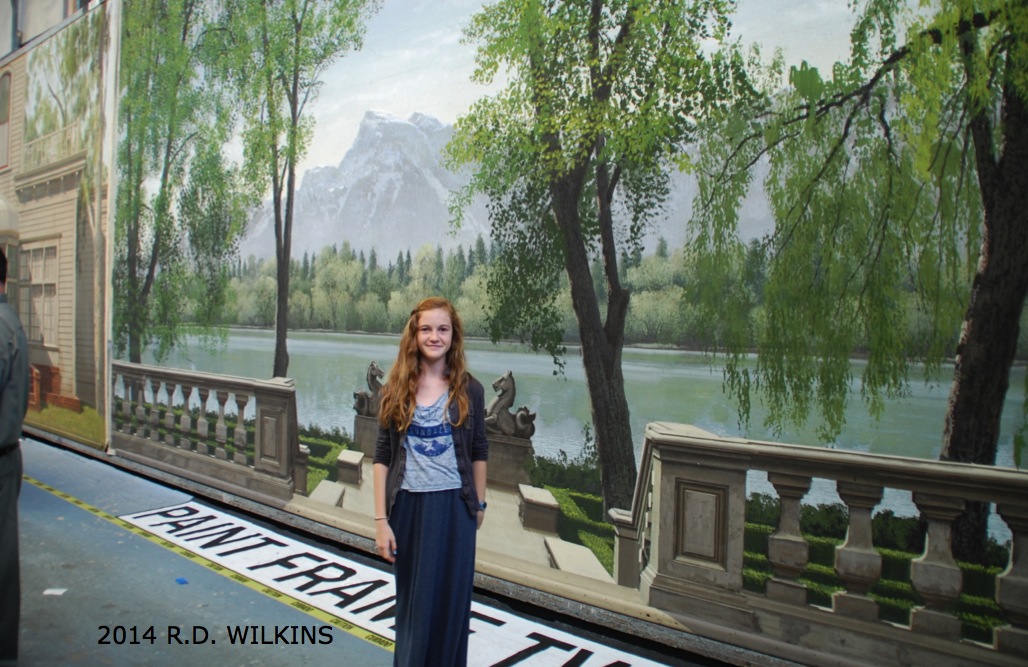
Usually only seen in partial focus and in the background, it’s wonderful how realistic most of these backings are even when seen up close and out of context.

The Scenic Painting Building on the Sony Lot (formerly MGM)

The Scenic Painting Building on the Sony Lot (formerly MGM)

Backing from The Sound Of Music

Backing from The Sound Of Music

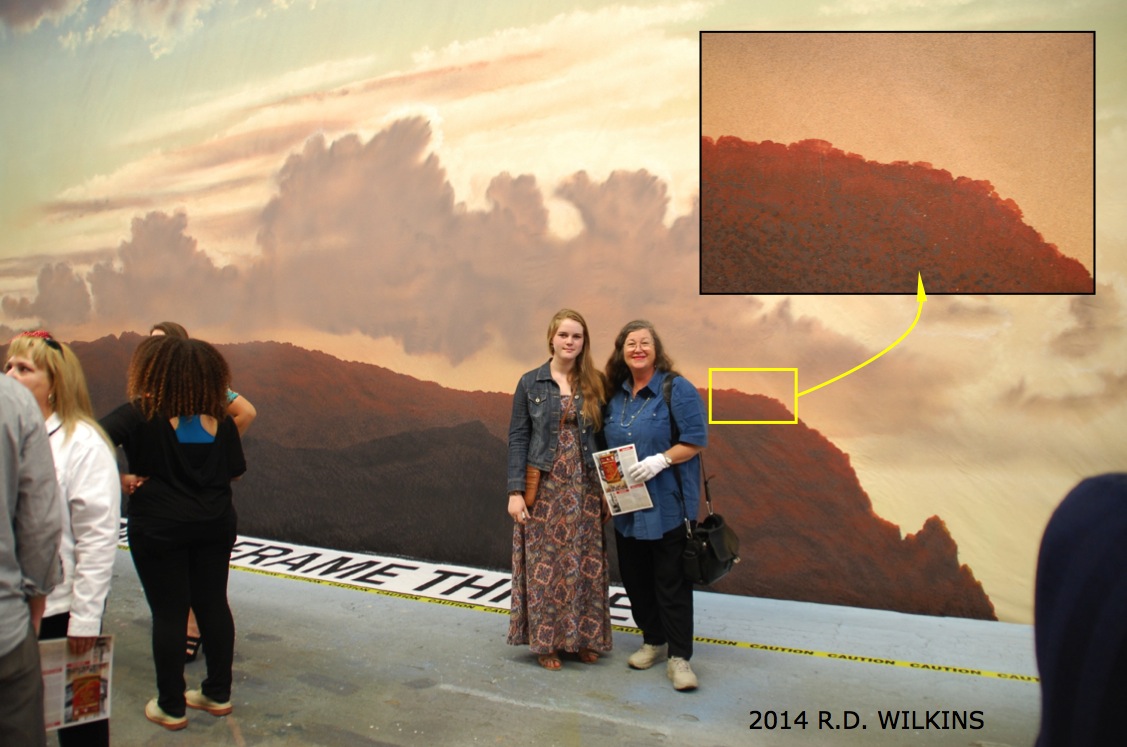
Backing from South Pacific. Notice the inset close-up of the brush work

Backing from South Pacific. Notice the inset close-up of the brush work

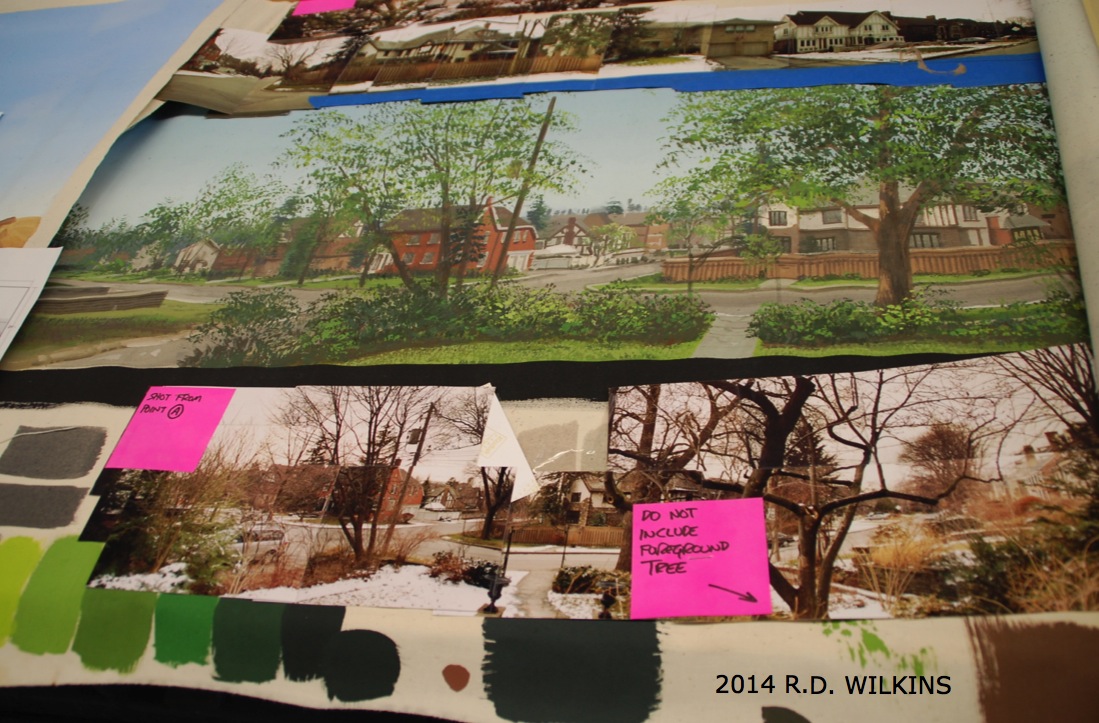
Sample of photo reference for a backing along with notes and a small preliminary paint study for the final backing

Sample of photo reference for a backing along with notes and a small preliminary paint study for the final backing

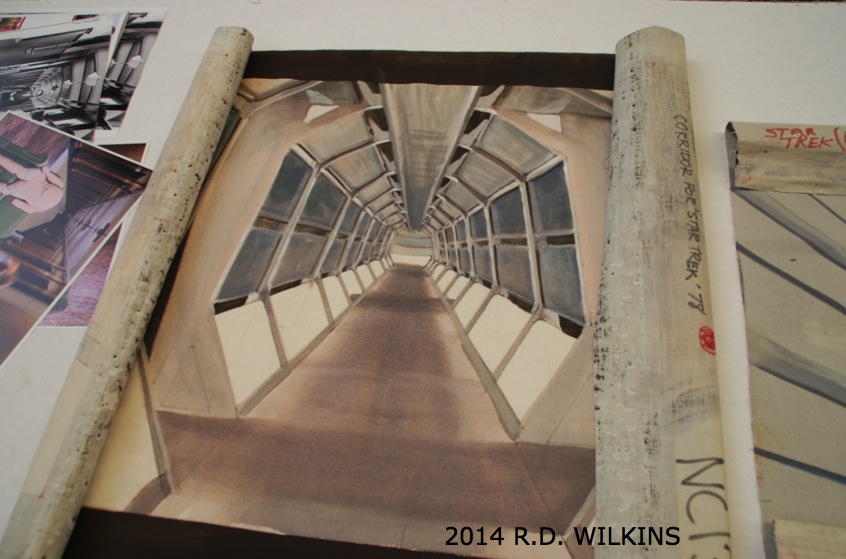
small painted comp for a backing for a corridor of the first Star Trek film in 1978

small painted comp for a backing for a corridor of the first Star Trek film in 1978

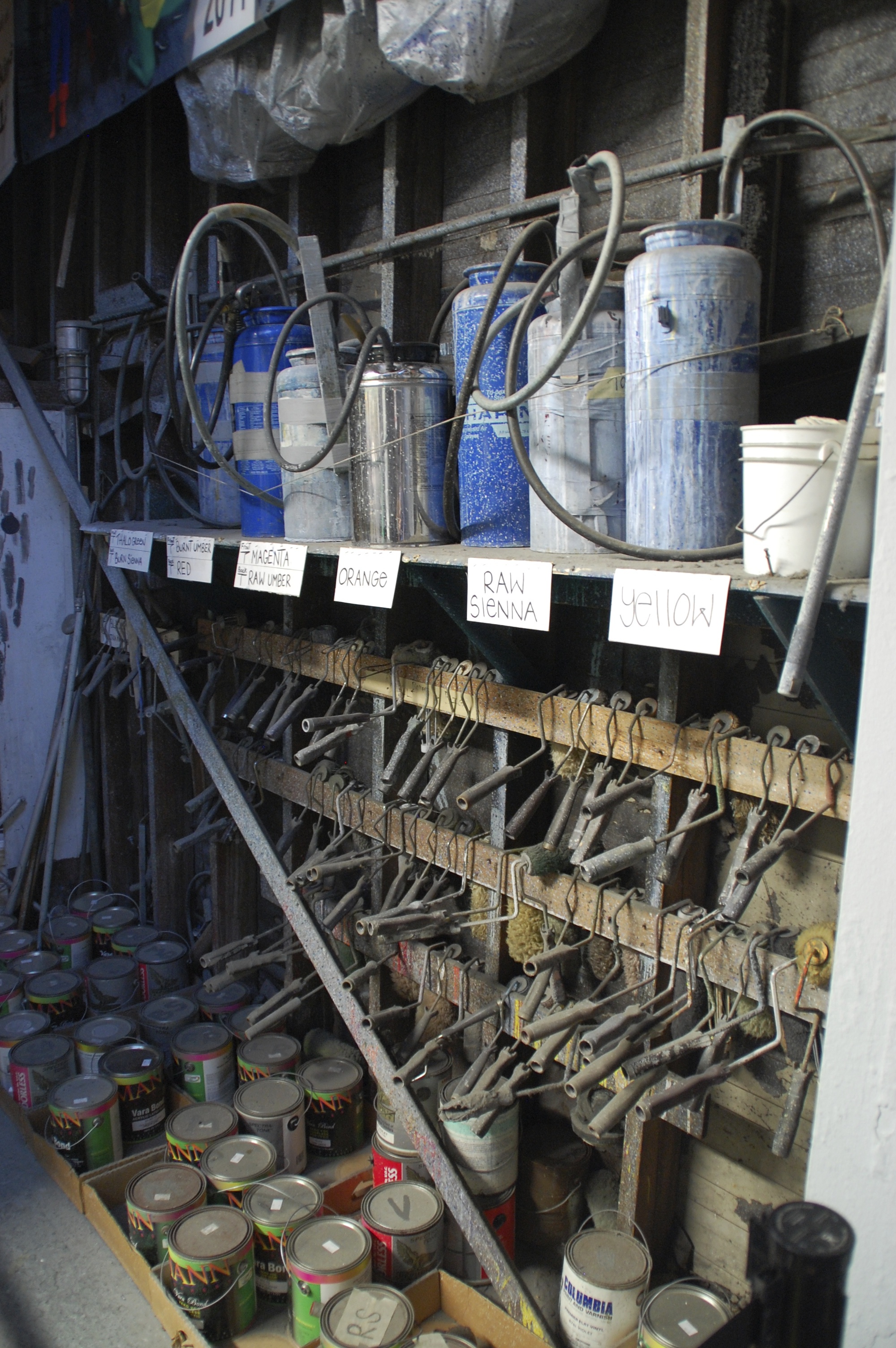
Paint rack with Hudson sprayers and roller mandles

Paint rack with Hudson sprayers and roller mandles

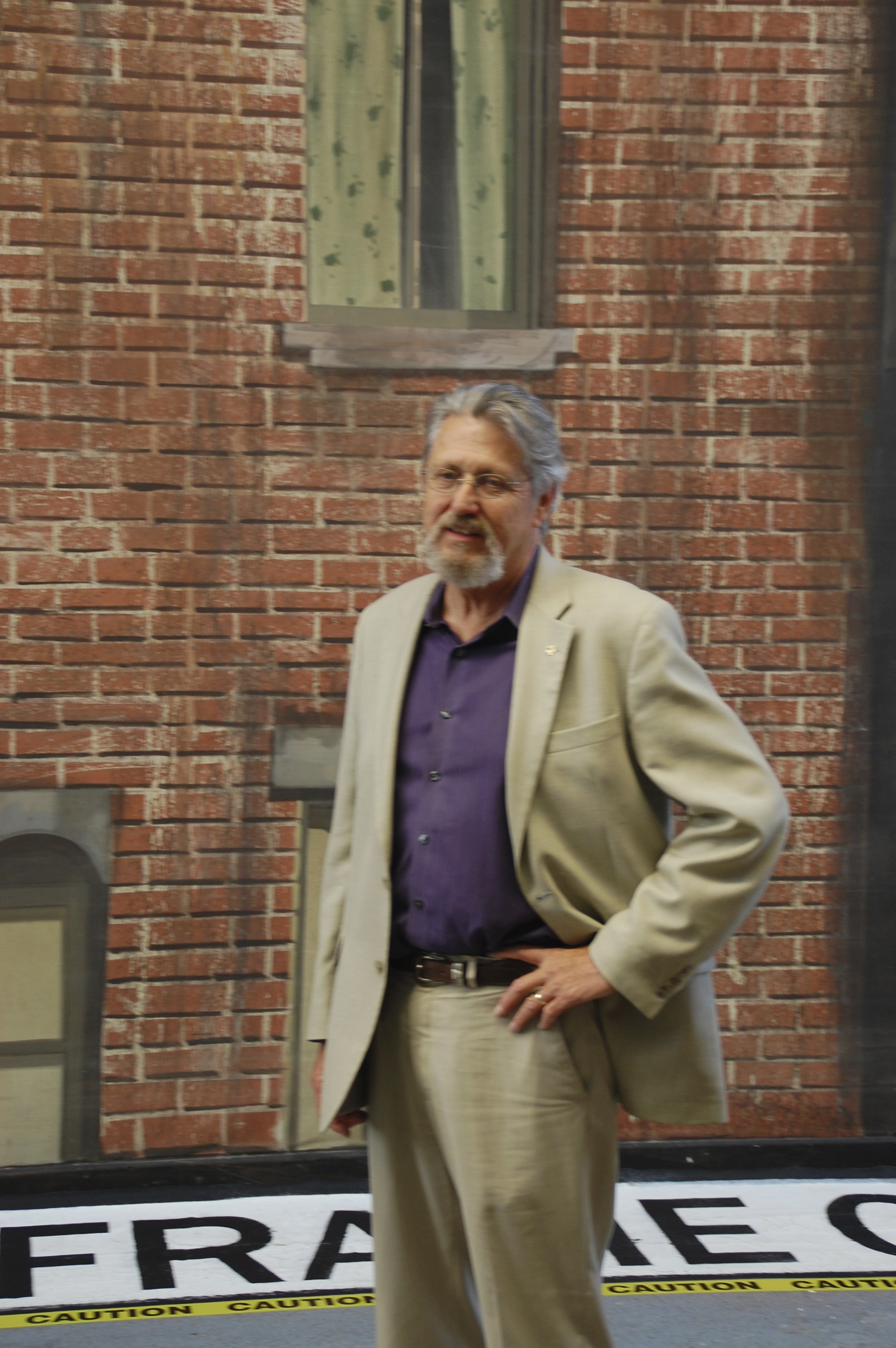
Art Directors Guild's Associate Executive Director John Moffit in front of one of the many backings he painted while Head of the Scenic Department at Warner Bros. Studio

Art Directors Guild’s Associate Executive Director John Moffit in front of one of the many backings he painted while Head of the Scenic Department at Warner Bros. Studio

Large backing in progress on the large paint frame

Large backing in progress on the large paint frame

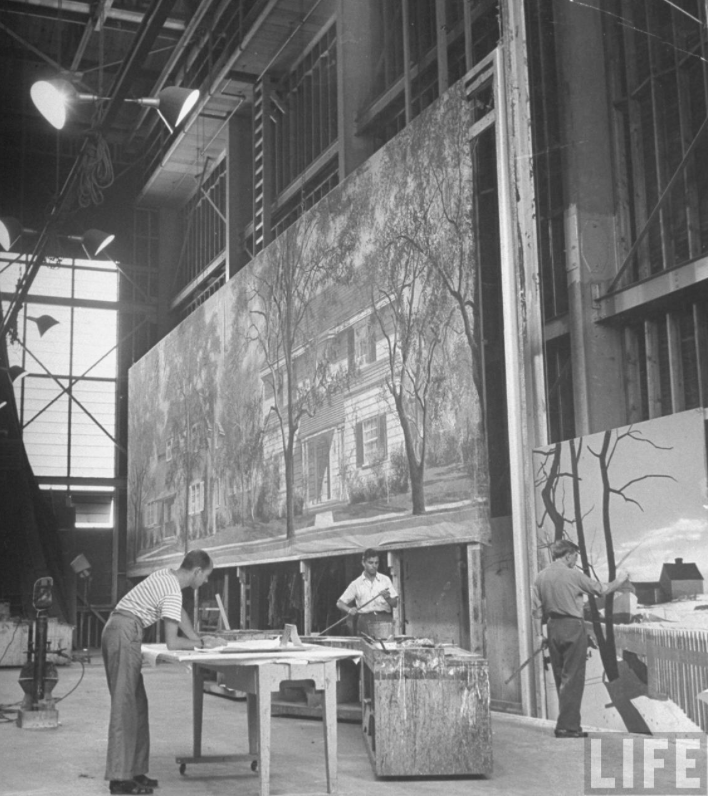
Still from a Life Magazine article of the same space when it was the MGM scenic shop in the 1950's.

Still from a Life Magazine article of the same space when it was the MGM scenic shop in the 1950’s.

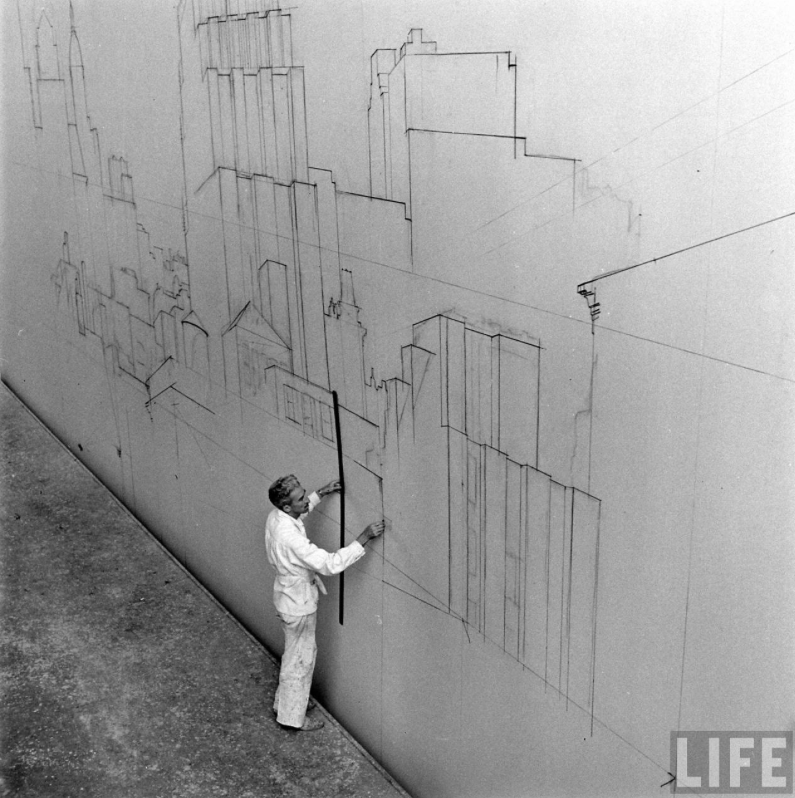
1950's photo of a backing layout in progress.

1950’s photo of a backing layout in progress.

And finally, here’s a time-lapse video of a street scene backing being painted by scenic Donald MacDonald at J.C. Backings. Note how the canvas is back-painted so that it can be rear lit for a night shot.


Comparing Cinema Lenses To Still Camera Lenses

A lot of people take shots of sets and wonder how the focal length of their still camera lens compares to cinema lenses. Even if the capture format is 35mm film or a digital camera with a 35mm size sensor, the angles of view are not the same as with a 35mm still camera.

The reason is that the the film runs horizontally through a still camera instead of vertically as through a cinema camera, resulting in a larger frame in the still camera which in turn results in a wider angle of view with a similar focal length lens.

The lens angle chart below is similar to the traditional AOV acetates used in Art Departments for decades but this one has the equivalents for still lens focal lengths next to the cinema lens angles. (You can print out a pdf of this below, just have it printed on clear acetate.) Beside each cine focal length you’ll see the equivalent focal length with a full frame DSLR. If you are using a camera with a crop frame factor this will of course be closer to the cine focal length. In fact if you shoot with the Nikon D40 or similar, it will be almost identical in focal length numbers to the cine lenses.

Angle Of View Comparison Chart

On the chart I’ve drawn a full size outline of each sensor/frame size so that you can see the difference between the two mediums. You can use this chart on any size scale plan and it will give you a very close approximation to what you’ll see with a given lens. If you want to use it on elevations you’ll need to divide the angle by 1.33 to get the vertical angle.

For those of you who use iPhones for stills, you can download a AOV chart for the iPhone below, print it on acetate and compare in to the 35mm lenses.


Cinema_Super 35 AOV Comparison

iPhone Angle Of View

Your Next Phone May Be A Real-time 3D Scanner

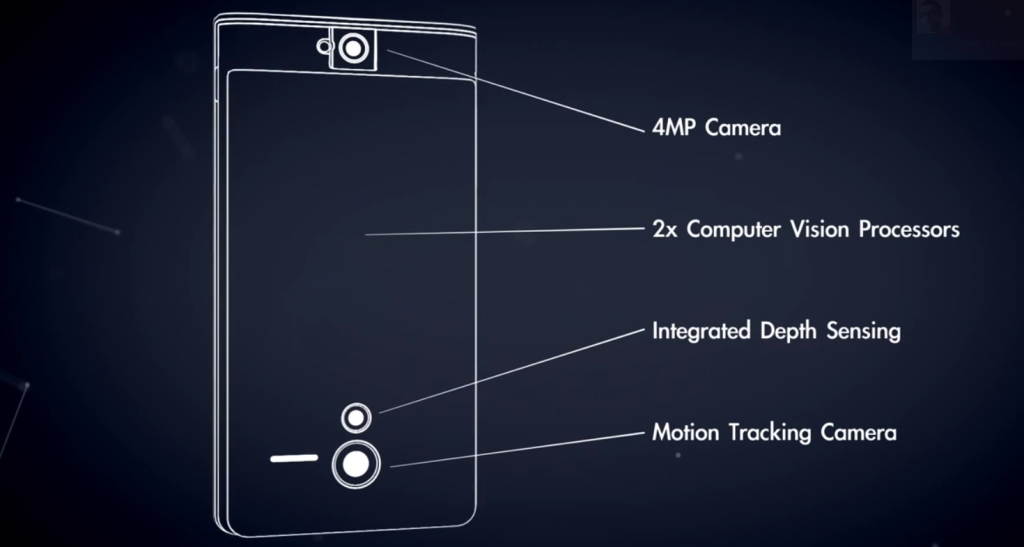
In February Google launched what they call “Project Tango”. They have developed a smartphone which is also a 3D scanner that can map the surrounding area and build a visual map of it. Processing over 3 million reference points a second, the device can build a virtual, scalable model of a room in the time it takes to walk through it.

Schematic of how the Tango device works

Schematic of how the Tango device works

They have currently hand-picked 200 developers to create applications for the device which as of now only runs on Android devices. Imagine what this would do to those never-ending time-consuming location surveys. Would you ditch your iPhone if you could have an Android phone that did this?


Can’t wait that long? If you’ve got $4500 and want the latest in room scanners, go over to Matterport and watch their demonstration video of their room capture camera system.


What Lens Is It? Comparing Apple Device Cameras To 35mm Lenses

A lot of times when you’re using your smart phone camera to take a shot of a set or location it would be nice to know what the equivalent view would be with a 35mm cinema / video lens.

I ran the numbers for most Apple devices and came up with the following equivalent focal lengths for both 35mm still cameras (full frame) and Super 35mm size sensors. Remember that although both formats are based on 35mm film stock, the frame for a still camera is a 1.5 aspect ratio with a frame width of about 1.417 inches. A Super 35mm frame is a 1.35 aspect ratio and the frame width is .980 inches.

Why only Apple? Well, the company readily makes their devices lens and sensor data available and it was easy to calculate. In the next post I’ll show you how to measure for your devices’ angle of view if the exact focal length isn’t published.

Please note in the following table the focal lengths for the given device have been rounded up to the nearest whole number so the equivalent lengths given are approximate.

Apple device lens comparison chart

BREAKING NEWS: German Government Offers Huge Tax Incentives To Hollywood Studios

FÜRNHEIM, Germany (ADAC) – On Monday the German government’s federal film commission, the DDFLM, announced that they were now going to offer a 90% tax rebate to American film production companies who shoot 100% of their films within the country. In a packed room at the Forstquell-Brauerei the commission’s president, Max Furzmann, said the move was  to compete for the American studio projects with states such as Louisiana, New York and Georgia, and countries such as Canada who offer large tax rebate incentives to lure film productions there.

This deal has apparently been in the works for some time as a source at Universal Pictures in Los Angeles reported that there are plans to dismantle all of the sound stages at Universal Studios and rebuild them in Europe. Universal representative Michael Dorftrottel, who spoke on the condition of anonymity, said “What do we need stages for anyway? Everything’s done in a computer now, isn’t it?”

Removing the stages will allow Universal’s new upcoming Harry Potter attraction to encompass the area now taken up by the only part of the studio actually used for making films. It will also allow the studio space to provide much larger climate-controlled covered parking areas for upper-management.

Late Monday, the Louisiana Film Commission held a press conference where they announced that the state, known among industry insiders as ‘Hollywood South’, was considering increasing the current film tax incentive rate to 95% in response to the German rebate program. This suggested rate increase is still apparently being hotly debated among the state’s legislators. Petroleum oil companies, who currently purchase most of the tax credits from the studios to apply to their own tax debt, are encouraging the state to increase the incentive rate to 125% claiming the increase would be very beneficial to the state as well as to the corporation shareholder’s stock portfolios.

Furzmann did not explain the German tax incentive in detail during his remarks but instead presented a short animated video by Jan Vetter, Dirk Felsenheimer and Rodrigo Gonzáles of the FKK group which outlines the various aspects of the program.


UPDATE: The Georgia state legislature held an all-night session which resulted in plans to raise that state’s tax rebate incentive to 300% of labor and sales tax. Also, 20th Century Fox Studio announced they would follow a similar course of action as that of Universal Studios and have completed tearing down Stages 14, 15 and 16 with plans of replacing them with much needed office buildings along Pico Blvd.


Just Shoot It

Quote

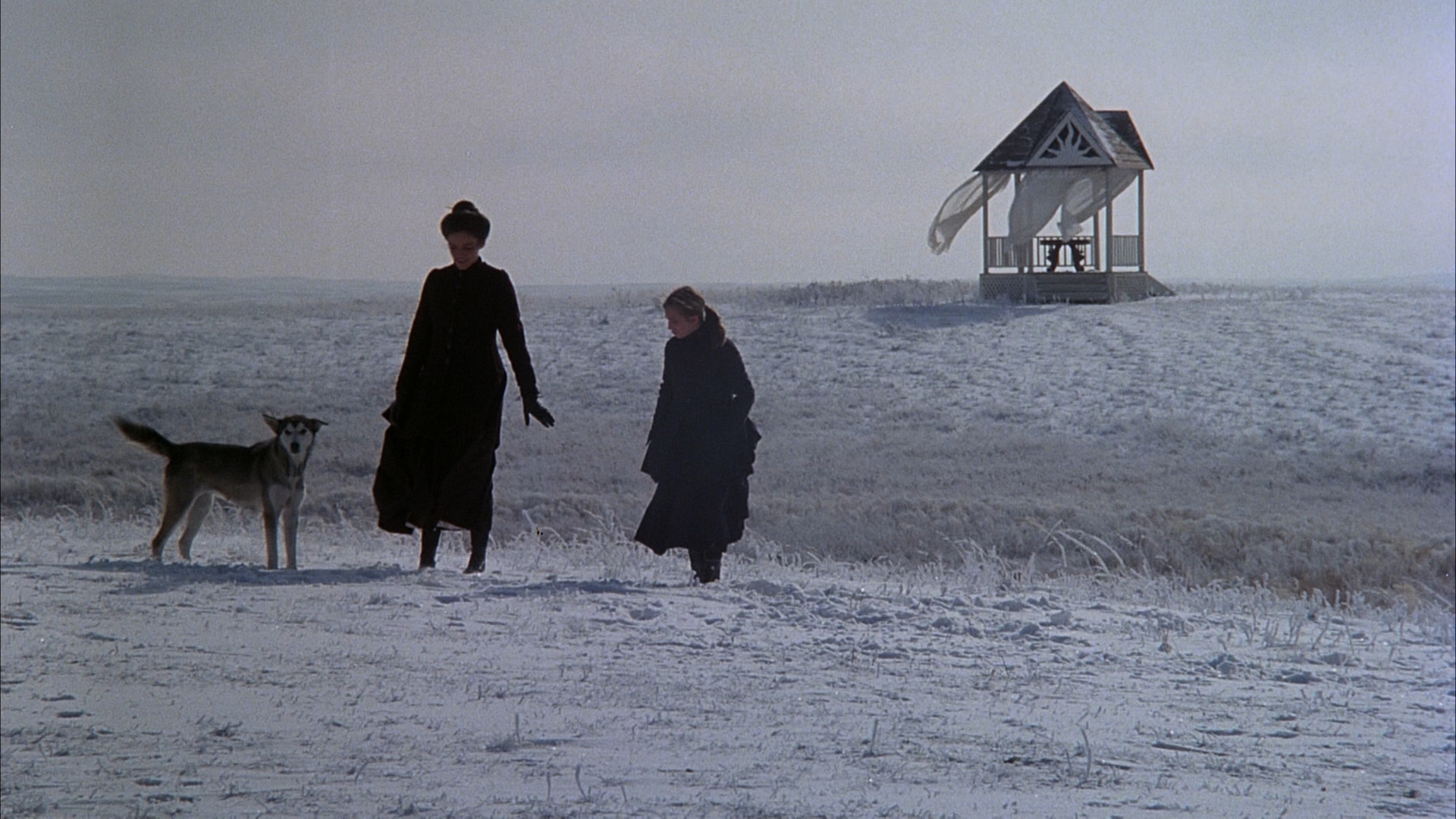
Scene from Days Of Heaven - Production Designer Jack Fisk

Scene from Days Of Heaven – directed by Terrence Malick – Production Designer Jack Fisk – cinematography by Nestor Almendros

“It’s one of those foolish truisms that a lot of what is perceived as great cinematography actually is really good production design or really good location choice. Often it’s that easy – it’s so damn good, just photograph it.”

Stuart Dryburgh , Cinematographer

3D Scanners For Your Pocket – Coming Soon, Very Soon.

There must be something in the water in Boulder. A lot of technology is coming out of that little town including two new devices which could continue to revolutionize the way we work. Location survey work has never been much fun and always comes with unknown challenges that often leave you stymied, ike that billboard you suddenly learn you have to measure, or the block-long row of buildings that you have to survey with two hours of sunlight left in the day.

Using 3D scanners for location surveying and object duplication in the past has been something people have wanted, but the price of most of these devices usually makes their use too cost prohibitive. The iPhone and the many apps that accompanied its popularity have been a real help in many Art Department workflows but their uses are currently limited as far as true 3D capture and augmented reality functions.

Two companies, Ike GPS and Occipital are trying to fill a need for low cost 3D scanners with two inventions which act as add-on devices for digital phones and tablets. By harnessing the power of these devices, their creations enhance products that most people are already using.

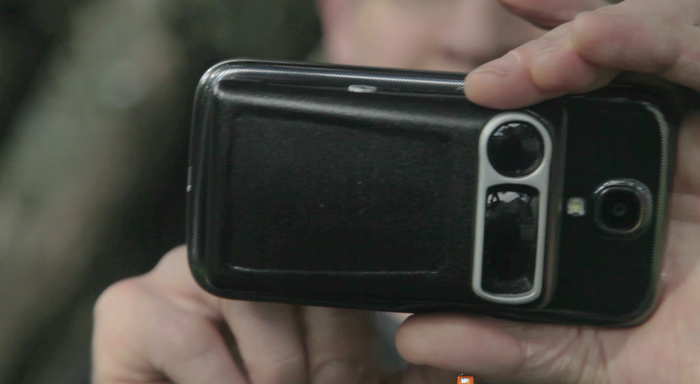
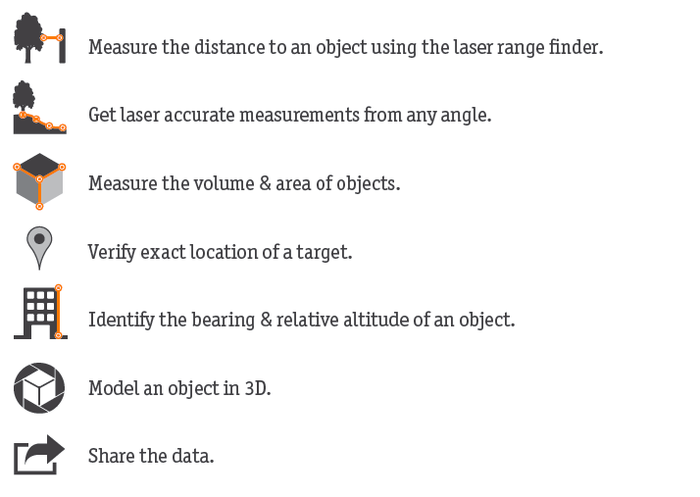
Ike is a company which has had previous success with hand-held scanners and was looking to create a device which could be small enough to fit on a smart phone. They’ve come up with a small device called Spike which attaches to an iPhone or other smart phone and uses the devices built-in accelerometer, compass and GPS functions to make it possible to measure the size, height or even the volume of buildings and even create a 3D model to export to a modeling program.

5543da38df27e38fafd40a7ac07248a7_large

The company is currently running a Kickstarter campaign to raise interest as well as funds to develop the device which they plan on having ready for the market by next May. The device will come in two versions; the Basic version and the Pro version which will generate 3D model files, geolocate buildings and allow for pulling measurements from the digital image.

f5b20da41992f026ed2e151a0ad21154_large

For a donation of $389, you’ll get a prerelease Spike Pro which the company says is around half of the final retail price, meaning the street price of the Pro unit is going to be somewhere in the $800 range. That may seem pricy but the next closest device I know of that can provide similar functions is about 5 times more,  both in size and price.

Here’s a video from the company website:


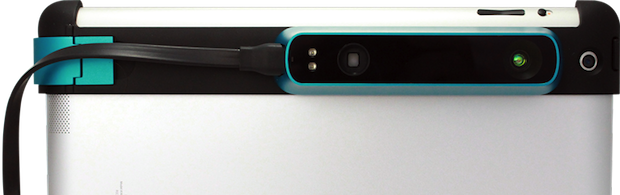
Occipital has developed a device they are calling the Structure Sensor which attaches to an iPad and can create 3D scans of objects or rooms up to about 550 square feet with a range of 3 1/2 meters. The file can be imported into a CAD package or output for 3D printing.

Structure Sensor

The Sensor Kickstarter program is fully funded but for a $330 pledge you can still get a Sensor at a significantly reduced price than it will retail for when it becomes available early next year.

Check out the video below:

Here are the links to the Kickstarter pages:

Structure Sensor

Spike Pro

Wayne Manor Was A Remodel – Delineating Set Walls on Drawings

Often when sets are designed there is either an advantage or a mandate to using existing flats for a set’s construction. Sometimes a standing set is revamped or stock set walls are pulled from storage to either save money or time or both, particularly in Television where there is never enough of either.

Universal Studios was famous for revamping sets to the point that some sets were merely repainted and dressed for a TV series when a show required numerous sets. I spent my first years in television at Universal and the Production Designers there were experts at reusing stock units from the large stock sheds on the lot. In recent times some designers resist the idea of reusing scenery but audiences rarely ever notice when they are seeing a stock set. The practice was much more widespread in the early days of TV when there were actual studios in existence who saw the value in having large amounts of stock scenery and made efforts to catalogue and maintain it.

The problem from a Set Designer’s perspective is how to delineate the different walls on the drawings to communicate what is what. Each studio had a slightly different nomenclature, as I learned on my first show at Universal on Murder She Wrote. One day the foreman called from the stage. “Where the hell are all these stock walls you’ve got on this drawing?” he asked. I was confused until I realized they used a different delineator symbol than what I’d always used.

Some of the nomenclature was universal (no pun intended). A thin line on the plan meant the wall was existing and standing in place. it was rarely dimensioned on the drawing. A thick line at most studios meant it was a stock wall and was accompanied by it’s stock number. At 20th Century Fox, this line was also pochéd (shaded). A hatched line denoted new construction except for drawings done at MGM and Universal Studios where it meant the wall was stock. A thick line to these art departments denoted a new wall.

At 20th Century Fox Studios when they were planning a television version of Batman in 1965, the producers were on a limited budget to make the pilot. As the show required numerous sets and the Batcave interior was going to take a big chunk of the construction budget, they cruised the stages on the lot to see what sets might be standing that they could reuse, particularly something that would stand in for Wayne Manor as the script called for a well-appointed mansion.

According to Ed Hudson, long-time manager of the Art Department, the producers heard that the TV series 12 O’clock High was going to be using one of their main sets less, a reproduction of an English Tutor mansion that stood on Stage 18 and was used as the headquarters of the squadron. The network had decided the show didn’t have enough action scenes to keep the young crowd engaged and planned to shoot more of the show ‘in the air’ with scenes in the planes and less talkie scenes on the ground.

Shown below is a copy of the original plan and elevations showing the various wall types, dated September 1965. For those of you wondering, the Bat poles are at Elevation H.

The set drawing for the Wayne Manor interior for the pilot episode.

The set drawing for the Wayne Manor interior for the pilot episode.

Plan detail showing walls at Elevation A. Note shaded and hatched walls.

Plan detail showing walls at Elevation A. Note shaded and hatched walls.

Elevation A showing the three types of walls clearly marked.

Elevation A showing the three types of walls clearly marked.

The table beside the title block clearly lists all the stock walls, their position on the plan and their stock number.

The table beside the title block clearly lists all the stock walls, their position on the plan and their stock number.

Once the network accepted the pilot, a permanent set matching it was built on Stage 24. With minor alterations, the original set was duplicated as seen in this November 1965 drawing below. Note that the walls drawn as ‘standing’ on the other plan are hatched for new construction.

Batman_Wayne Manor2_copy

The exterior of the house was an actual location, a house at 380 South San Rafael Avenue in Pasadena. It’s my guess that the location was chosen after the interior set was built.

Having a standing set influence the look of another permanent set is more common than you would think. The set for the 1993 comedy The Nanny, was a reused and slightly revamped stock set from a show called Sibs, which had been shot on the same stage and never made it past the pilot stage.

When the 2010 NBC series Parenthood started, the main characters house was based on a home in Malibu canyon where the exterior shooting was planned. The site was surveyed and had been reproduced on stage by the time the deal between the homeowner and the studio fell through. With no time to redesign, the producers were stuck with the houses look. When the exterior of the house was duplicated on the backlot at Universal the next year, it was a close copy of a house that was never shot for the series.

Original location of the house for the main characters of the series Parenthood.

Original location of the house for the main characters of the series Parenthood.

Parenthood cast in front of the exterior facade built on the Universal Studios lot which was influenced by the location house which was chosen but never shot.   photo by NBC Television.

Parenthood cast in front of the exterior facade built on the Universal Studios lot which was influenced by the location house which was chosen but never shot. photo by NBC Television.

One thing that producers aren’t is psychic, much to their dismay, and you never know if you have a hit or a flop on your hands until the public sees it, and even then you can’t be sure. When the pilot for the original Batman series was tested it tested worse than any other show the network had done. Considering shelving the series, luckily they decided to air it since so much money and already been spent on the show, not knowing it would become a cultural phenomenon.

O.K., So Craftsmanship Isn’t Dead Yet

Art Director Tom Taylor forwarded this video to me this morning. It’s so incredible it will make you weep with envy. Singer / songwriter John Mayer commissioned David A. Smith, a traditional sign-writer/designer from England who specializes in high-quality ornamental hand-crafted reverse glass signs and decorative silvered and gilded mirrors, to design the cover for his latest album.

This short film documents the process of Smith creating the album artwork as well as a few other special reverse-painted glass signs. Watch this video to see a truly gifted craftsman at work in a medium that was once ubiquitous and is now nearly a lost art.

The Making of John Mayer’s ‘Born & Raised’ Artwork from Danny Cooke on Vimeo.

Rendering In Sketchup

For those of you who work in Sketchup and are new to rendering, or are confused by all the different rendering software packages available, a new book is coming out March 25 that will help. Daniel Tal, landscape architect and author of Sketchup For Site Design, has written a new book, Rendering In Sketchup, which is now available for pre-order or as a digital download.

rendering in sketchup

There are now a number of rendering programs on the market for use with Sketchup, with a majority of them working from within Sketchup without having to exit the program. This can be a plus or a minus depending on how you work. Even though most of the programs offer free-use trial periods of their software, It can be pretty difficult and time-consuming to decide which is  the best one for your workflow and budget.

Daniel is an excellent teacher and has written a very thorough and detailed book on the process of rendering from Sketchup using a variety of software programs as well as explaining post-rendering work with Photoshop. While not every rendering engine is covered, he does go into a great amount of detail explaining not only the basics of rendering, but his own methods using Shaderlight, SU Podium and Twilight Render.

The book covers workflow, hardware requirements, how to model efficiently for renders, use and teaching of textures and a lot more. At over 600 pages, the book is both a reference and a guide and can be read for pertinent chapters rather than just cover to cover.

You can get more information on the book here, and you can view the videos on Daniel’s Youtube site here

Here is a really good tutorial by Daniel you should watch which is based on the material from his book:

Land8 Webinar: Rendering in SketchUp – Daniel Tal from Land8.com on Vimeo.

If you want to know all of your rendering engine options, here is a list of rendering programs that work with or within Sketchup;   ( Prices are as of March, 2013. )

From within Sketchup:

Shaderlight – $299 full license; timed access from $50

Twilight Render – $99

V-Ray – $800

ArielVision – $175

Bloom Unit – free software , cloud-based, priced per render

Caravaggio – $295

Indigo Renderer – $220

IRender nXt – $499

Light Up – $189

LumenRT – $295

Maxwell – $995

Raylectron – $99

Render[in] – $160

Renditioner –  $99,  Pro $199

SU Podium – $198

Thea Render – $420

Standalone Software

Artlantis

Kerkythea – free