Traditional Skills For A Digital Age

On April 8 and 9, I’ll be teaching two new classes at the Art Director’s Guild in Los Angeles. The classes are free to ADG members.

April 8 – Back Projection and Scaling From Photographs

Prerequisite: none. Class size limit: 12

Tools needed: notebook, calculator (does not have to calculate feet or inches, one on a phone will work fine)

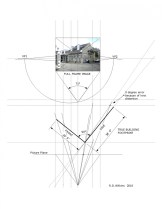
The technique of ‘back projection’ was developed as a way of extracting necessary information from photographs for use with rear projection systems to build set pieces that would match the scale and perspective of the projected ‘plates’.

You’ll learn the basics of this system to find sizes, camera heights, focal lengths of lenses and more.  You’ll learn additional methods of basic photographic scaling that you can use to work from printed images, books or even your computer screen. You’ll leave with a set of tools, including digital calipers, and the knowledge to be able to use this practical and valuable skill.

 April 9 – Architectural Moulding

Prerequisite: none. Class size limit: 20

Tools needed: notebook

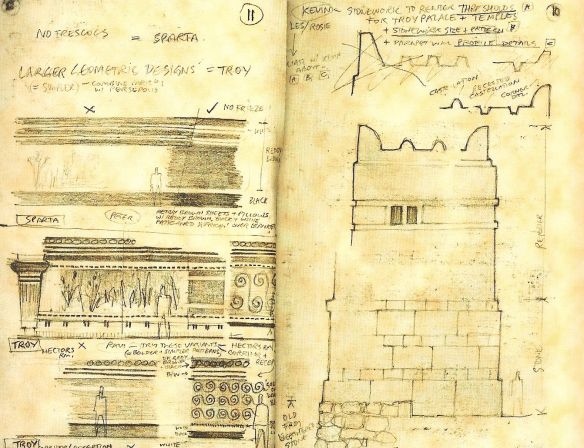
Curb your fear of moulding! This class will examine the history and development of architectural moulding in the western architectural tradition and trace their roots from ancient cultures. You’ll learn the 8 basic shapes that make up most profiles, understand the transition from Greek to Roman moulding, learn the proper names of mouldings from their beginnings, and learn the correct use of moulding profiles by architectural period and style.

You’ll learn what’s wrong with your moulding catalogue and also get a list of moulding catalogue profiles by date so you can classify them by their period.

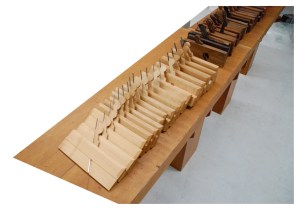
And,  I’ll be bringing in many of my 18th and 19th century British, American and French moulding planes and you’ll see a demonstration of ‘sticking’, or creating traditional wood mouldings by hand.

Now In Print – The Art Of The Hollywood Backdrop

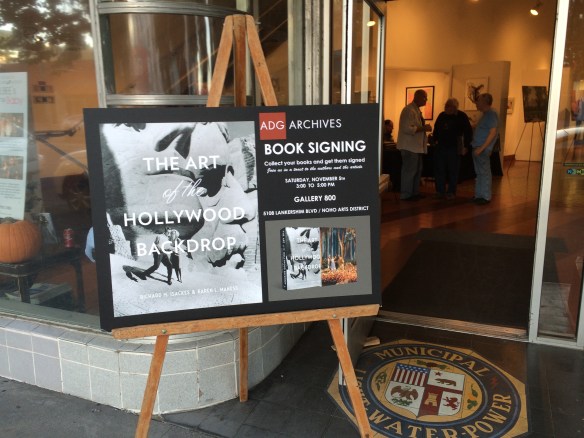
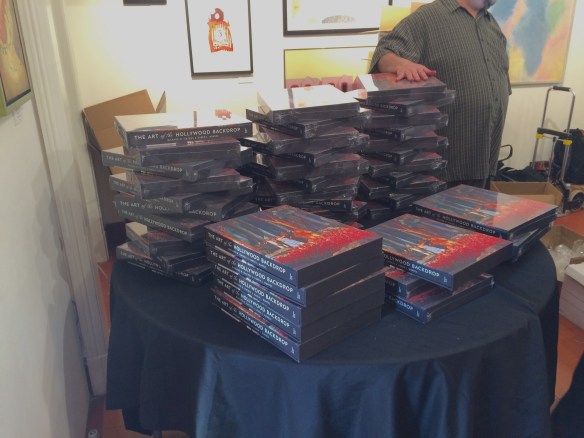
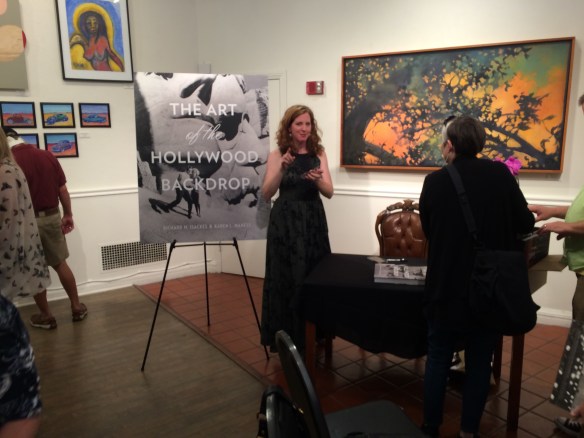
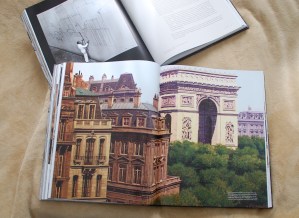
The Art Director’s Guild sponsored a book signing event at their gallery space in North Hollywood yesterday, with co-author Karen Maness on-hand to sign copies of the new book, The Art Of The Hollywood Backdrop.

img_0828


img_0815

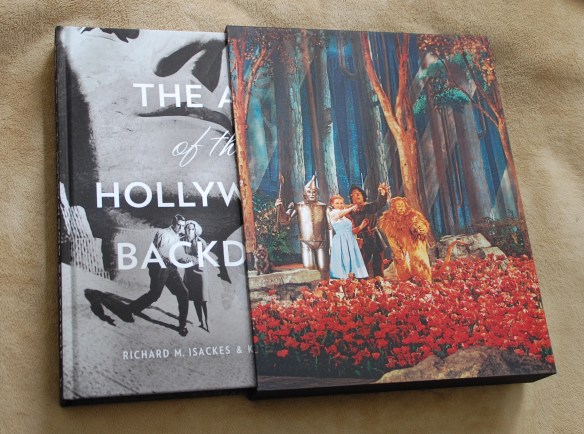
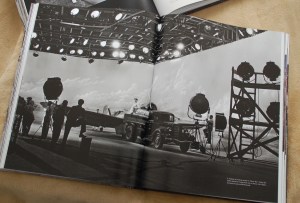
The book is a cooperative project between the authors, Karen Maness and Richard Isackes and the Art Director’s Guild. With a focus on hand-painted rather than photographic backings, the book traces not only the history and development of backdrops through Hollywood films but the artists who have developed the techniques used and who have passed along that knowledge to successive generations of scenic artists.

dsc_0027

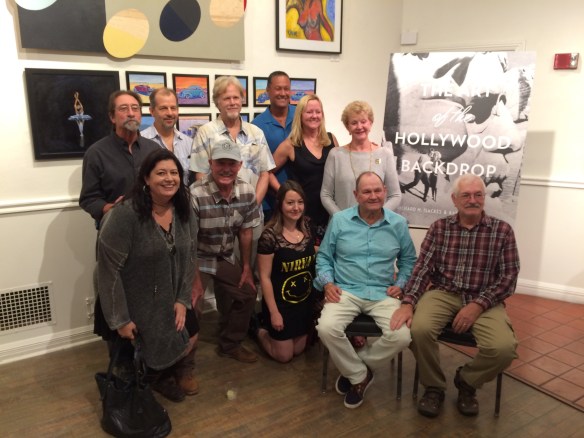
The event was well attended by not only Guild members but by members of the Strang family and the Coakley family of J.C. Backings, the two families which have not only dominated the field in Hollywood but have been the biggest promoters and curators of the art form.

The Coakley family and fellow artists of J.C.Backings

The Coakley family and fellow artists of J.C.Backings


Co-author Karen Maness graciously signed books all afternoon.

Co-author Karen Maness graciously signed books all afternoon.

This is a big book, and I say that in every sense of the word. Larger than a quarto format at 11 x 14 inches, the hard-cover and cased edition is 352 pages long and weighs in at 13 pounds. Filled with crisp images of both black and white and full-color backings, the photos show the backings not only in a straight-on form but in the environment that they were meant for.  It’s filled with stills from the original films as well as set stills showing them in relationship to the sound stages and the companion scenery.

dsc_0033


dsc_0032This book will definitely appeal to film lovers who have very little understanding of film scenery and stagecraft as well as film professionals who have many films to their credit.

It is available for order through the publisher’s website and will soon make it’s way into bookstores. If you are still making that holiday gift list, this is definitely a book that will have huge appeal to anyone who loves movies. Read an excerpt here, and you can order the book here from Regan Arts.


Hand Drafting Lovers Rejoice – 100 Posters Still Available

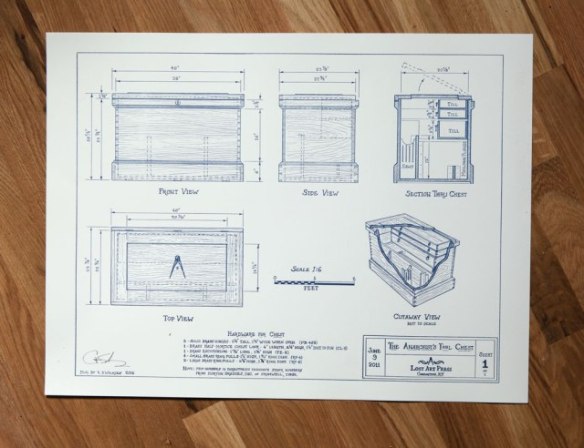
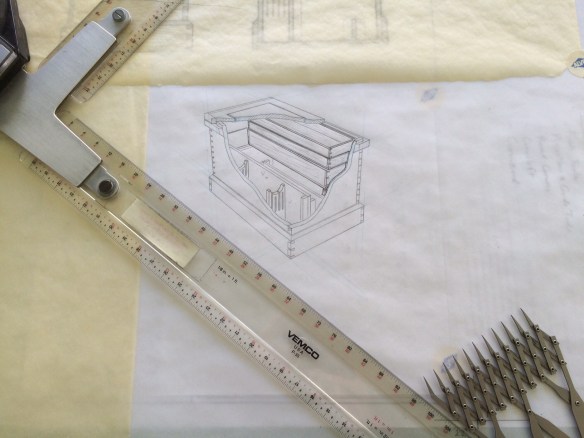
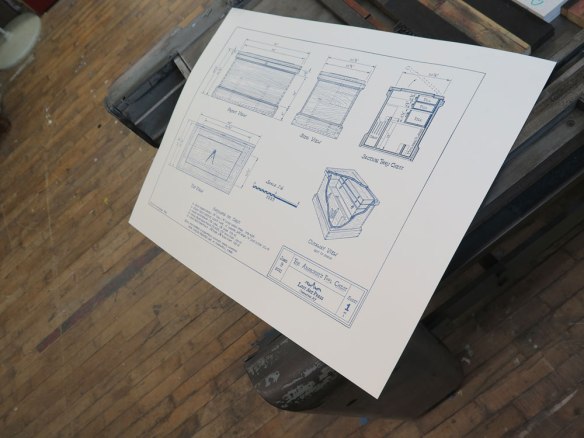
Christopher Schwarz at Lost Art Press announced that they have 100 of the Anarchist tool chest posters still for sale. I thought these had sold out months ago but apparently there was a small batch lurking in the stockroom.atc_poster1_img_2463-1

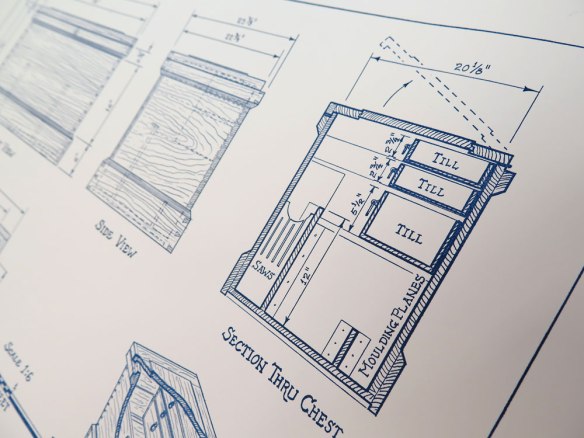
Detail of nice crisp detail of the poster by Steamwhistle Press. Photo by Chris Schwarz

Detail of nice crisp detail of the poster by Steamwhistle Press. Photo by Chris Schwarz

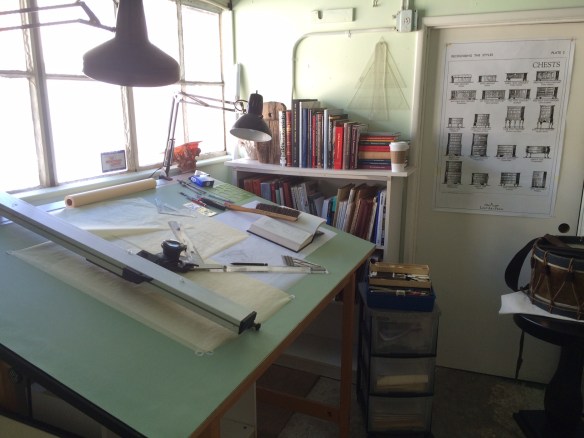
The drawing is of a traditional English styIe tool chest as outlined in Chris’ now-classic book, The Anarchist Tool Chest. The original artwork for the poster was drawn back in January in pencil, in a late-19th century drafting style on the last remaining bit of well-made 1000H cotton vellum I still had in the studio. The poster, of which only 1000 were made, is beautifully printed on #100 paper stock using a  hand-inked polymer plate on an old offset printing press and each is hand-signed by Chris. This may be one of the last examples of hand drafting you’ll see printed in poster form. My drawing board has fallen into such disuse in the past 6 months that a baby bat has taken up residence under my drafting machine arm.

tool chest perspective cutaway

The Golden Divider For Arts

The Golden Divider For Arts. Photo: GDA

The Golden Divider For Arts. Photo: GDA


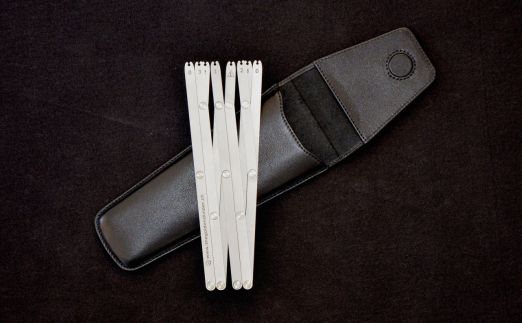
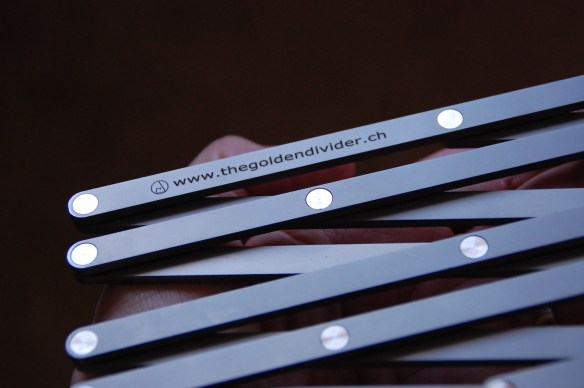
I love well-made tools, especially dividers. So when I got an email from Robert Lèvy in Switzerland describing a new set of dividers based on the Golden Proportion, I was very interested. He was kind enough to send me one of his tools on loan to examine and try out. The dividers are everything I would expect in a tool; beautiful, easy to use and very well made.

DSC_0542


DSC_0543

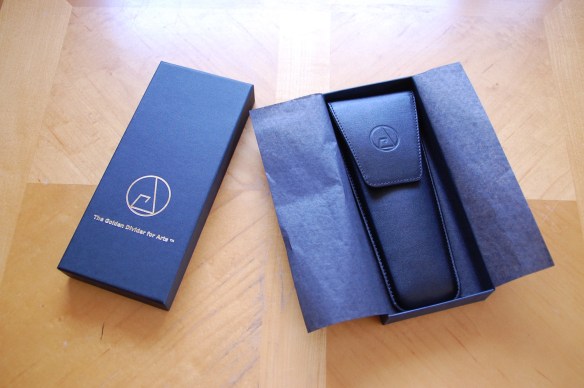
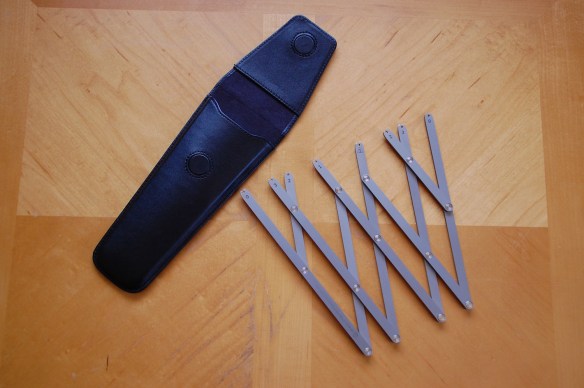
The packaging is as well thought out as the tool itself. It comes in a black box stamped with the logo and name in gold. Inside, in black tissue, is a very nice calfskin case which is also stamped with the logo. The leather (real) and the stitching are very good. Unlike a lot of faux leather cases you see today, this one, of real leather, is well constructed both inside and out. The top flap is held closed by two magnets, both stitched into the leather, and the inside of the case is lined with a soft microfiber fabric. On the back of the case is a leather loop for attaching it to a belt.

The tool itself is excellent in every way. Laser cut from 316L stainless steel, it holds up to oil from hands. The lettering is laser engraved and the arms of the dividers are connected with permanent flush rivets. Rivets are usually the weak point of dividers as they are either set too tight or they quickly loosen up after some use. These rivets are not only well engineered but they are set at a perfect tension. The arms move easily but stay where you want them so gravity won’t pull them to a wider setting during use.

DSC_0546

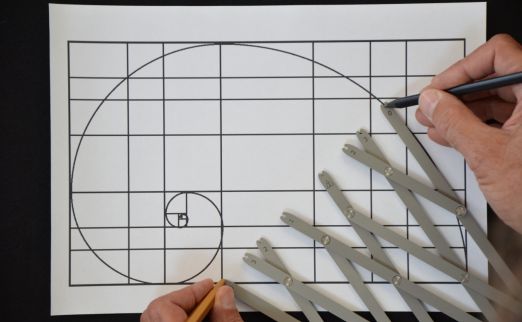
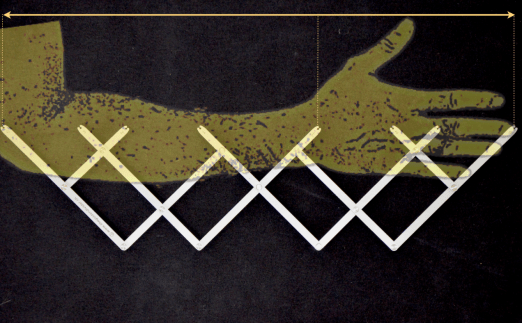
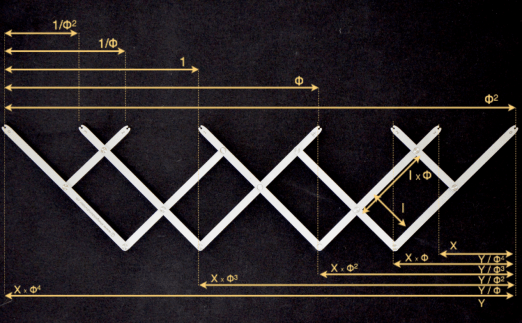
One of the great thing about these dividers compared to others based on the Golden Proportion is that this tool’s  8 arms give you multiple proportions at once, not just a single one making it possible to lay out the primary, secondary and tertiary lines for a drawing. Drawing a volute is actually easy, and explaining a relationship between a cubit and a handbreadth and showing the golden proportion relationship of body parts is simple with these dividers.

Photo: GDA

Photo: GDA


sl_GDA_20PPEPC50


Photo: GDA

Photo: GDA

Rather than go into a long-winded article on Golden Proportion, go to Robert’s website. Logo_20InventionG2You’ll learn everything you need plus get more information on his device, which by the way took the Silver Medal at the Geneva International Exhibition of Inventions this year.


The dividers are now at an introductory price of 295 CHF, or about $298 US. This is a very good price for a tool of this quality. Buy one while you can. Very well made specialty tools like this won’t be available forever.

Here is a video on using the tool to lay out regulating lines.

Why I Love The Pencil

Chris Schwarz over at Lost Art Press contacted me back in February to see if I would be interested in doing a hand drawing in a late 19th / early 20th century style for a limited-edition poster to commemorate the 5th anniversary of his excellent book, The Anarchist Tool Chest. I was more than happy to agree to the assignment not only because I consider the book to be a classic, (Schwarz has been a leader in not only creating a hand tool renaissance among woodworkers but creating a whole new philosophy in the way we look at furniture and the process of creating it) but I was also excited to do a drawing entirely in pencil., something I hadn’t done for quite a while.

Except for the occasional quick sketch, it’s rare I don’t do a drawing now on anything except the computer. After digging out my good pencils and tools and some good vellum from storage, (the new stuff is made for plotters not pencils and gives horrible results when you try to erase something), I made a test drafting just to refresh my pencil skills as well as brush up on my hand lettering technique.

IMG_9422

As I began to layout the drawing I suddenly began to realize both the differences and advantages of hand drafting over CAD:

1 – There are no in-your-face interruptions such as email, instant messaging, software update notices, news alerts, etc.

The process of creating a working drawing has been hi-jacked by software. There is this fallacy, particularly among those who don’t draw, that the computer is doing the bulk of the work. This is patently false. The computer is just a fancy pencil. It can give the veneer of respectability to a drawing if you don’t know what you are looking at, but the document is worthless if the operator does not understand the basics of creating a working drawing. Also, the process of creating a construction drawing happens to a great extent in your head, not in the computer. A lot of the work on the screen is preceded by a good deal of mental gymnastics, which is why set designers hate to be interrupted. Stop us in process and it will take 10 to 15 minutes to return to the zone where the true work gets done.

When you are drawing with a pencil you are in a completely different mental space that requires you to constantly visualize the object in your mind. This not only makes you work in a much deeper state of concentration but forces you to think many more steps ahead in the process of breaking the object down into what needs to be drawn to communicate its complexities.

FullSizeRender

2 – You have to think differently about the drawing.

The draftsperson is no longer spending brain power on software or hardware concerns. There is also the endless-zoom mentality where the operator does not have a realistic idea of the scale of the elements. The ability to zoom it 10,000 percent on a document is what leads to prints in which the dimensions and notes are virtually unreadable unless you’re using a magnifying glass. There is also an economy in a hand drawing that is absent from a CAD drawing. You only show what is important for that sheet.

Also a line is what you say it is. With CAD and 3D modeling there is this expectation of perfect scalability throughout the model. That may be a good thing if you are designing a high-rise where there are dozens of other engineers and companies involved but for set design it adds a layer of unnecessary work.

Where you were once chastised for drawing too many brick details on a facade, I’ll regularly get a digital model where every fastener is completely detailed with threads. This is why during the pre computer days it was considered that a good working rate for a draftsperson was a sheet a day, while the rate for most modern computerized Art Departments is calculated at 3 to 7 days per sheet. We used to fear that the computer would make things so much more efficient that less people would be needed. Just the opposite happened. Where a typical feature film used to have 4 to 10 Set Designers, on bigger shows now, there will  be as many as 30.

Proof for final offset prints. photo by Chris Schwarz

Proof for final offset prints. photo by Chris Schwarz

Detail of nice crisp detail of the poster by Steamwhistle Press. Photo by Chris Schwarz

Detail of nice crisp detail of the poster by Steamwhistle Letterpress. Photo by Chris Schwarz

The print is being offset printed by Steamwhistle Letterpress in Newport, KY. Only 1000 of the prints will be made and copies will be available on the Lost Art Press website.

Here is a video Chris made at the shop while the first prints were coming off the Vandercooke press.


Letterpress Print Run from Christopher Schwarz on Vimeo.


The Original Pre-Viz Tool – A DIY Lens Angle Calculator


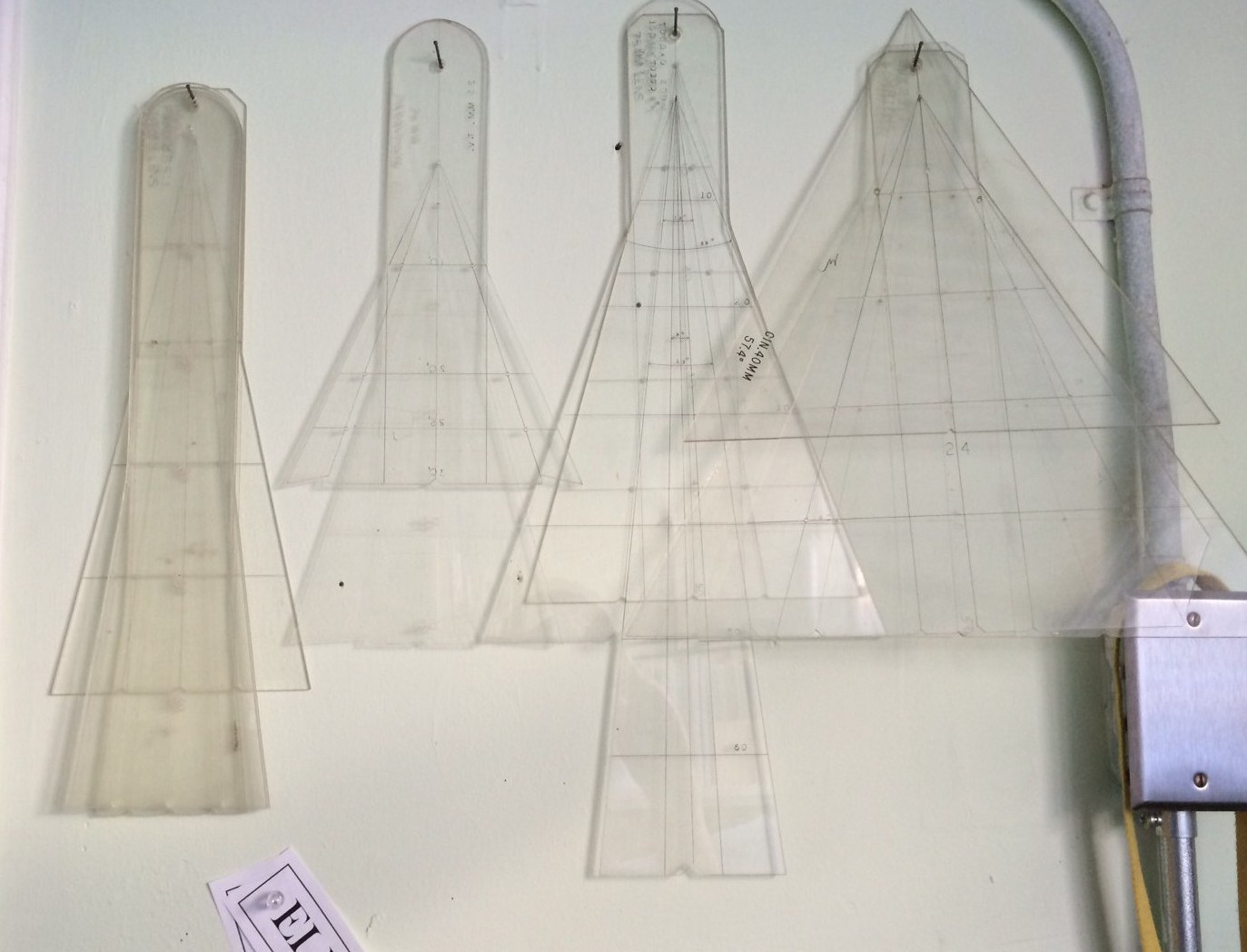
Some of my collection of traditional studio lens angle templates. The ones on the left are for long lenses while the ones on the right are wide-angle lens. The third from the left is a zoom lens template.

Some of my collection of traditional studio lens angle templates. The ones on the left are for long lenses while the ones on the right are wide-angle lens. The third from the left is a zoom lens template.


Pre-vis Before Previs

Before the term “Pre-visualization” ever existed, there was the lens angle template. These were a staple of any Hollywood studio Art Department and were used when laying out a set to determine camera angles, backing sizes needed, rear projection screens and planning back-projected set illustrations for the producer and director to approve sets long before there were 3D computer programs.

There was a time when a basic knowledge of optics and lenses was considered mandatory and was necessary not only because the Art Director would design the sets to be shot in a specific way but this information was needed when designing effects shots such as forced perspective sets, glass shots and the like.

Todd AO template

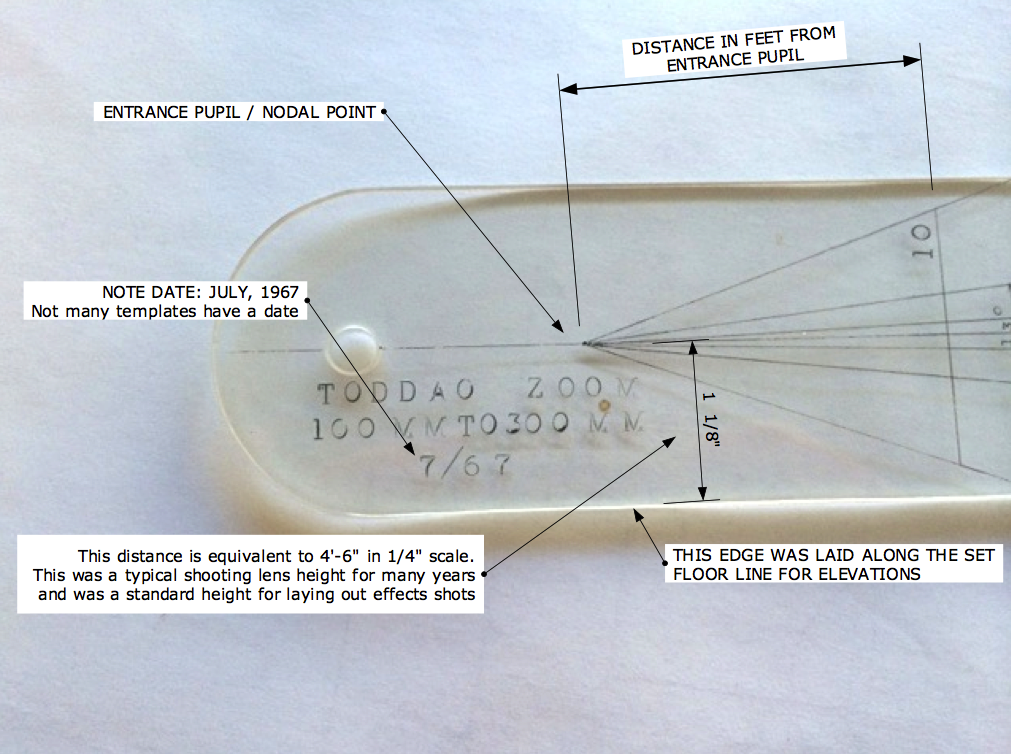
A template for a 100mm to 300mm zoom lens in the Todd AO format. Todd AO was an early 70mm film format with an aspect ratio of 2.20.

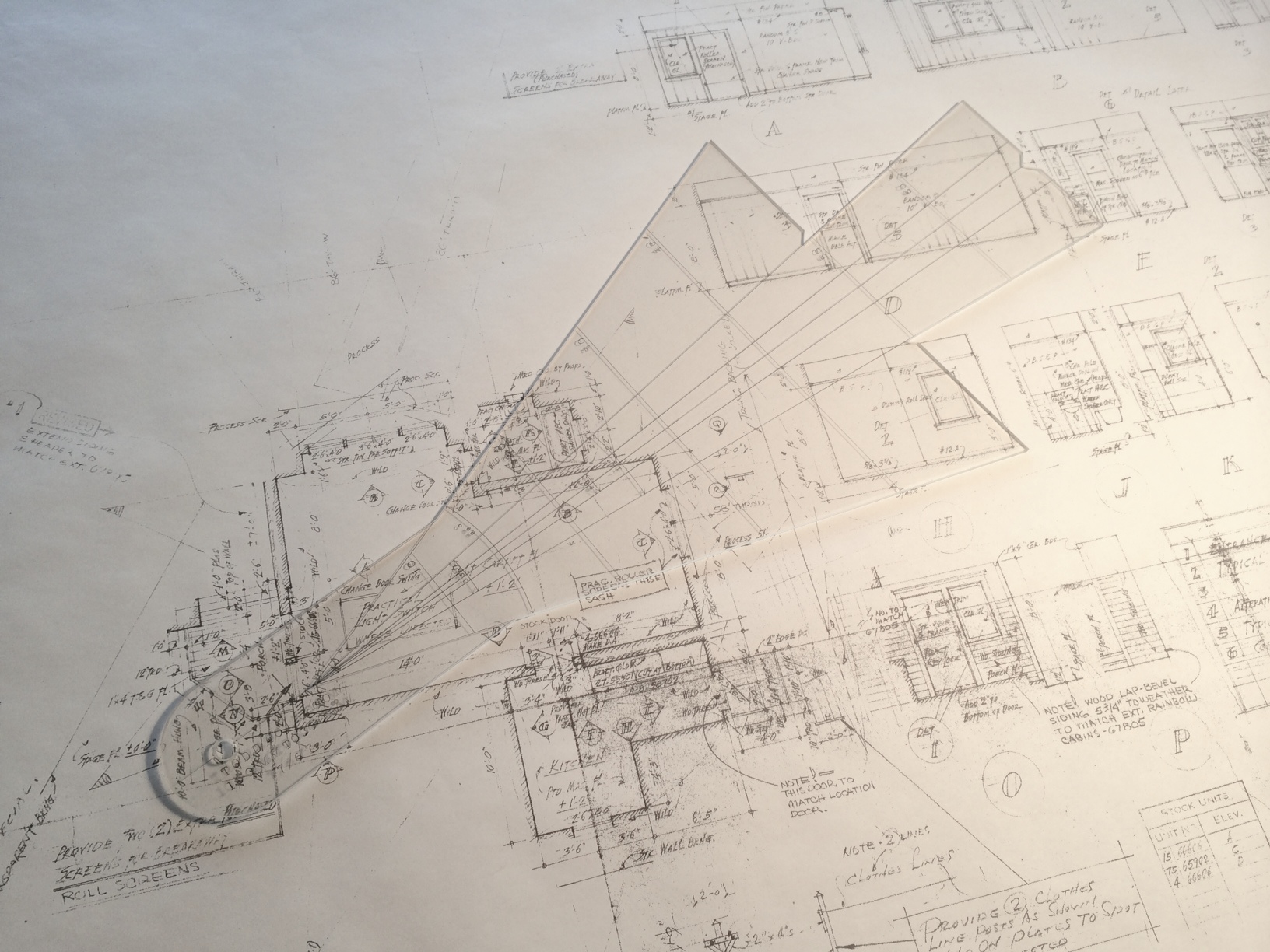
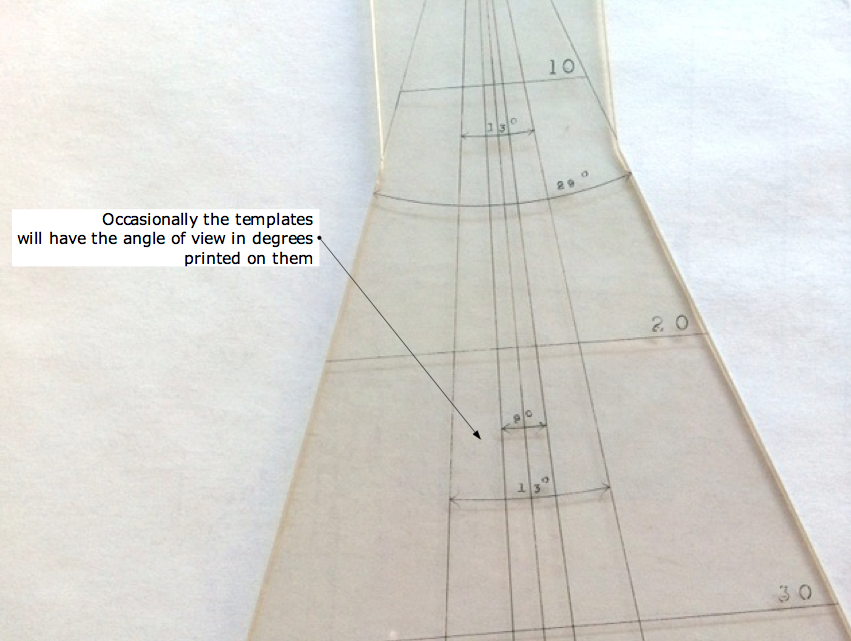
The templates were for a single lens, usually a prime lens, and were made using 1/8″ or 1/4″ thick plexiglas. The projection lines were scratched or engraved into the acrylic, sometimes by a Set Designer but other times they were made by the studio sign shop. Some of my examples are obviously done with a hand held engraving tool while others have been done with a lettering template and have inked letters.

Todd AO lens template

Each template had two sets of projection lines, one set for the horizontal plane (for use with a plan view) and another for the vertical plane, for use with scale room elevations. Most are made for use with 1/4″ scale drawings but they are accurate for any orthographic drawing because the angle is unaffected by the scale. Most will have markings to note the distances from the lens entrance pupil in 1/4″ scale.

angle of view

The “Quick View”

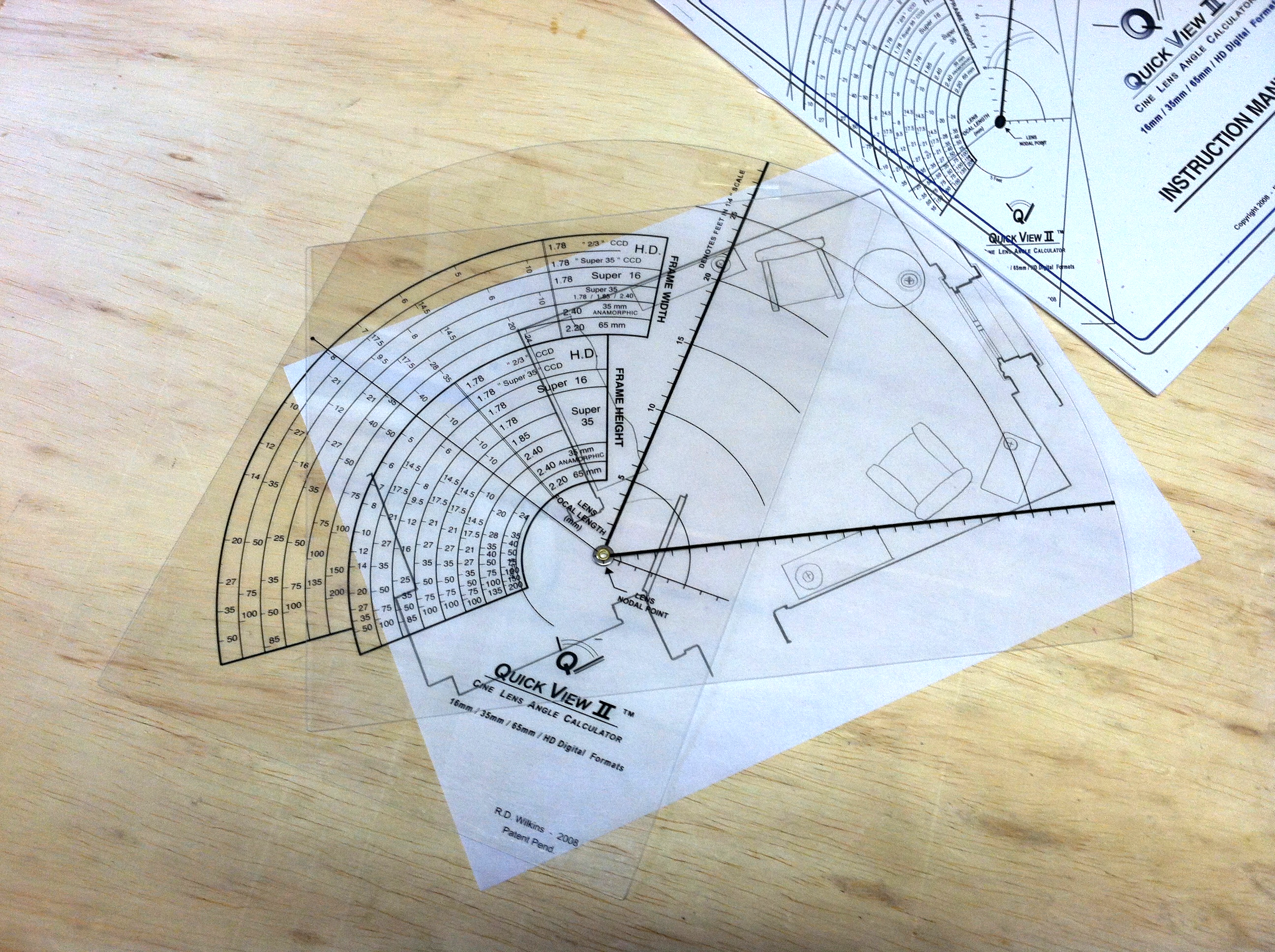
By the 1990’s, there were so many different formats and lens combinations most of us in the Art Department in Hollywood carried thick manila envelopes of acetates of the various focal lengths, but I always seemed to be missing one that I needed and I found some were inaccurate from being cloned so many times. In 1998 I designed a device that had all the available formats and prime lenses  so you could just dial up the one you needed. I redesigned it in 2008 to include the digital formats but sold out of them a year ago.

I stopped having them made since they were expensive but hated to see them become obsolete since they are still so useful. For a director, they are the perfect way to see if a shot is possible at a location or see the limitations of a particular lens on a set when you can’t rely on wild walls.

Making A Quick View

Yours won’t be on Lexan like the originals were but will be sturdy enough plus cheap enough to replace if it’s damaged or lost. Download the files below and take them to your nearest copy center and have both the dial and the nomen printed on clear acetate. They don’t have to be printed at exactly 100% but they should be at the same scale to each other. Then you just line up the center marks and use a compass point or push pin to pierce the centers, creating a pivot point in place of the brass rivet as in the photo above.

The diagrams from the original instruction manual will explain how to use them. You’ll note that I’ve added a feature that wasn’t on the originals, a protractor which will tell you the angle of a selected lens.

Quick View II User Manual_2

Quick View II User Manual_3

QuickViewII_nomen

QuickViewII_dial

Calculating Reflections – No Computer Required

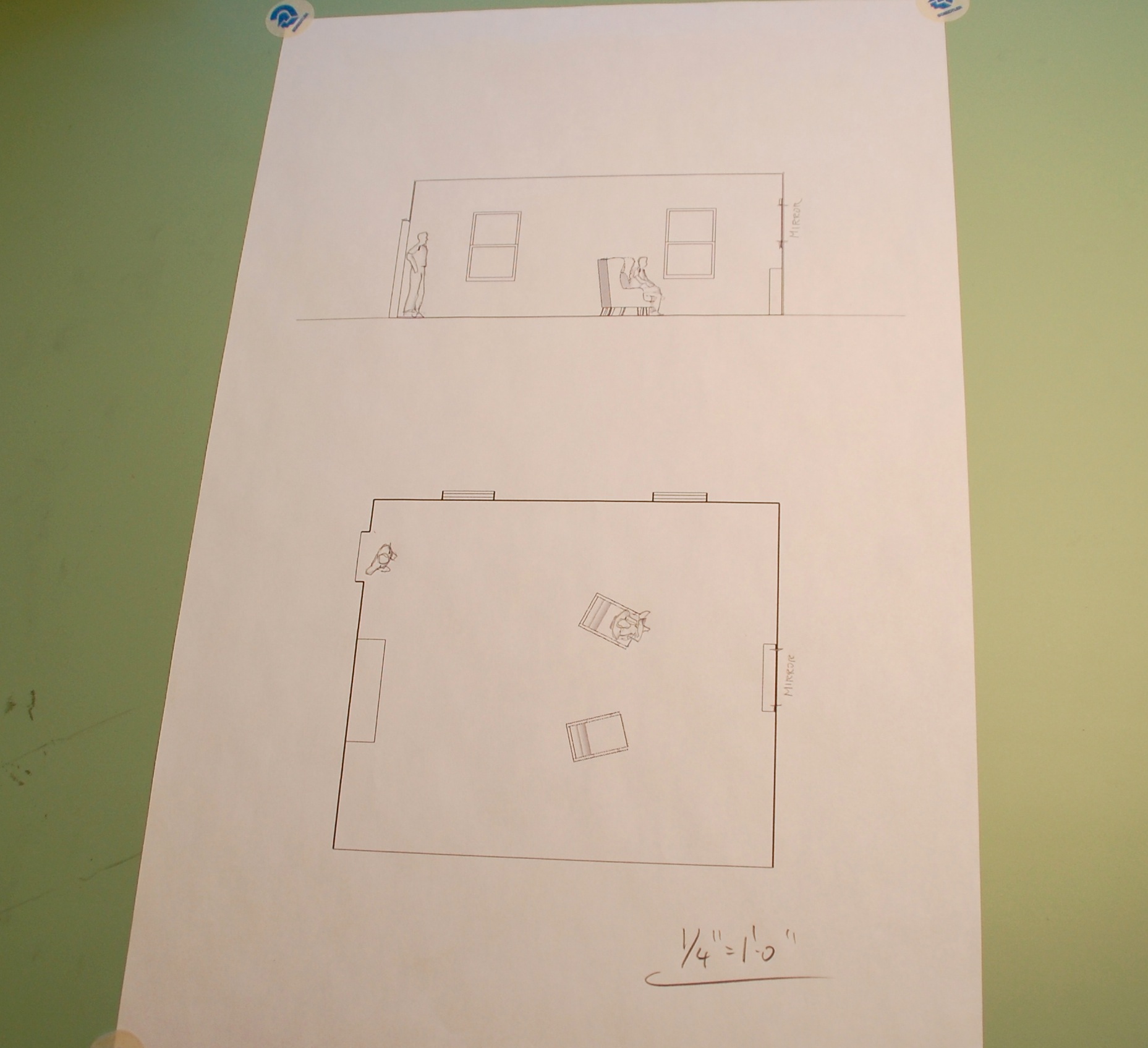
It doesn’t happen often, but you occasionally have to calculate reflections.  A scene will be staged in a way that the camera is seeing the action in a mirror and it’s immediately clear that the shot will determine how the set is staged and dressing placed.

On one production I was asked how long it would take me to render a digital model with true reflections so they could determine whether the character would be able to see the other person from where he was seated.

I told them it would probably take about  an hour to texture the model and do the render they wanted, or I could figure it out with a pencil and it would only take about 2 minutes. They thought I was kidding.

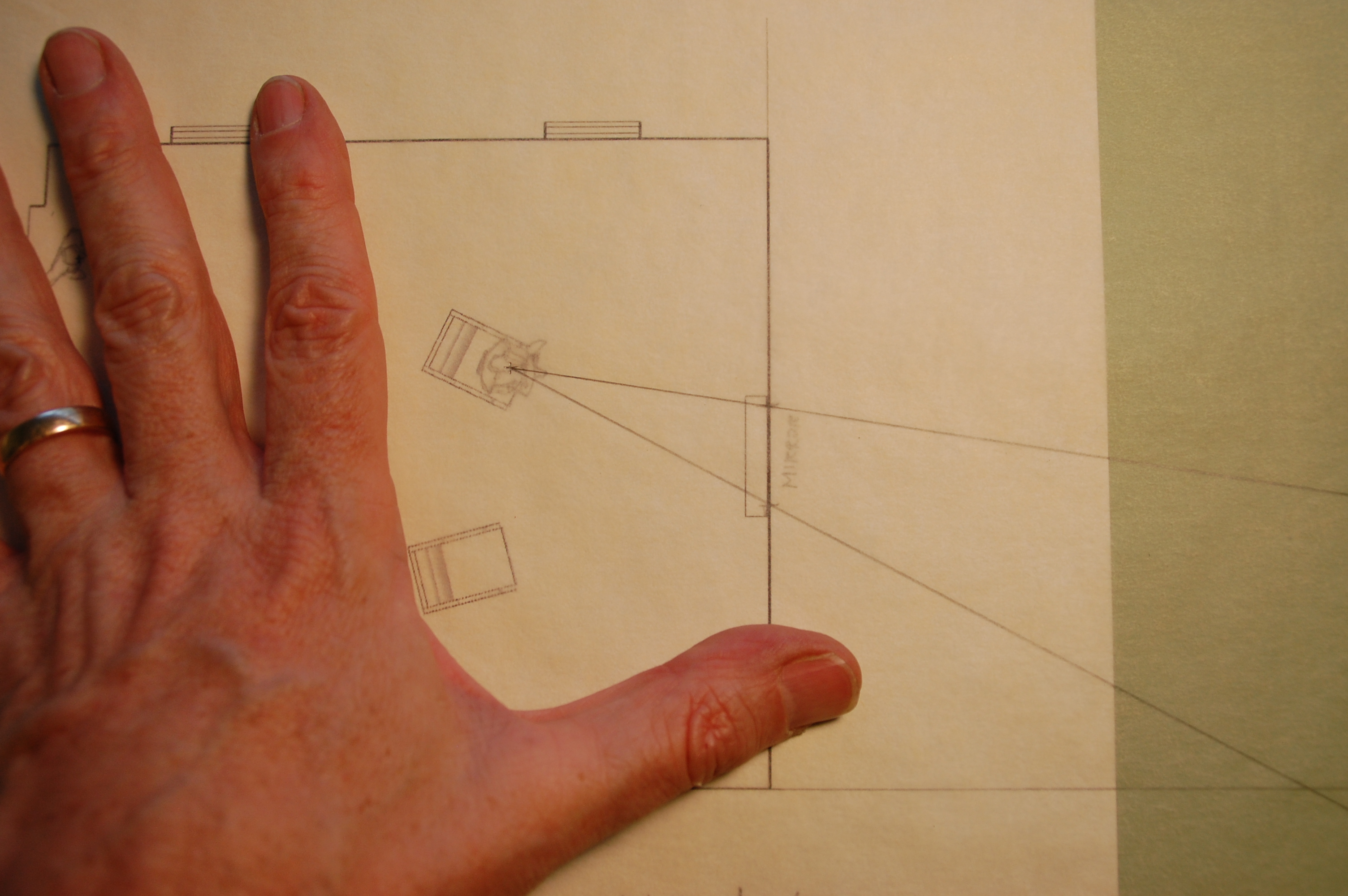
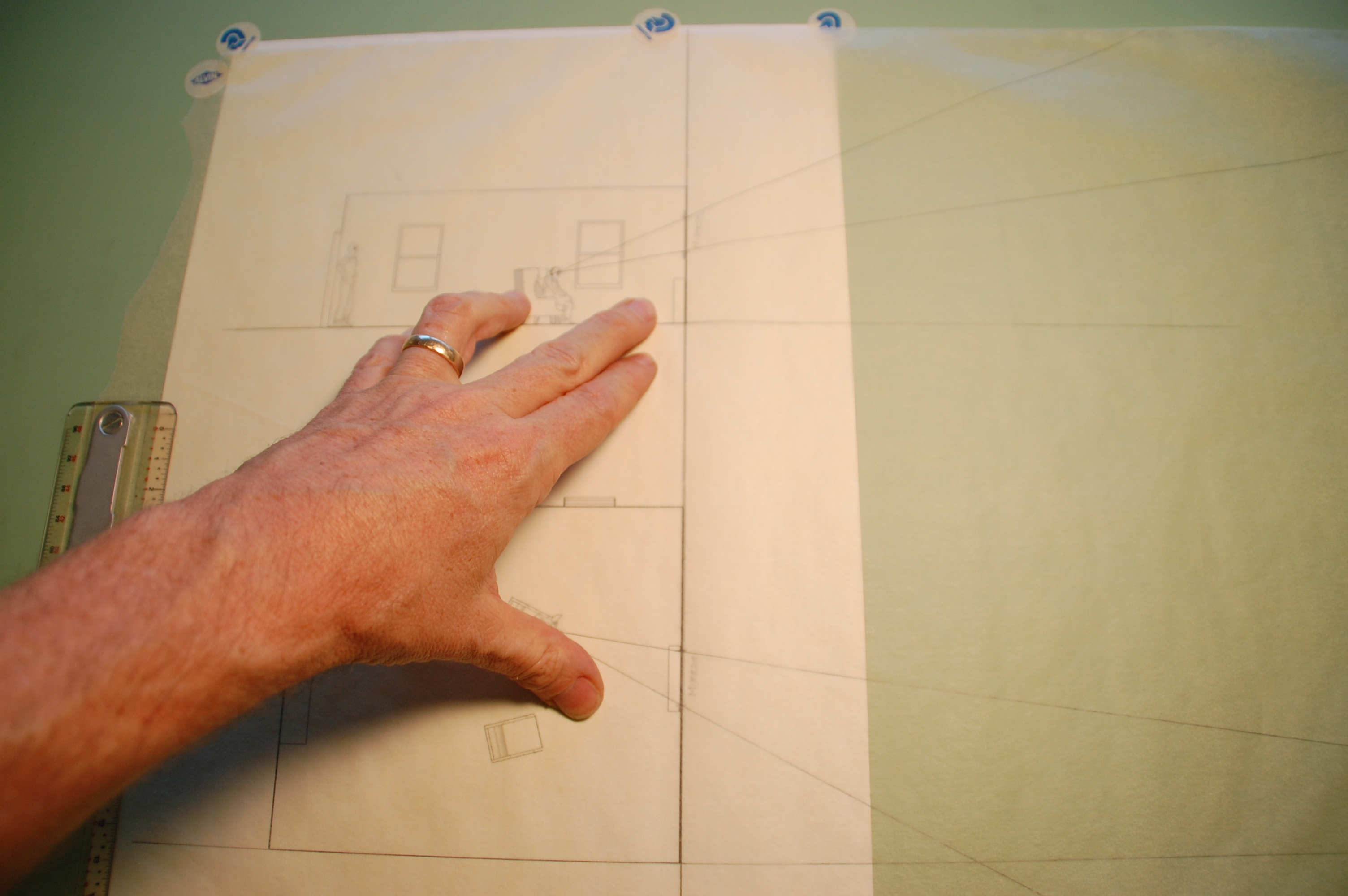
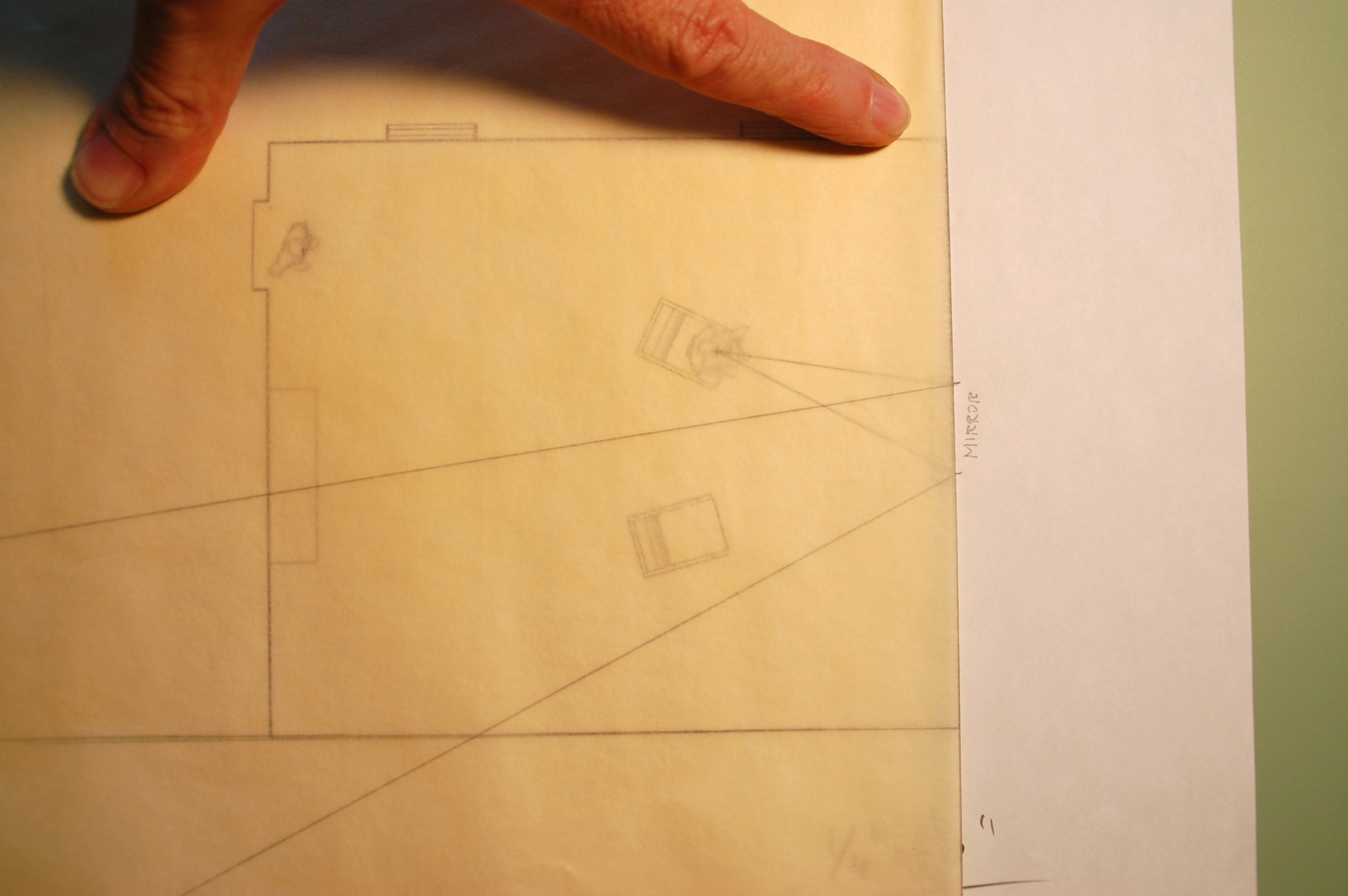
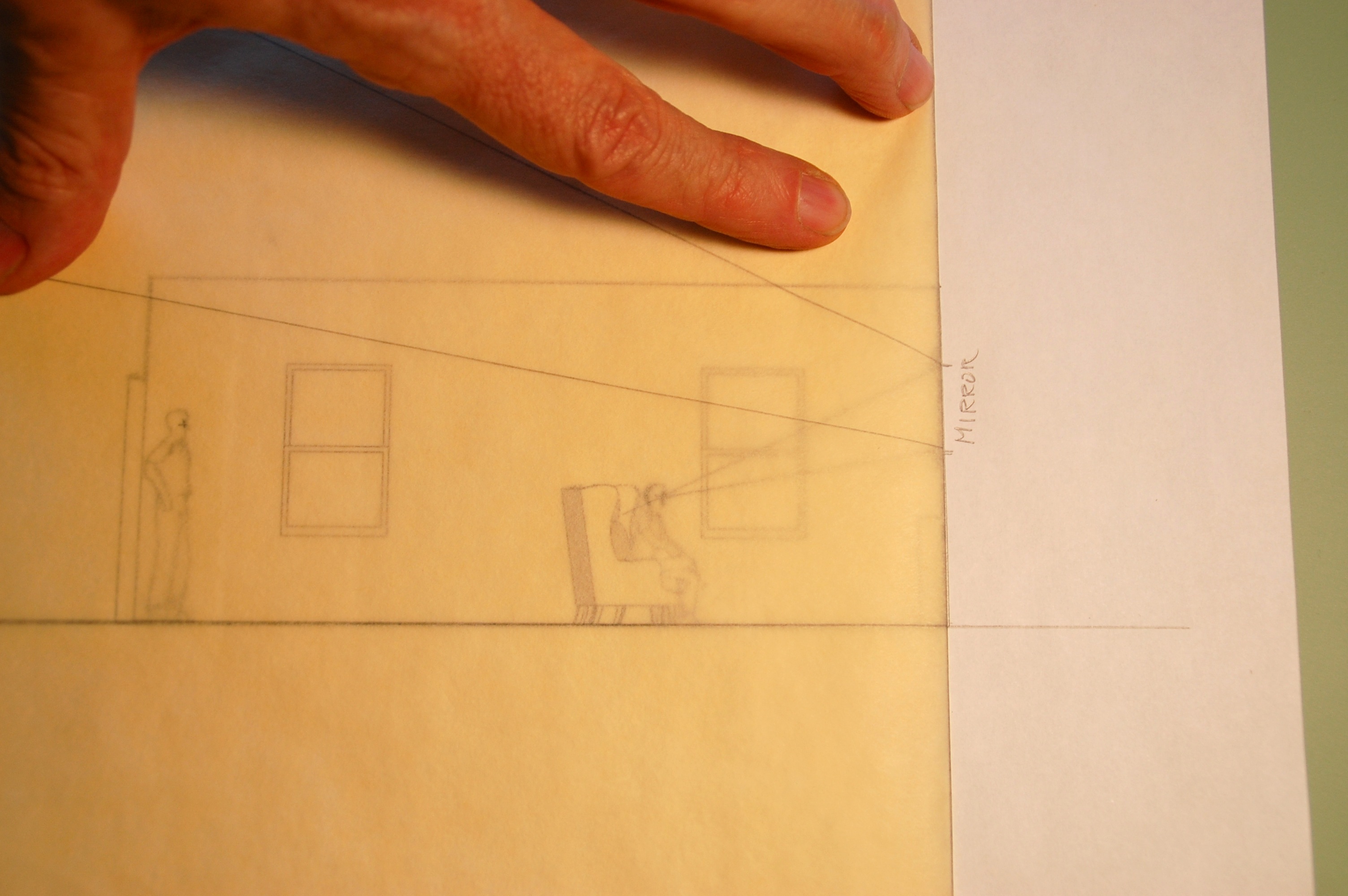
DSC_0384

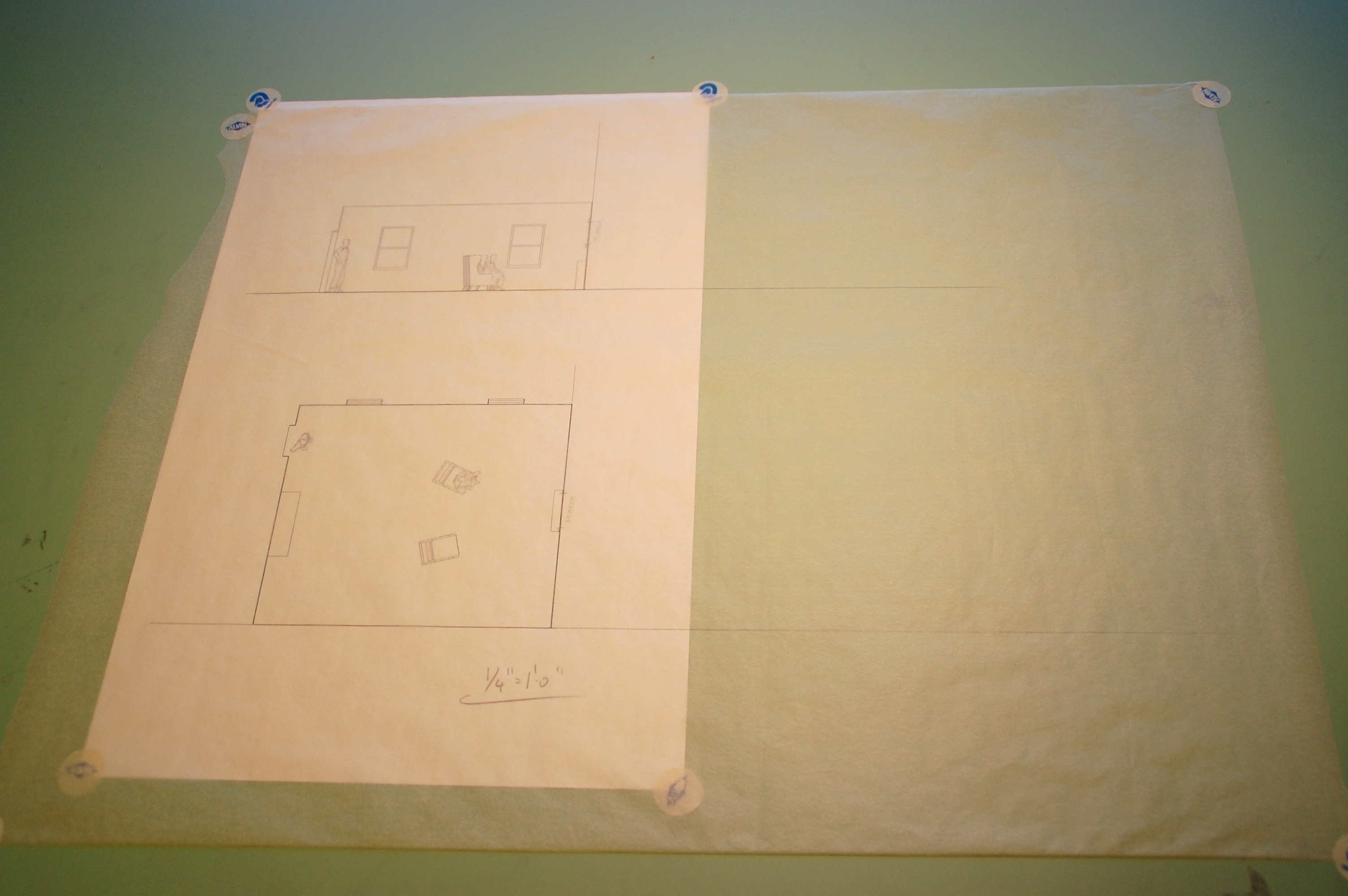
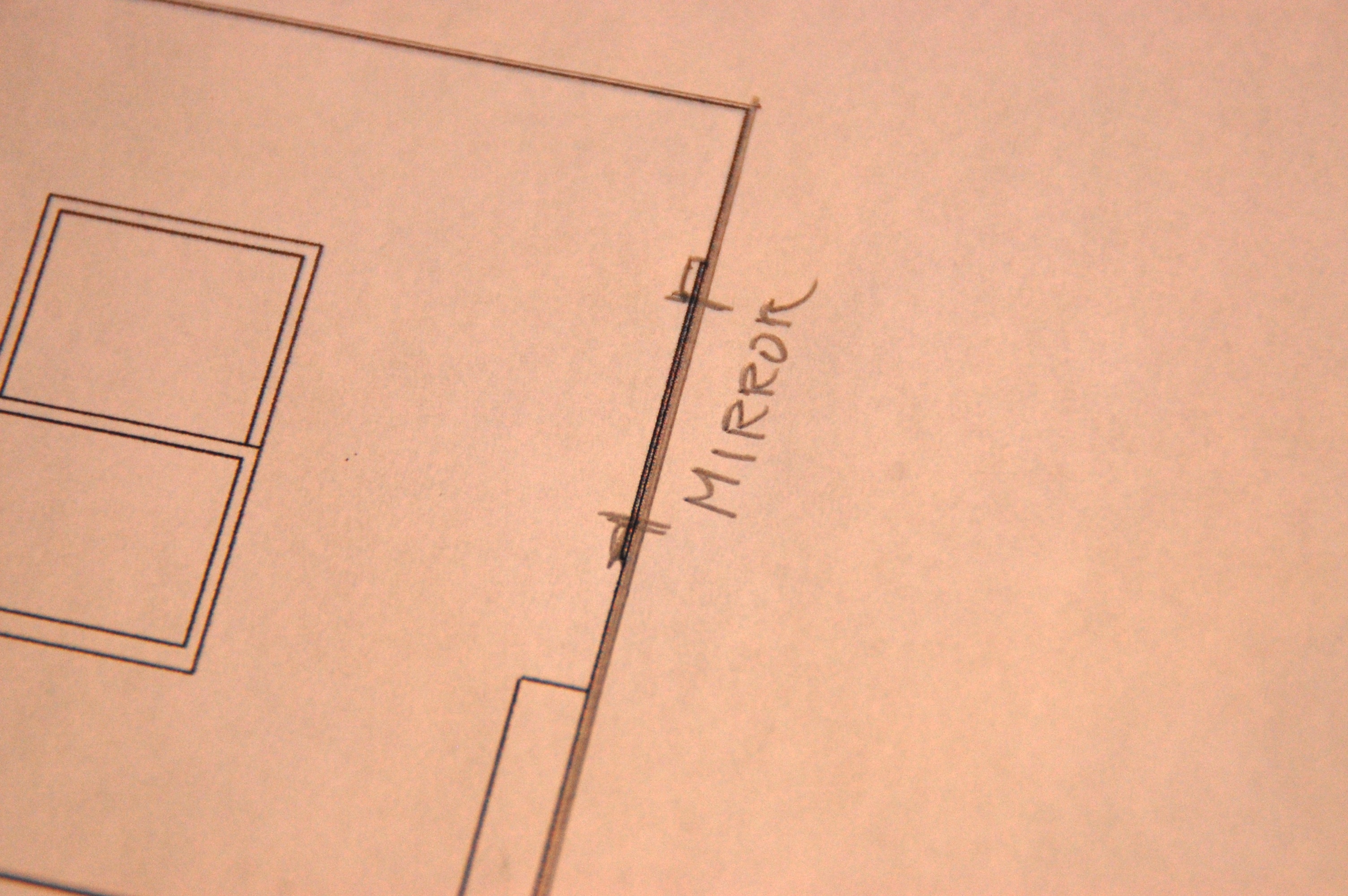
You’ll want to have the plan view and an elevation. Line them up so that the plane of the mirror is along an identical line. It doesn’t have to be in any certain scale as long as they are both the same size. It can be a printout or just a quick drawing on grid paper, as long as the mirror is correctly placed and sized.

DSC_0388

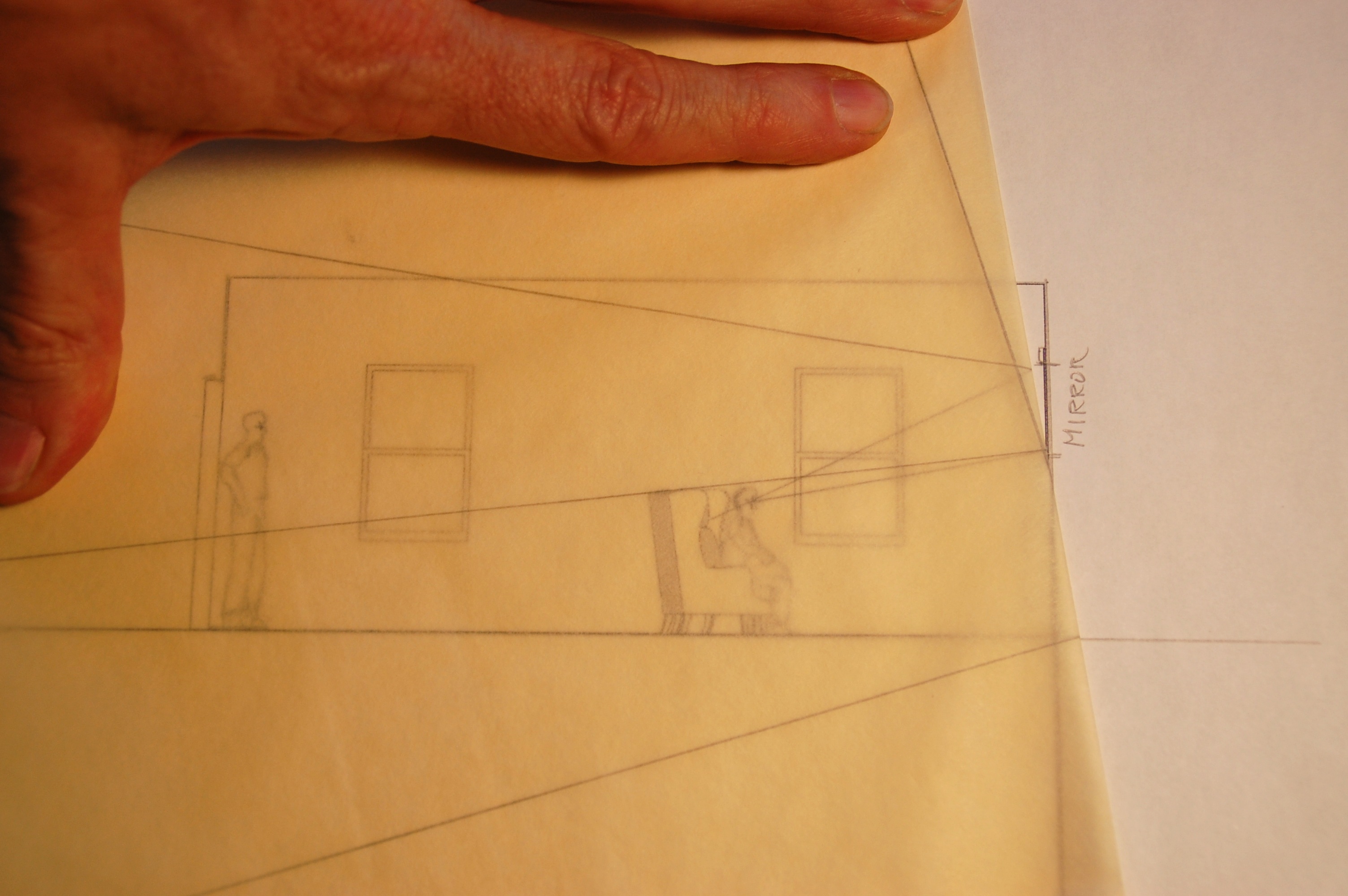
Cover the drawing with trace, being sure to extend it twice as far over the line of the mirror plane.

DSC_0386

DSC_0390

Now draw lines from the vantage point through the edges of the mirror on both the plan and elevation.

DSC_0392

Draw a heavy vertical line through the mirror plane. Then fold the trace along this line.

DSC_0394

Since the angle of reflection is equal to the angle of incidence, the reflected view is easily seen once the trace is folded back over the drawing, and it’s clear the person in the chair would have no way to see the person standing at the door.

DSC_0396


You can now pivot the ‘mirror plane’ down until the person is in view, although it will be clear that in plan the mirror would be at a strange angle from the wall.

DSC_0398

3 Methods Of Scaling From Photographs


photo-6In February I posted an article about using your hand in photographs as a scale reference but didn’t go into how you extract that information once you have a copy of your photos. Here are three methods, two analog and one digital, that you can use to figure out hard dimensions from objects in photos.

Equal Space Dividers

Once you have had some practice, this is the fastest method of the three, even faster that the digital method and you can use them right off a photo from a book or even a smart table screen. If you don’t have a set of equal dividers, also called 10 point dividers, you can buy a new pair for between $250 and $300 from various sites such as this one, or this one . They sometimes show up on Ebay but plan to pay around $75 to $100 for a used set.

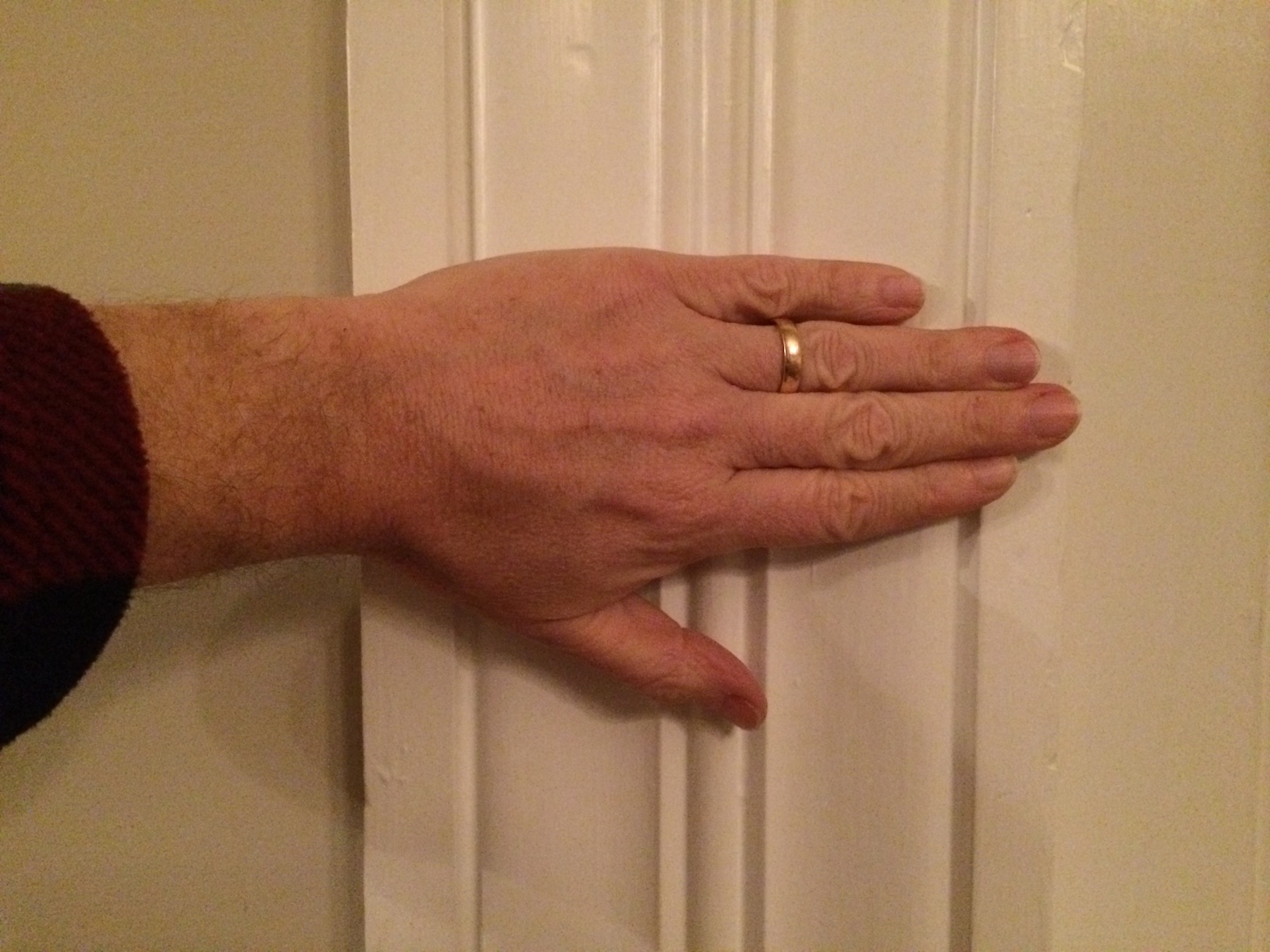
In this photo of a 1840’s Greek revival casing, we’ll scale the actual size using the hand in the photo as a reference nomen.

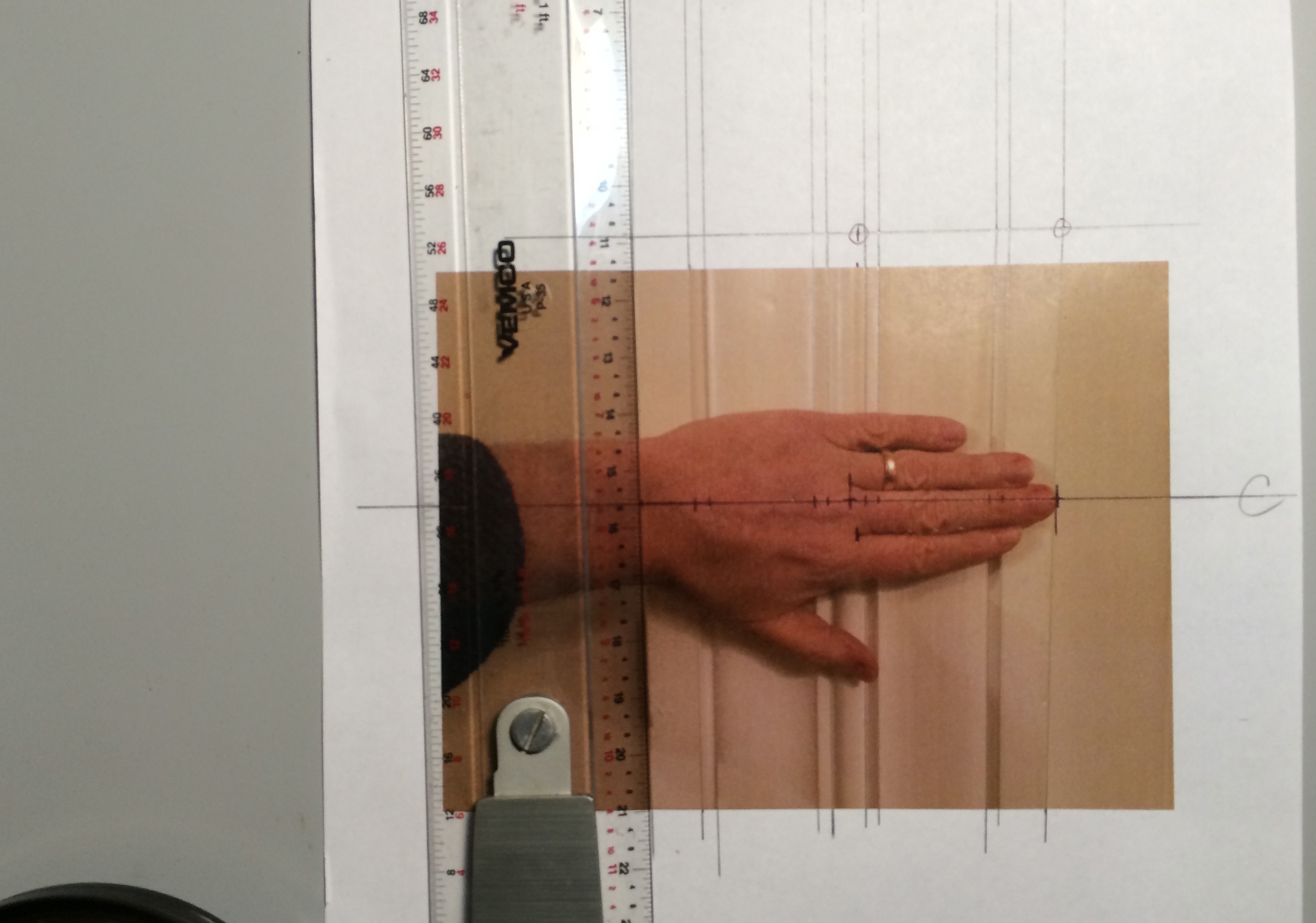
IMG_6890The first thing you’ll want to do is draw lines outlining the sides and edges of the moulding details, then you’ll draw a centerline through your scale, whether it’s a hand or tape measure. Then draw a line parallel to this at the top of the picture crossing the outlines. Now continue the lines perpendicular to this new datum line so that they are parallel which eliminates the perspective/foreshortening effect of the photo. Then mark a known distance on the original centerline, in this case it’s the distance from the tip of the middle finger to the end crease which is 3 3/4″.

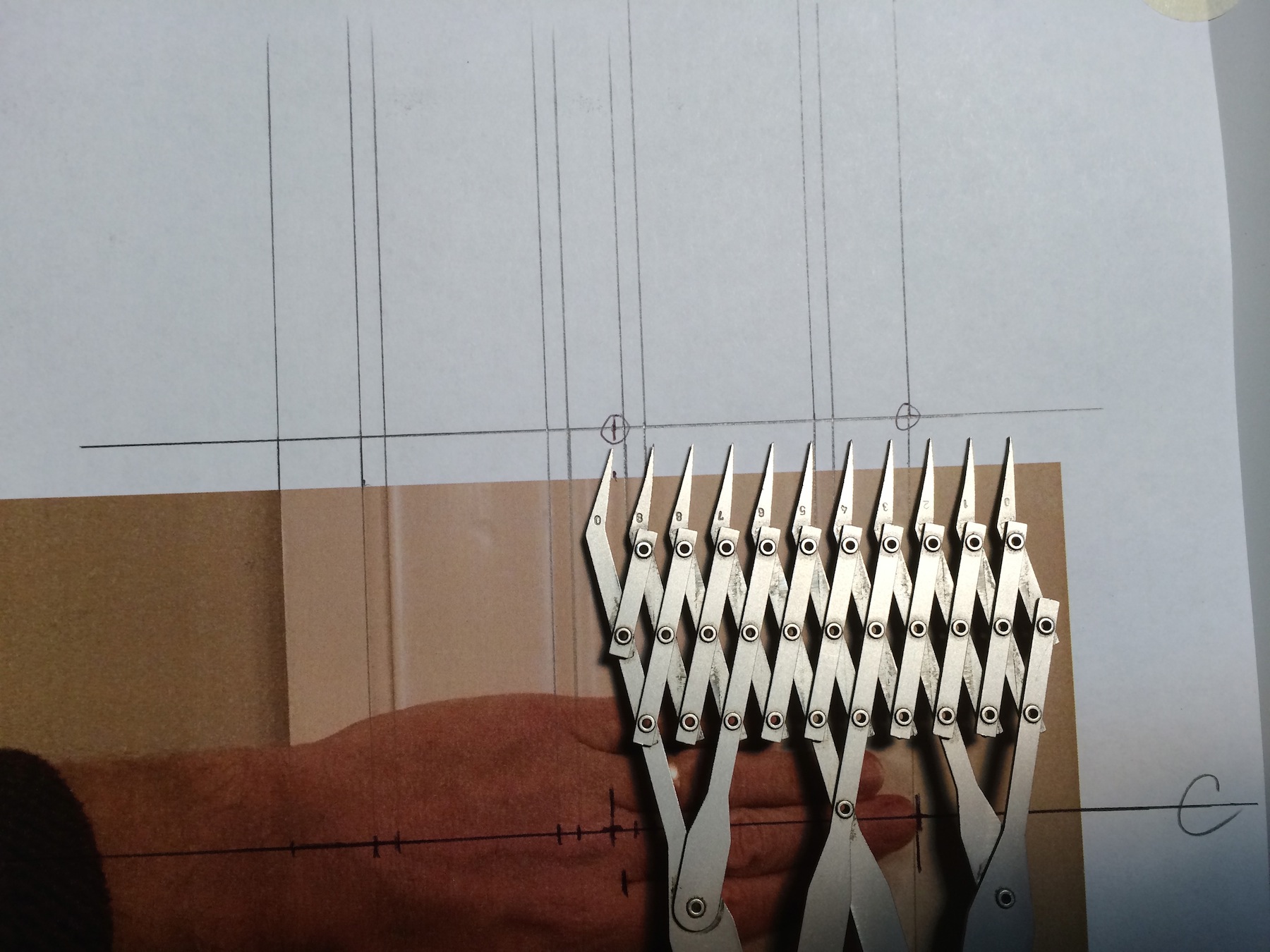
IMG_6886Now transfer these two points to the new datum line at the top of the photo. With the dividers, open them along this datum line allowing the distance between each point to equal 1/2″. They can represent any distance you want them to, but 1/2″ works best for this example. This means that 7 1/2 spaces will equal 3 3/4″ scale inches along the new datum.


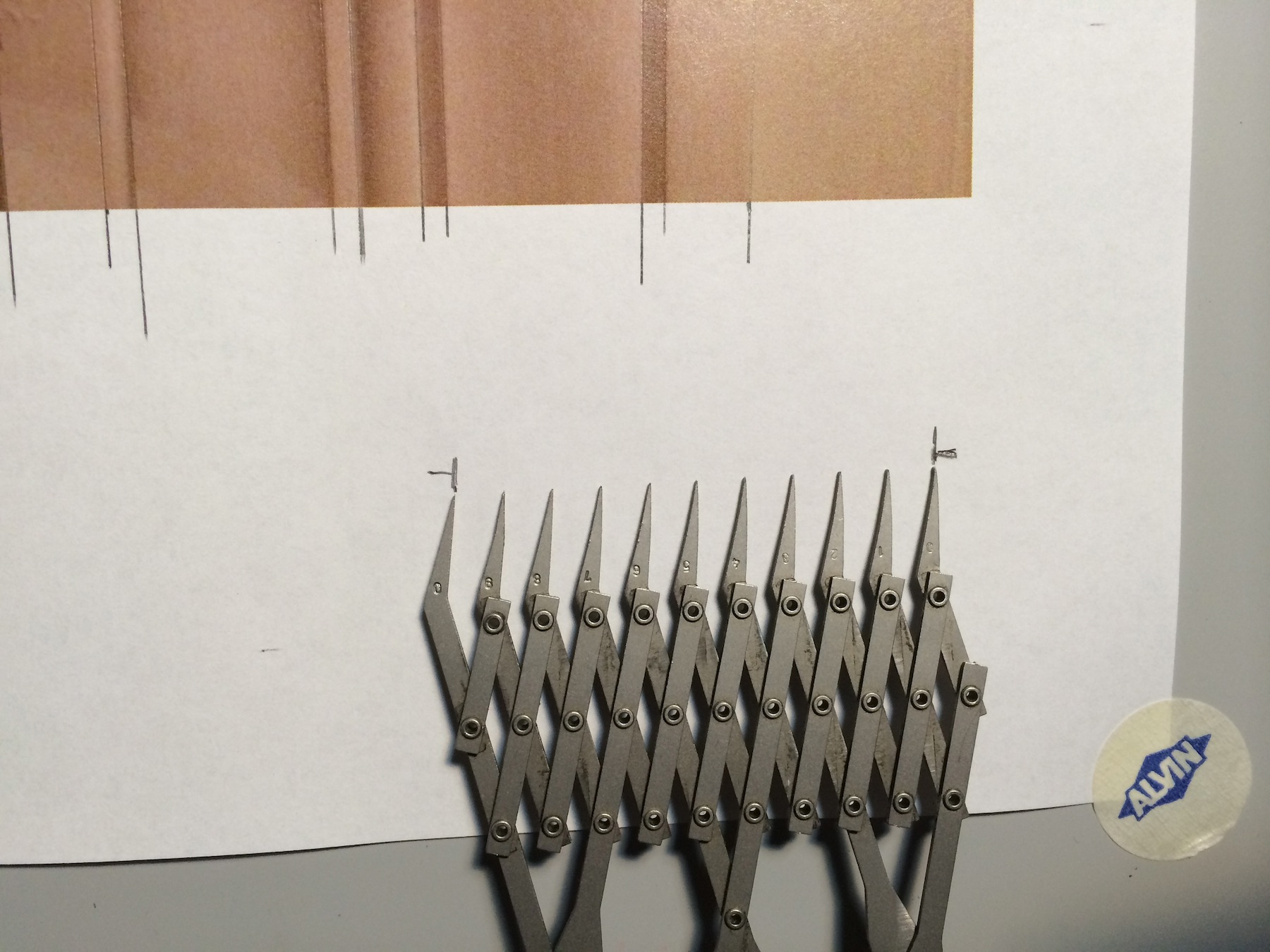
IMG_6887Once you have these marks set, carefully move down to the bottom of the page and mark the distance at the first and last point. As each space represents 1/2″, the distance over the width of the dividers is a scale 5″ along the nomen line. For accuracy you’ll want to continuously check the spacing of the dividers against this ‘master’ to be sure you haven’t changed the setting. Most dividers are manufactured with fairly ‘tight’ joints but you can easily bump them while you’re working and throw off the setting.


IMG_6891Now we have a scale to measure the spacing between each of the line extensions above the top nomen line. You can mark the distance at the middle point and reduce the spacing of the dividers to equal 1/4″ in scale and so forth. I came up with an 8″ width, which when I checked the casing with an actual measuring tape, found it to be in reality 7 7/8″ to 7 15/16″. Not bad, well within the accuracy of most applications.


Digital Calipers

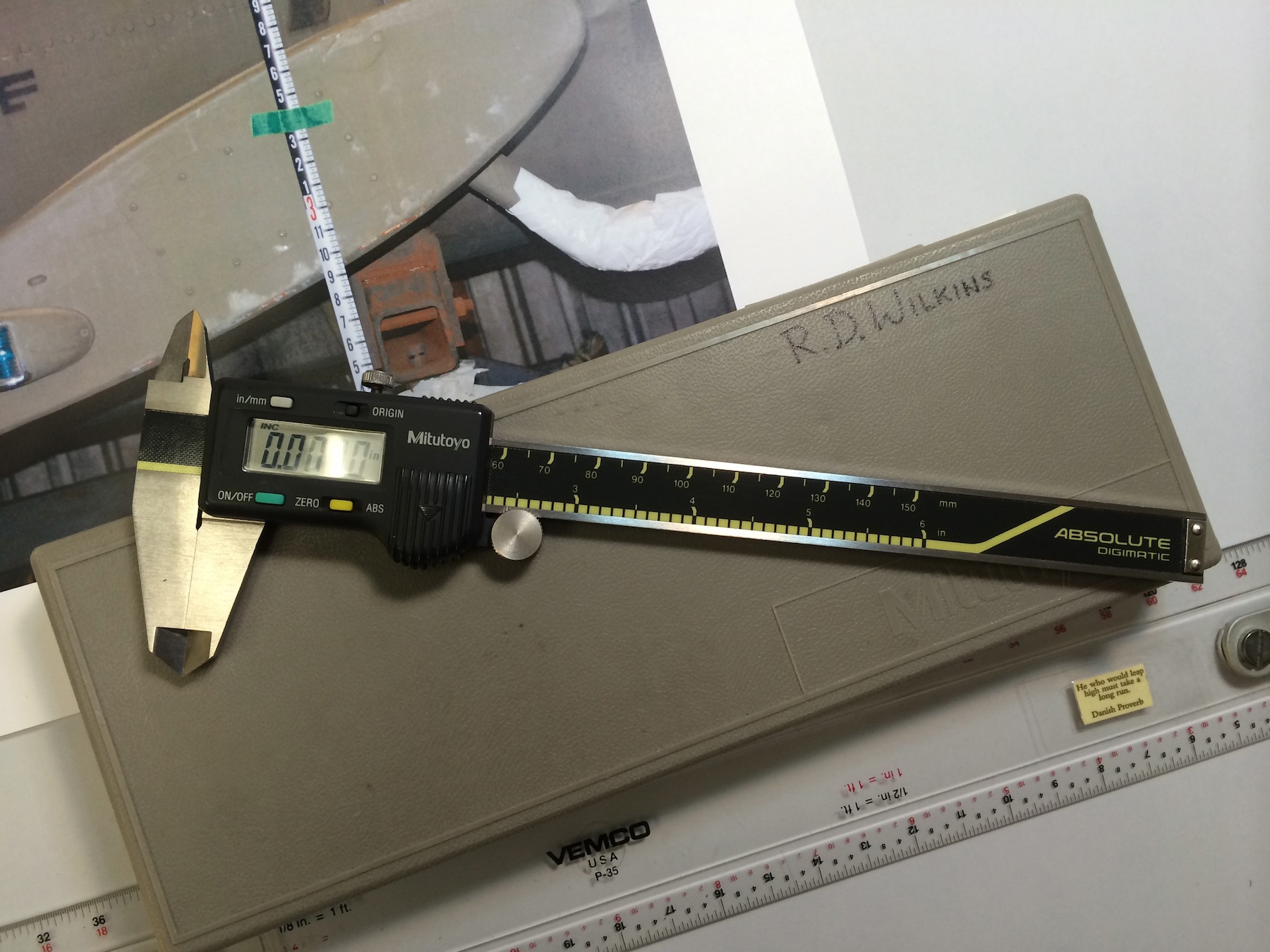
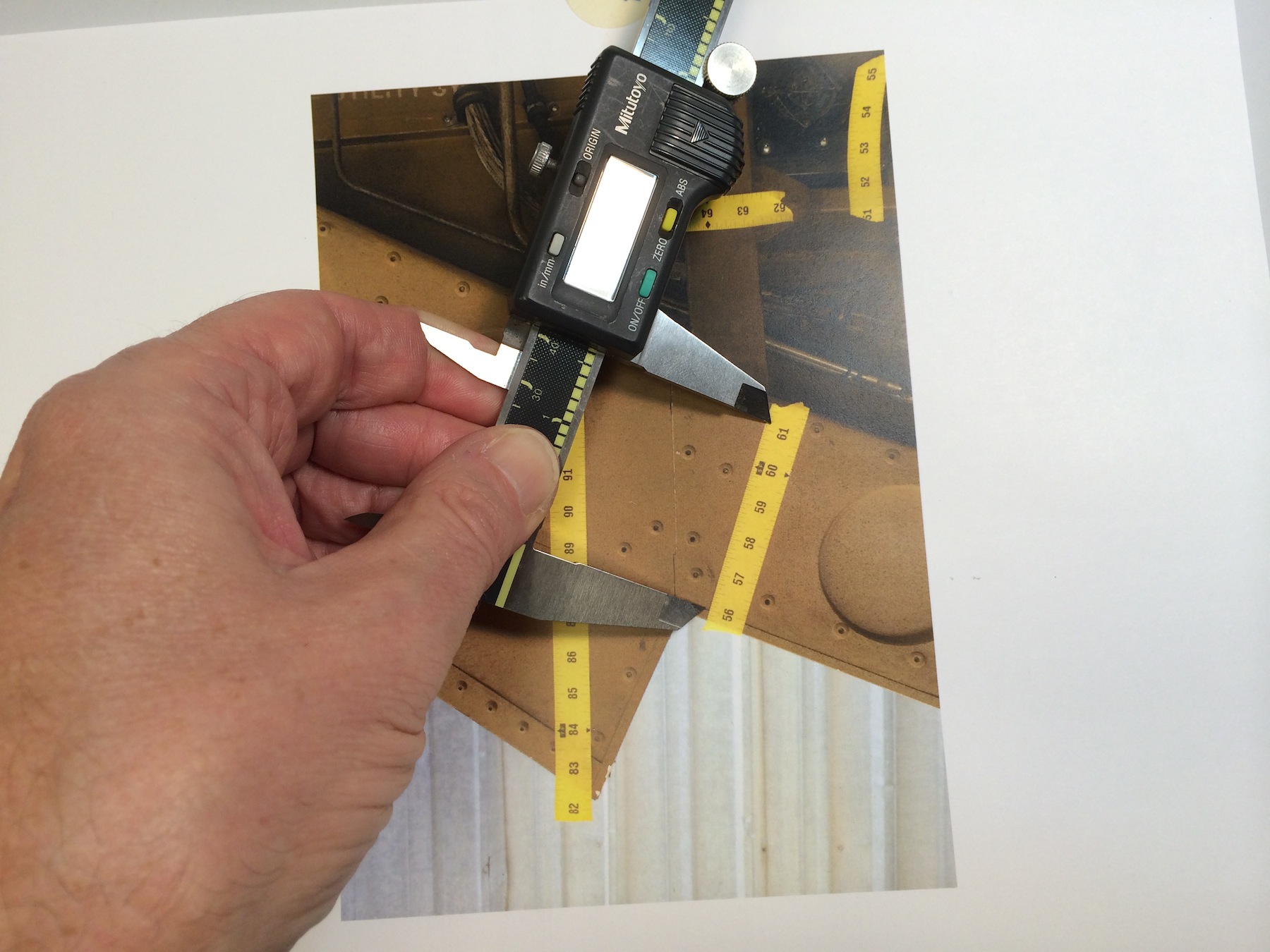
mutoh digital calipersThis method is not only more accurate than the equal space dividers but is a cheaper method as well, just not as fast at first. I have a set of Mitutoyo digital calipers which run about $180, but you don’t need anything that accurate. You’re going to be dealing with nothing finer than a thou of an inch and even that’s pushing it. A $12 pair like these are more than adequate, in fact this $9 cheap plastic pair are even better as the sharp points on the jaws of the better calipers will rip the crap out of the surface of the page of a book or the emulsion of an enlargement. They’re a lot safer to use when you’re scaling off a computer screen as well! They all have the ability to be set for decimal inches or metric.

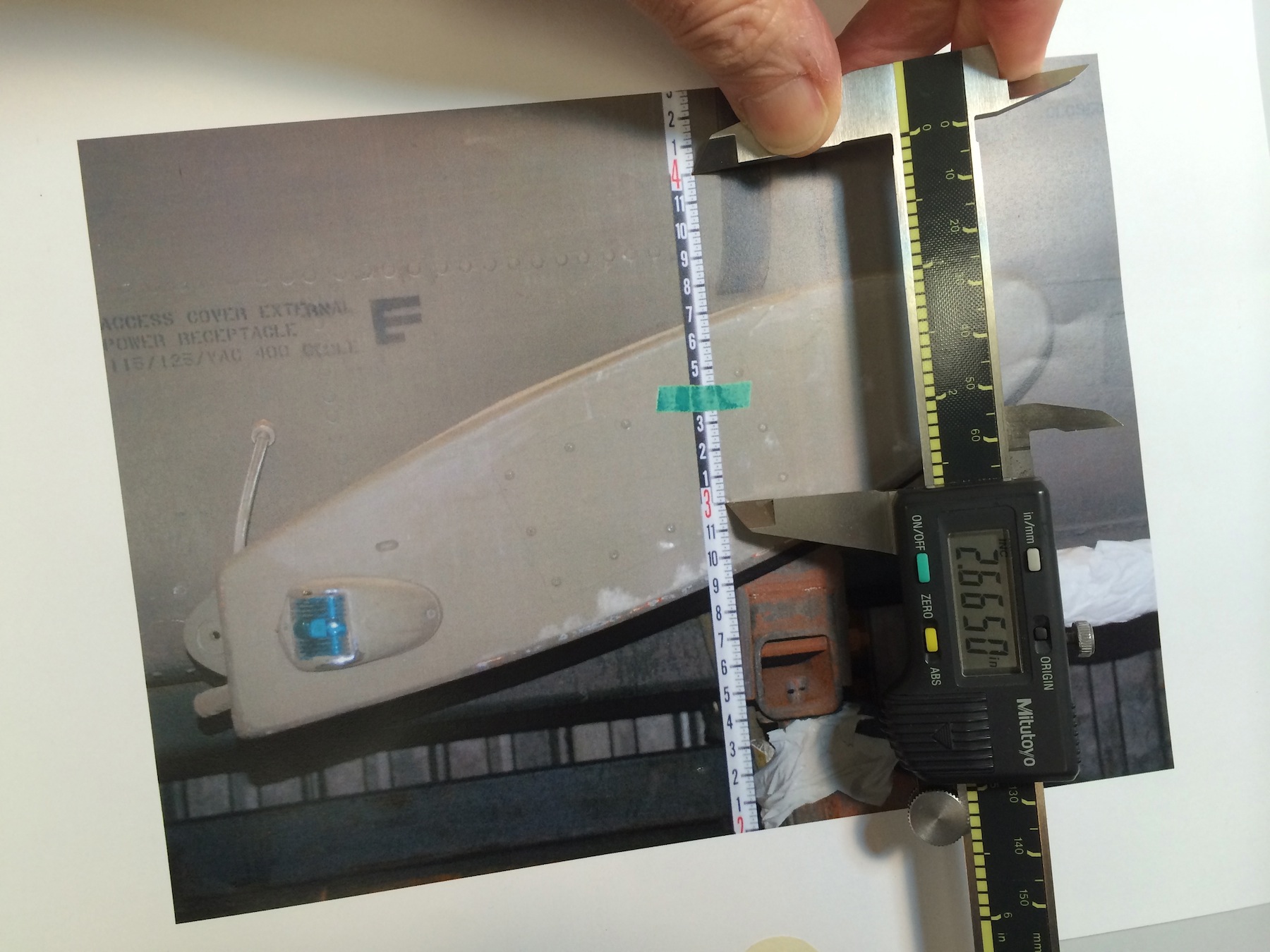
IMG_7157The nomen in this photo is a Keson Pocket Rod, a retractable builder’s survey pole, ( don’t know if it comes in a metric version) if you don’t have one, get one right now. You’ll wonder how you got by without it. With a graduated scale in the photo it’s easy to find a correct scale. Turn the calipers on, squeeze the jaws together and zero out the reading. then you just set the jaws between a one foot increment and record the reading.

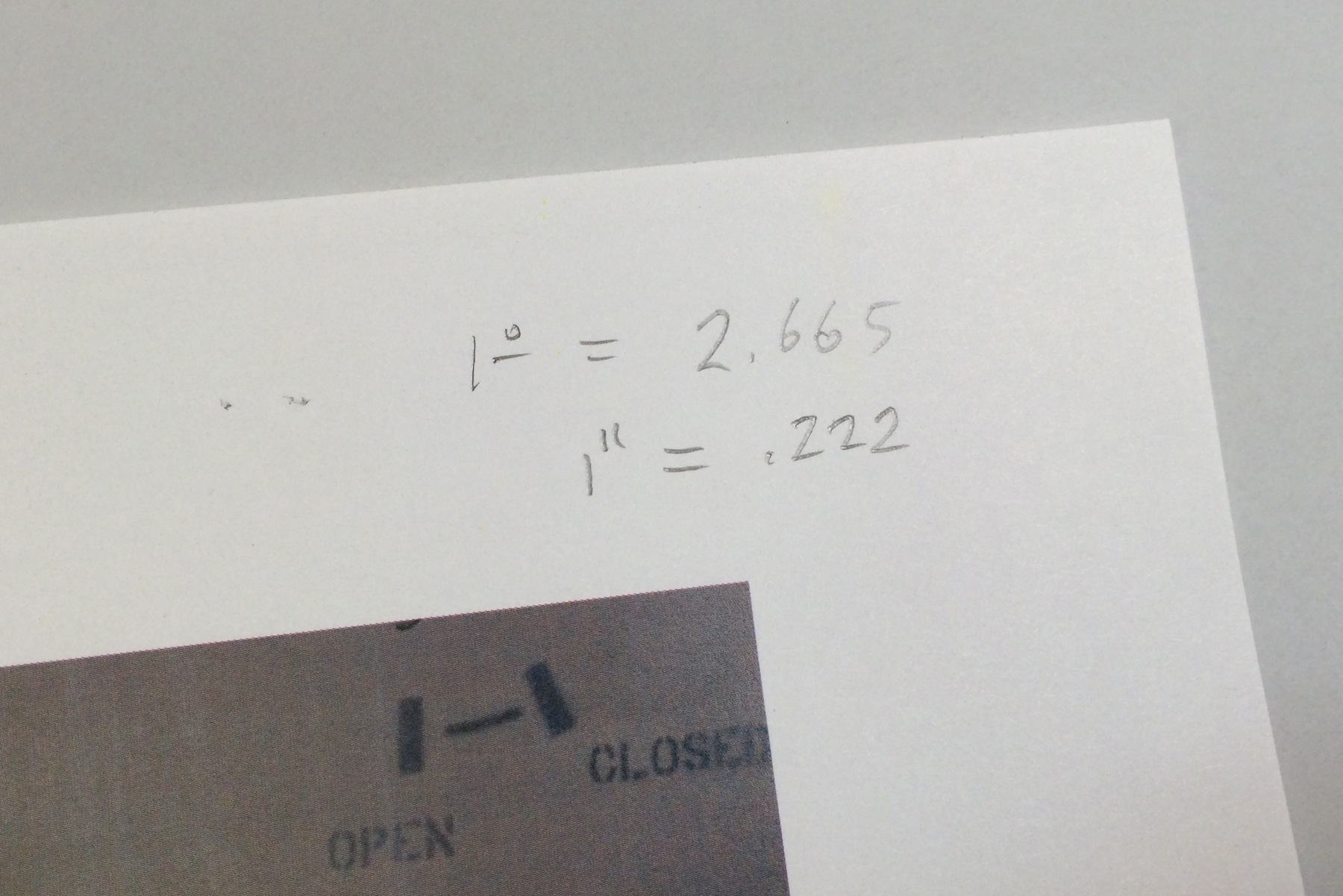
IMG_7158In this example 1 foot equals 2.665 inches. Divide this number by 12 and you come up with .222 inches equaling 1″ in the photo. Record these numbers for reference at the top of the photo. Remember that this equivalent will only be accurate over the whole area of the photo if you have been careful to make sure your camera was perpendicular to your subject matter.

IMG_7159


I could go into allowing for foreshortening and lens distortion calculations but that would take an entire chapter of a book.


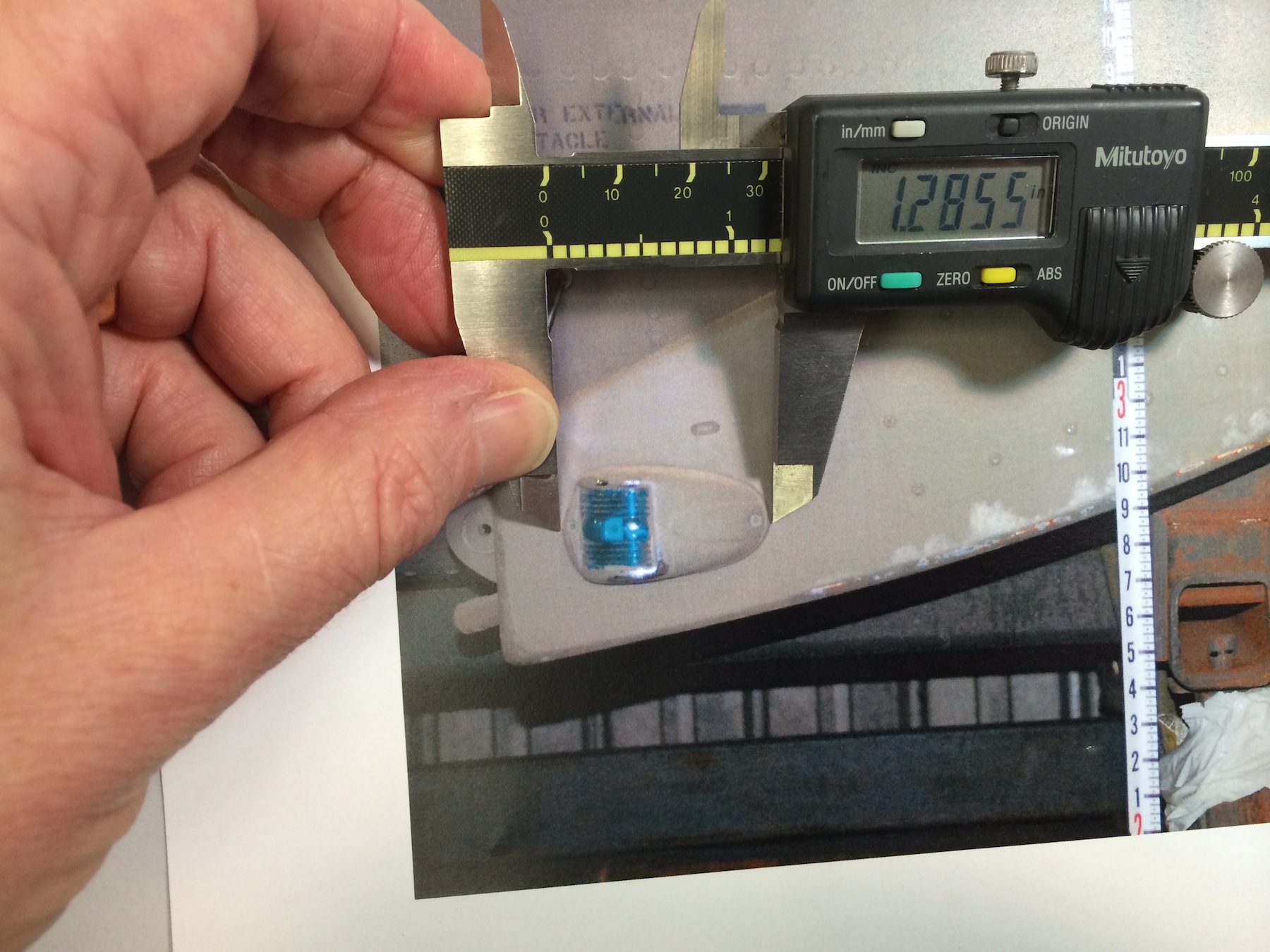
IMG_7161There are other options to the survey pole or tape measure. Richard Mays introduced me to graduated adhesive tape on a movie several years ago and it’s a great tool. You can put several pieces within the frame and you’ll quickly see if you have  foreshortening issues. Art Director Jim Wallis has provided a manufacturer and source for ordering some for your kit. Or this one, Or this source for both imperial and metric with story pole writing space.

Photo Scaling With Sketchup

I know there are a number of ways to scale from photos digitally but if you pla
n to do any 3D modeling with them, Sketchup is a good place to start.Screen Shot 2015-04-09 at 4.36.35 PM

In Sketchup you’ll create a horizontal face and import your photo using file/import. Be sure to import the image as a texture. Stretch the image to fill the face and click. The image will tile itself over the face, so just trim  the excess repeated images.


Create a Group and double-click to open it for editing. This is an especially important stepScreen Shot 2015-04-09 at 4.38.50 PM if you already have other object or images in your model file. With the Pencil tool you’ll draw a line along your nomen marking out a specific distance, in this case 12″. the longer the line the more accurate your scaling will be.


With the ruler tool, measure this line from one end to the other. Ignore what it tells you theScreen Shot 2015-04-09 at 4.38.50 PM length is. Type the length you want it to be which will appear in the Value Control Box in the lower right corner of the window. When you hit return , a box will appear asking you if you want to resize the object. Click ‘Yes’ and the object will shrink/grow to the correct size and your photo image will now be at full size scale.

Screen Shot 2015-04-09 at 4.39.50 PM


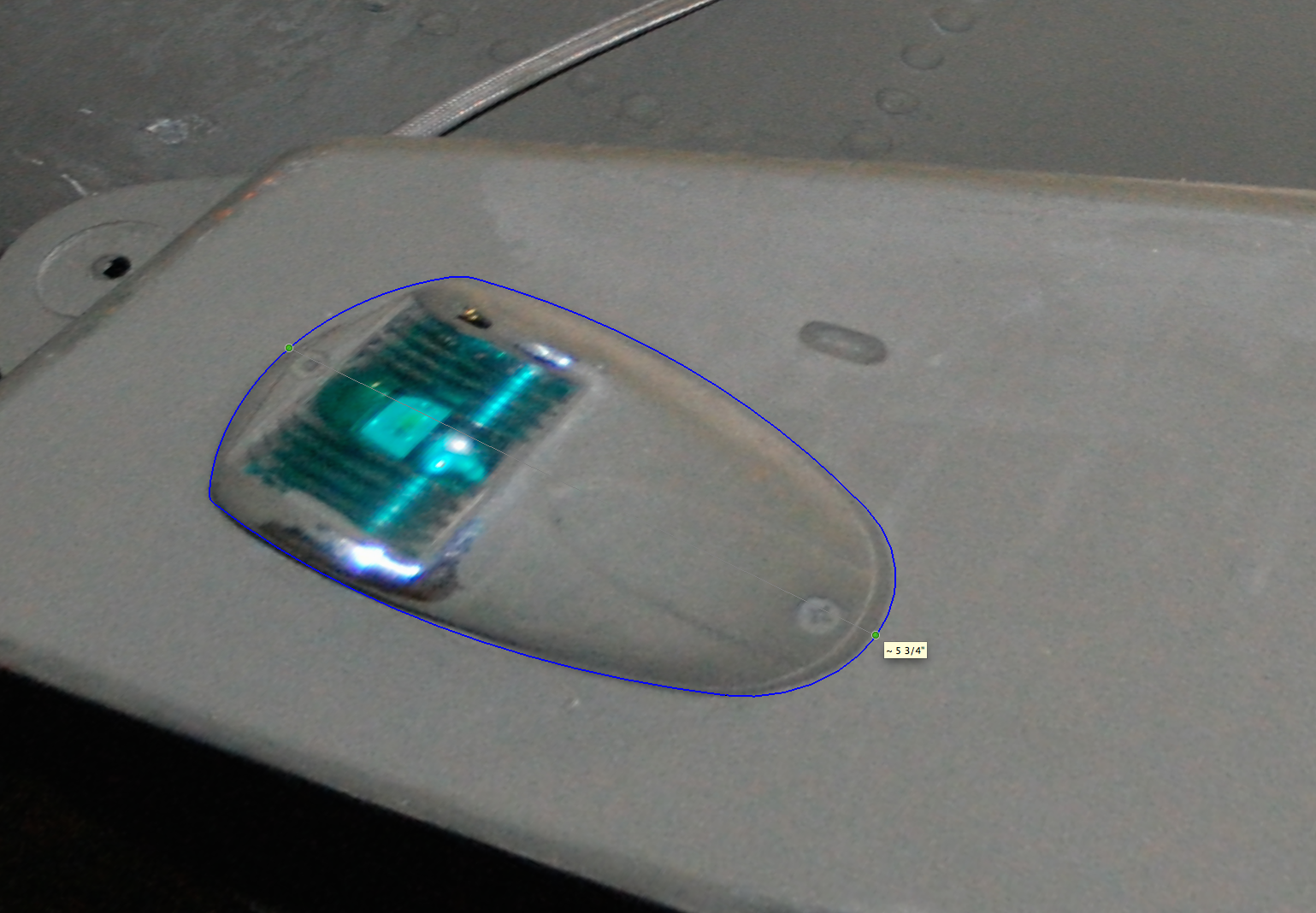
Now you can trace any area you like and the tape tool will give you a correct length, Screen Shot 2015-04-09 at 4.42.54 PMproviding you are measuring in the same focal plane as the nomen. Obviously if you are measuring something in the foreground or background the measurement will be off, which is why you need lots of survey photos  if your subject is complicated,


–  R.D. Wilkins
 

Protected by Copyscape Original Content Check

The Measuring Tool At The End Of Your Arm

I like photographing architectural details. But they’re only really useful if I have a scale in the photo. Measurements written down in a journal somewhere are bound to get separated or lost and the photo won’t do me much good if I want to replicate the detail. I rarely carry a tape measure with me all the time and usually carry a small paper ruler in my wallet, but that often gets lost of left behind.

When those times occur where I need a scale in the photo, i just use my hand. It’s handy because it’s always with me, I know how big it is and I can always refer to it later when I’m scaling the photo. It’s my built-in story-stick.hand photos_1

The hand has been a measuring device for thousands of years and is still used as a measure of the height of  horses in the U.S. and UK. The hand’s width was standardized at 4 inches by Henry VIII in the 16th century, the hand’s breadth, (just across the 4 fingers) at 3 inches, making the average finger width 3/4″.

hand measurements_1

The first joint or distal phalanx makes a handy scale for small details as well.

finger photos_2

And don’t forget your shoe makes a good scale object too.

IMG_4324


So what do you do with these? How do you translate these into working documents? Next time I’ll explain the basics of scaling from photos using dividers.

But in the mean time, this video by writer and woodworking instructor Jim Tolpin and animator Andrea Love gives a great intro into designing with hand and body proportions.


For more on proportional design, get Jim and George Walker‘s book, By Hand & Eye from Lost Art Press. George also writes a great blog on design you can find here.

And if you want some hands-on help, Jim will be teaching a class based on By Hand & Eye at the Port Townsend School Of Woodworking on March 21-22.

-Randall Wilkins
Painted Backings – Part II
A scenic lays out a backing at Ealing Studios in London in 1939 for the film "Young Man's Fancy". National Media Museum

A scenic lays out a backing at Ealing Studios in London in 1939 for the film “Young Man’s Fancy”. National Media Museum

In my last post on painted backings I mentioned that they had some definite advantages over photographic backings but I didn’t go into details.

Here’s some of the things they have in their favor:

1. “Softness” – Painted backings have a much more atmospheric feel to them visually. This could be enhanced by adding a “haze” to the canvas or hanging bobbinette, white or black, in front of them to soften them further. Many cinematographers hated the photographic backings when they were introduced because they were too sharp, which made it hard to try and have believable depth-of-field with a backing that was supposed to imply a distant object.

2. Canvas backings can be enhance with elements to simulate a more realistic setting: L.E.D. or miniature bulbs, cellophane strips that simulate light reflecting off water features, etc. You could do that to a Translite but it’s hard to repair the holes you’ll make in it.

3. Painted backings can be altered easily to reflect changing seasons. You can paint over a backing to create, snow, leaves, remove architectural elements and restore it back to it’s original form where you would need entirely different photographic backings in each case.

4. A painted backing has infinite possibilities, any angle, and location. There’s no need to have to get a camera at the point of view you want the scene to be shot from. No need to worry you’ll get strange perspective lines from a Photoshopped image.

And for those who don’t believe a painted backing could ever look as realistic as a photographic one, I’ll offer up this little story:

Years ago I was working on a feature that involve a 160′ long backing of a coastline and ocean view. It had to match a location which was a modern house with floor to ceiling glass panels. The designer suggested a painted backing would be better for many reasons.

One of the producers scoffed at the idea saying that since we would see so much of the backing he couldn’t believe it would look realistic enough. Because the painted backing was actually going to be cheaper he was overruled on the decision. He would walk on to the stage sometimes while it was being painted and just shake his head. “They’ll be sorry”, he said.

Several weeks later he walked into the Art Department with the writer and walked up to my drafting board, pointing to a photo on the wall of an ocean view, the sun glowed in the background and the light was glinting off the water.

“You see that. That’s what they’re trying to recreate with a painted backing!” he laughed.

I interrupted him. “That is the painted backing. I shot that yesterday after they hung and lit it.” I pointed out a studio light hanging just inside the top of the frame.

He got quiet and leaned in closer, studied the photo, and then just turned and left. He never mentioned it again.

Remember, it doesn’t matter what scenery looks like to your eye. It’s all about how the camera see it.

A painted backing seen outside the set windows

A painted backing seen outside the set windows

Here are some more photos from the JC Backings / ADG event:

Brigadoon

Backing from the film Brigadoon

Backing from the original Battlestar Gallactica TV show

Backing from the original Battlestar Gallactica TV show