The Motion Picture Art Director – Yesterday And Today

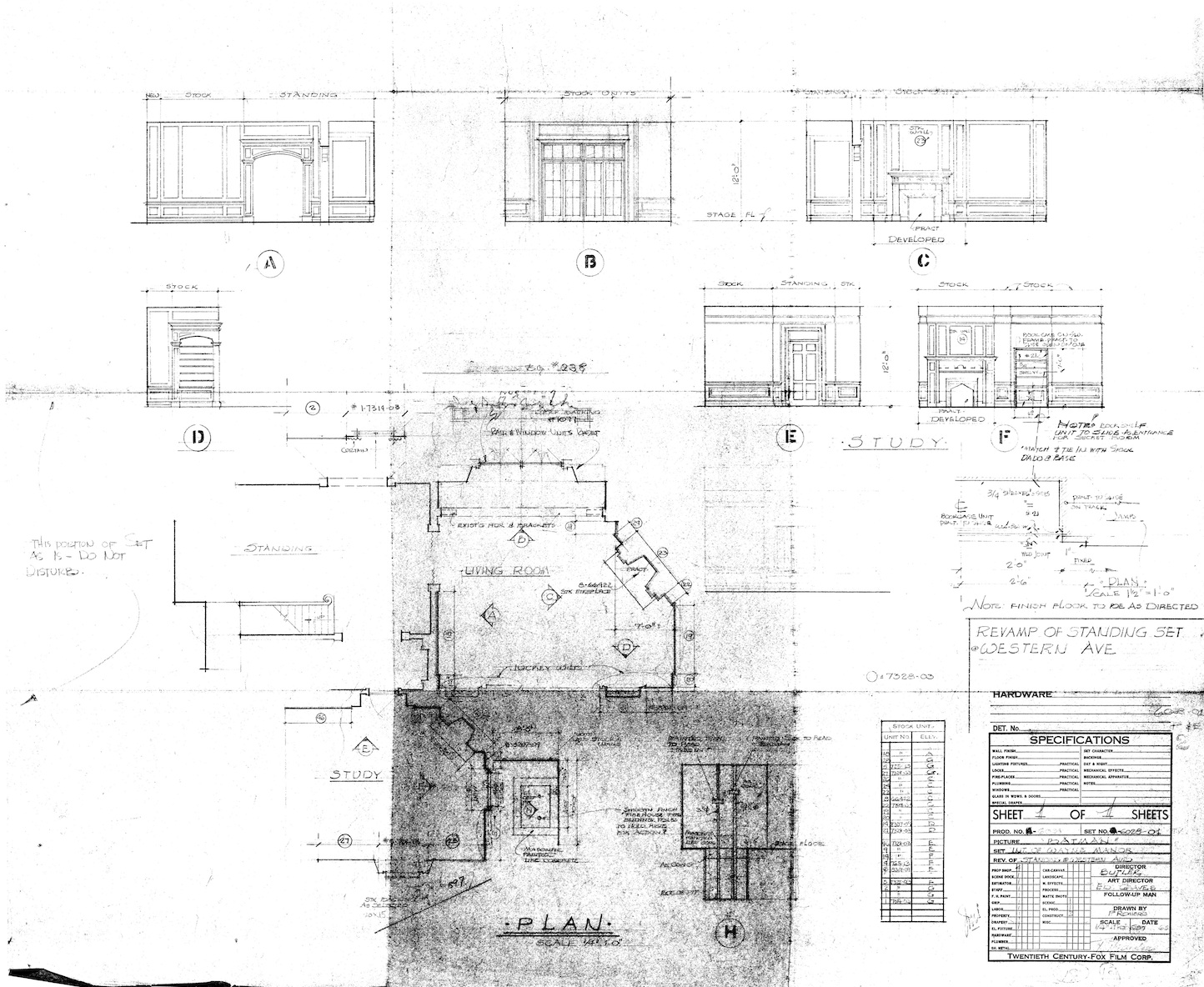
Back in the 1940’s the Art Director’s Guild, known then as the Society Of Motion Picture Art Directors, created a chart outlining the exciting responsibilities of an Art Director, which is posted below.  In 1994 I created a revised version which, I thought, seemed like a more accurate representation of the job. Looking it over today I think a newer version is in order. Your suggestions are most welcome.

The responsibilities of the motion picture Art Director of the 1940’s.

The Art Director of “Today”

The Future Of Sketchup

On Monday morning I, along with about 280 others, packed into the Boulder Theater in downtown Boulder, Colorado in the hope of finding answers. It was the first day of Sketchup Basecamp, a semi-annual event that attracts Sketchup users from around the world for a three-day conference that’s more like a cross between a family reunion and a college party than a traditional industry conference.

When it was announced on April 26 of this year that Google was planning to sell Sketchup, a lot of people ( myself included ) got more than a little nervous. Sketchup is the sole piece of software I use for modeling sets and creating working drawings. Since purchasing the program in 2006, Sketchup has become the most-used modeler in the world with it’s user base growing to over 30 million people. The program was obviously very successful, so why was Google selling it off when it normally doesn’t divest itself of products. The last time they had sold a product investment was in 2009. A Sketchup blog article by Product Manager John Baucus on the same day helped to allay fears but there were still a lot of unanswered questions and concerns.

Google had purchased Sketchup’s parent company, @Last Software in 2006 to provide content for Google Earth. The idea was to provide a free 3D modeling package that would allow people to create buildings for use in Google Earth. Even with a paid version of Google Earth it seems that Earth was never a profit generator for them and with the introduction of a new system which allows Google to now create models from auto-generated 3D mesh buildings from photo-grammatical data gathered from satellites and unmanned aircraft, it seems that they no longer saw a need for a 3D modeling program. There was speculation in the engineering industry that the company would be sold to Dassault Systemes, but when the announcement was made it was revealed that Sketchup would be purchased by Trimble Navigation.

Trimble Who?

So, who is Trimble Navigation and why did they buy Sketchup? It turns out Trimble is a billion dollar company located in Sunnyvale, California and is a leader in developing systems which use GPS technology for the surveying and construction industries. They have offices in over 30 countries and have over 1,800 patents relating to GPS systems. Sketchup is just just one of a number of acquisitions Trimble has made this year, including Tekla, a BIM modeling program from Europe. On Trimble’s website they describe the company as having integrated  “a wide range of positioning technologies including GPS, laser, optical and inertial technologies with application software, wireless communications, and services to provide complete commercial solutions. Its integrated solutions allow customers to collect, manage and analyze complex information faster and easier, making them more productive, efficient and profitable.”

Far from dumping the software in a fire-sale, Google wanted to make sure Sketchup went to a good home. Google had a previous relationship with Trimble having used their GPS systems in developing Google Earth.

Trimble Vice President Bryn Fosburgh was there in Boulder at the opening session to explain how they saw Sketchup’s position in the company’s structure. Having established itself in the engineering and construction side of the industry, the acquisition of Sketchup is seen as a way of extending the firm’s footprint into the design phase of the industries as well. He said they saw the modeling company as becoming seamlessly integrated with the other companies’ software and hardware products and said his only surprise after the purchase was getting used to the unusual dog-rich environment of the Sketchup offices.

Users of their products like the Robotic Total Station will be able to bring the file from a Sketchup model of a house into the device and have it’s laser lay out the corners of the building with 1 centimeter accuracy.

More Tasty Sketchup Biscuits To Come

A problem most companies have is learning when to leave acquisitions alone. Much like biscuits, where over-handling the mix leads to leaden,  inedible lumps. Trimble seems to have a record for buying quality companies, integrating them into the family, and then leaving the work to the people that know best how to implement it.

Joined on stage by Sketchup Product Manager John Baucus, Product Evangelist Aidan Chopra and a number of others from the company, the group quickly explained the plans Trimble has set for the 3D modeler: the program is going to stay simple to use, and it’s going to get a lot more complex as well. The company sees Sketchup as a platform as well as an application.

Here’s the abbreviated breakdown:

– There will always be a free version of Sketchup available and the basic program will     never be more complicated to learn.

-The Pro version will continue to be developed and you will see a continually greater difference between it’s abilities and those of the free version.

-They will continue to support 3rd party developers in creating compatible software and plugins to work within Sketchup. Over 45% of users have and use 3rd party plugins with Sketchup and they want to continue to support the creation of useful additions that they would never develop in-house, hoping that each industry will take the initiative in creating plugins for specific needs.

-They will continue to support “everyone else” as well. Since the program is used in so many varied industries and vocations, the company wants the software to be truly useful to anyone who uses it to create.

-They plan to continue to make the software run bigger and more complex models as fast as possible by any means they can.

-The company is ramping up their team size and is currently looking for new talent. Trimble is pumping a lot of money into the company, especially in Layout, their software for creating construction drawings from Sketchup models. They plan on continuing to improve the drawing program to equal any CAD package out there.

-Starting in 2013 with the release of the next version, the company will now go to annual updates instead of the random release dates we’ve become used to. Another sign that the software’s development is going to proceed at a much faster rate than it did at Google.

Also, there are plans to overhaul the 3D Warehouse. The Warehouse now contains over 2 million models with over 1000 new models added each week, many by major manufacturers. They plan to update it to make it easier to use and easier to find content.

And, it was announced that the company has developed an STL importer/exporter for creating model files for use in stereolithography and 3D printing. Now that companies like Makerbot have made desk-top 3D printers available in the $2000 range, 3D printing may soon become as common as paper printers.

They have licensed STL plugin code from three outside developers, streamlined it and offer it as a free plugin. You can download it here.

All in all, the switch to Trimble ownership looks like a much better fit than it did with Google. Although as John Baucus will say, plenty of good things came from the Google purchase. It was at Google that the free version of the software was launched and the 3D Warehouse came into being. And, kudos to Google for making sure the company went to a good new home and wasn’t just cut loose.

I don’t think I’m alone in saying that I left the conference relieved. It looks like Sketchup has a very long and productive future ahead. Aidan Chopra joked at the opening session, “Sketchup 17 is going to be awesome!”

A Short Lesson In Perspective – Mandatory Reading

I think of myself as a pretty thoughtful, conscientious  person. Or I did until this week when I realized I had forgotten my wedding anniversary. The only thing that saved me was that my wife had forgotten it too. In our mad dash to keep our careers on track we sometimes let milestones pass us by without noticing them until they’re way back in the rearview mirror of life.

This article, A Short Lesson in Perspective, is by former advertising Art Director Linds Redding. The work conditions he describes are a near mirror image to those in the film and television industry today. The siren song of technology has allowed us to do things much faster and easier than we could have years ago. But that speed and efficiency has come at a big price, and one you sometimes don’t notice right away.

Redding was diagnosed with esophageal cancer several years ago and it took that to make him realize that he was letting his job eat him alive. When he realized what his creative advocation was costing him, he began to ask himself, ‘when is the cost for having a creative career not worth it anymore ?’

Stop what you’re doing. Read this. Is this you?

A Short Lesson In Perspective

The Best Chair You’ve Never Heard Of

On campaign during the Boer War, 1900. Major-General R. Pole-Carew , right, is seated in a Roorkhee campaign chair. National Army Museum, London

It’s all our fault. America and India, that is. When the British Empire was at it’s height of power it was sending troops to three continents. It would have been an extreme hardship for the officers, gentlemen in a class above that of the common soldier, to have traveled to these far-off places without the comforts and trappings that they were used to at home.

That meant that the campaign tents that were pitched in the American wilderness and the jungles of India had to be filled with proper furniture. Soon the best furniture makers in London, including Thomas Chippendale were turning out pieces which were designed specifically for, well, camping. To maintain the prestige of the British Army the furniture they brought with them had to be practical, portable and stylish.

A suite of Victorian walnut campaign furniture from 1863. From the book British Campaign Furniture by Nicholas Brawer

These were more than just a few choice pieces which were tossed into a cart. Some officers, when ordering their camp furnishings at the British Crown’s expense, selected nearly 50 pieces including beds, chests, writing tables,  bookcases and chamber pot holders. The size of some of the tents they inhabited while on campaign would have rivaled the size of the average room in a fine country estate. Not to mention the caravan of wagons and horses necessary to carry it all from place to place.

I first learned about campaign furniture while I was working on The Patriot in 1999. We reproduced some Georgian campaign chairs like the one below and I was struck by the ingenuity of the design. Some of the comfort may have been compromised but not the style. Sure the stretchers were flat and mostly featureless but the overall lines were there.

George III caned mahogany folding chair, 18th century. Christopher Clark Antiques, Ltd., Glos., England

Three years later I came across Nicholas Brawer’s book, British Campaign Furniture 1740 – 1914. It still remains, amazingly, the only book on the subject. Brawer explains that the real explosion in campaign furniture came after the Napoleonic Wars, when a brisk increase in travel both on the continent and abroad created a huge market for portable and functional furniture.

In 1899, the British Army experienced an entirely new type of war. The Boer War in South Africa changed the way people thought about modern conflict and the idea of a ‘Gentleman’s War’ was gone. The over-designed and over-stuffed campaign furniture of the Victorian Era was unpractical for the new hit-and-run tactics which demanded something lighter and more austere. The Roorkhee Chair came out of this need for a chair that was both simple and still robust enough to stand rough treatment. Weighing between 11 and 13 pounds, the chair was usually covered in canvas with leather straps for arms and easily broke down for travel. The design also had the advantage of allowing the chair to sit with all four feet level no matter how uneven the ground was. The name of the designer is lost to history, but the chair was named in honor of the Indian Army Corps of Engineers in Roorkhee, India.

Roorkhee chair fitted with canvas seat and back. From British Campaign Furniture by Nicholas Brawer.

Chair disassembled for travel

another style of leg

Victorian Mahogany campaign chair from the 1870’s. The ancestor of the Rorrkhee chair, it wasn’t as robust even though it could break-down as well. The pieces were carefully numbered to match their corresponding pieces to make assembly easy for anyone.

Unfortunately Brawer’s book has been out of print for years, so if you find a copy you should grab it. There are reproductions being made including some very nice ones by Lewis Drake & Associates.

If you’re handy with tools, you can try making your own. Christopher Schwarz, contributing editor at Popular Woodworking Magazine, and living patron saint to hand tool woodworkers everywhere, has done an article on making a Roorkhee you can find here. And you can download his Sketchup model of the chair here.

Whipping The Inner Dorftrottel

The German expression ‘dorftrottel’ roughly translates as ‘village idiot’ or ‘small-minded villager’, but the expression can have a much more nuanced meaning than it’s English equivalent. The term can also refer to a state of intellectual isolation and mental obduracy rather than just a matter of geography.

It’s easy for those of us here in Los Angeles to drink the media Cool-Aid and believe our own press. For many here, Hollywood is still the big engine pulling the train, still the driving force and font of inspiration for all the other entertainment industries. To a great extent that’s still true, but if you peek into the next room,  you’ll see that other entertainment communities are laying their own track, and we need to know where they’re headed.

I was invited to speak at a 3D and Virtual World conference at the Macromedia Hochschule Für Medien Und Kommunication in Stuttgart which was given a few weeks ago. While the primary focus of the conference was on the world of gaming, the theme also touched on the designing of virtual worlds and all the possiblilities that encompasses. For me, the conference was a glimpse into the other entertainment industries which are helping to expand the meaning and directions in which the 3D digital world is taking us and how it will affect our future as designers of those environments.

Creating Games With Drama

Dr. Michael Bhatty

The keynote address was by Dr. Michael Bhatty, professor of media and game design at MHMK campus in Munich, who spoke about the new breed of game designers. He believes games are a media and art form all their own and that the potential of them as story-telling devices is yet to be truly tapped. His courses are geared toward creating designers who are ‘directors’ as well as authors of these virtual worlds, and he means ‘worlds’ in the real sense. As the lead designer of the popular game SACRED, Bhatty believes most games fall short of creating a fully fleshed out environment. “You need to know everything [about the games world] from history, religions, deities, cultures, geography etc. The list goes on and on so let’s just say – a good game director is interested in everything when envisioning a new world as her or his playground,” Bhatty said. “I develop backgrounds for research, because most developers make the mistake of not being thorough and rely only on trivia and clichés they know from movies, pulp magazines or other games.”

Coming from a film and art background, Bhatty is very concerned with the cinematic elements of a game, and believes games should have the same ability to move people in the dramaturgical way that films do. Bhatty is convinced that the ‘game’ concept can be extended much farther than the limited definition we have of it, and creating virtual worlds can enhance many other fields such as education.

The Benefits Of A Well-Planned Design Process

Producer Tom Kubischik

Tom Kubischik, game designer and Producer at Morgen Studios in Berlin, spoke about the process of game design and ways to avoid the pitfalls of not following a rigorous design and development process, something a lot of film production companies could benefit from. He also mentioned that many game development companies, rather than wait for interest from the Hollywood community,  have struck out on their own into the world of feature films and television content.

The “Gamification” Of Society

Dr. Steffen Walz – photo by Ivo Näpflin

Dr. Steffen Walz of Karlsruhe, Director of the Games and Experimental Entertainment Lab at RMIT University in Melbourne, spoke about Gameful World Design in a humorous lecture on how the world around us is being “gamified”. You can watch his lecture here (in  English) from an earlier conference at LIFT11. He talked about how nearly everything in life is becoming game related or is being influenced by gaming concepts. The end result of this being, I think, that people will expect future communication, learning and entertainment to be more visually based.

The Virtual Reality Re-revolution

While a lot of my lecture involved 3D modeling for feature films, the main topic I covered was virtual reality systems for viewing those models and how I think it will influence both game design and film set design. Virtual reality isn’t really new, it’s been around since the 1800’s when panoramic paintings became popular. Even crude vehicle simulators have been around since the 1920’s.

It’s only with the recent improvements of computer processors that VR systems have become a more viable option for designers. VR systems have been used for over 10 years in other industrys and are now standard for aircraft and automotive manufacturers who are dealing with critical space considerations and find that modeling and designing in full-size 3D cuts large amounts of time. The German company IC.IDO has developed a VR system that is in use by most major car companies and their VDP software allows the system to use a model from nearly any other modeling software program. Watch the videos below to see a simulation of how you soon may be designing.

Is The Home-Holodeck Around The Corner?

I mentioned that as the appetite for digital models grows so does the size of Art Departments at the studios. And as these models become bigger in size and quantity, and if the trend toward more detailed models with fully textured surfaces continues, how long will it be before some producer or someone in studio management realizes they are sitting on thousands of dollars of nearly video game-ready digital assets? Is it so far-fetched to think that someday as kids leave a theater they will be able to purchase an access code that will allow them to “play” the movies in their ‘virtual reality playroom’ when they get home?

I spoke in vague terms about a VR system I have experienced at a company (who’s name I can’t mention) which would make such a thing possible. Once you experience true full-immersion 3D, watching something on a flat screen, no matter how good the 3D is, is just not satisfying. This system could be adapted to various interior spaces and become a sort of present day Holodeck for commercial or home applications.

The upside of all of this is that no matter what the tools or media are, and they will continue to change at a dizzying pace, they only increase the need for designers. Whether the worlds are physical or virtual, they still need to be designed. It’s interesting to note that most of the speakers at the conference were either architects or had studied architecture at university.

The challenge will be in keeping from being seen as an ‘operator’ of these ever more complicated systems, and to continually convince the companys / studios / producers that the truly important factors are the designer and the design, not the high-tech tools themselves.

P.S. – Your Rendering Software Is Obsolete

An article at PC Magazine.com last November talked about how real-time rendering is changing the movies, mainly in terms of how it affects the workflow and the time involved in creating animated films. Because of the advances in processor speeds and the continuing evolution of software programming, animators are beginning to be able to animate in real time. The giant rendering farms of the Far East may soon be a thing of the past.

Creating renders, at least for me, is a tedious affair that ends up eating hours of time while processing images, and renders ( pun intended ) my computer a slave to the rendering engine, useless for working on anything else.

The new wave in rendering software is for real-time execution with full motion and lighting effects as well as physical atmospheric effects like water, fog, etc.

While not cheap, there are a number of real-time, full motion options that cut the normal still-image render time from hours to seconds.

LumenRT

The least expensive option I’m aware of is LumenRT. This is a real-time rendering engine designed for use with Sketchup, but is currently being developed for use with other modeling software. Unlike the other programs I’ll discuss, there is a calculation process involved that does take more time but the advantage of this is that you can output what is called a LiveCube, which is an executable file you can send to anyone that they can navigate in and explore the model without the need for any software. Pretty neat. The downside is that once this is done, if you make any changes you need to recompute everything.

The program boast very accurate lighting and reflection effects and this affects the render speed. The company’s site advises that you may experience slower processing speeds if your model exceeds 40,000 square feet or 500,000 polys.

Normally price at $295, the program is currently on sale for $195 at their site. You can watch a promo film below, and read a review of it here.


Lumion

The next option is a program called Lumion, which was designed based on the object-oriented analysis approach of Quest 3D, a virtual reality program designed for 3D fly-throughs and simulations.

Lumion’s interface

Lumion is a true real-time rendering engine that can import nearly any 3D model. Instead of using ray-tracing technology like most other renderers, it uses a system more like those found in gaming systems to simulate light effects. This would seem to suggest that the specular effects and reflections are not accurate but a viewing of several sample videos of the product seems to suggest otherwise. Because of the way the program operates, objects in the background are rendered at lesser resolutions meaning it can handle models with millions of polys without bogging down.

The program is touted as having a short learning curve and is able to generate full motion renders in a fraction of the time it once took to do them in programs like Maya.

Lumion isn’t cheap by any means. The price of the basic program is about $1,900 with the pro version running about $3,700. There is a free version, which is limited and there is a trial version as well. It also runs only on the Windows operating system. Check out the amazing promo videos below and read the reviews here and here.

Lumion quick overview from Lumion on Vimeo.

Waterfall Lumion techpreview from Lumion on Vimeo.

Lumion demonstration from Lumion on Vimeo.

Twinmotion 2

Twinmotion 2 bills itself as “the render killer”. It was developed by an architectural film as an in-house application but was made available to the public. Like Lumion it is capable of handling huge models because of its Level Of Detail technology that renders distant objects with less detail and increases the poly count as you move closer to them.

Twinmotion 2 interface

Twinmotion seems to have more accurate geo-locating controls as well as sun controls, but Lumion is constantly changing so that may no longer be the case. Twinmotion does create excellent renders as seen below in this side-by-side comparison of a render to actual film of the location.

At $2900, Twinmotion 2 is in the same range as Lumion. Plus, there is a $850 annual subscription fee, similar to Revit. It’s hardly a purchase one could take lightly.

So what does this mean for the Art Department? Do we need full-motion renders? Considering that renders are becoming more and more common at each step of the design process, creating full-motion renders that can be done in a fraction of the time of traditional renders might become the norm.

Maybe that’s not such a bad thing. Maybe they could provide a good transistion step into the pre-viz process. Or maybe they’ll bring some of the pre-viz work back into the Art Department.

What do you think?

“Where’s That Submarine Research?” – Cataloging Your Stuff

I took the big file of submarine research, surveys and photos and tossed it in the trash. Then I stopped to think about it. Was I really ever going to use this information again? I’d done three sub movies before, what were the chances of ever doing another one. I looked at it sitting on the trash pile and then scooped it back out, just in case.

That’s been my constant dilemma, what to do with the dozens of boxes of files from past film projects. I finally decided that if  there was no way to easily put my hands on a file, I might as well toss all of them.

I’ve been in the midst of trying to catalogue and organize my collection of +2000 books and decided the research needed to get catalogued the same way.

The thought of trying to manually type in the info of all those books kept me from even starting the project until I found Delicious Library. When you open the program you are presented with a virtual bookshelf.

This is the way your books appear on the virtual bookshelf

You just wave the barcode on the book in front of the screen and the program searches the internet and within 3 seconds it loads a photo of the cover of the book onto the shelf. The window along the side records the publisher, date, value, reviews and a lot more. There are multiple ways of organizing and viewing the items including by Dewey decimal system, author, title, location or value.

If the book is older and doesn’t have a barcode, you can enter the ISBN number and it will log it. You can also input older books by inputting the title and author and it will search for all the books editions.  If, like me, you have a LOT of books, or DVDs, when you purchase the program you can also purchase a handheld barcode reader that allows you to scan about a hundred items at a time. When you plug the scanner into your computer, the program will download and record the items onto the ‘shelf’.

The program is also a great way of cataloguing anything else, including research. I created a system of boxes and have the various files noted as to which box they are in so I can do a word search in the system and an icon of the file and its location pop up.

The only downside is that Delicious Library is  for Macs only. For PC users, the nearest similar products which work similarly are  Librarian Pro 2, or All My Books.

Listen To Your Construction Coordinator!

You were always told to listen to your mother, and once you became an adult you realized that it was pretty good advice.

Now that you’re a grown-up film industry professional, the best advice I can give you is to listen to your Construction Coordinator. They’re the one person that can either make or break you and you should ignore them at your peril.

It seems today that you’re going to find few people who are willing to offer free advice that’s actually helpful and useful, but that’s not the case with Michael Mulligan, the Construction Manager at the Set Supermarket in the UK.

With experience in design, set construction, special effects and art direction, Michael has some sage advice for the new and experienced Art Director in avoiding the big pitfalls of a build as well as having some great ammunition to throw at a producer when they try to convince you that a stage build is too much trouble or expensive.

Michael points out that the CM ( the equivalent of our Construction Coordinator here in the states ) can save you big headaches and prevent you from making costly budget errors.

Here is a sample of some of his advice he offers on his company blog:

“Listen to the advice of the CM, you may think your set is unique but often, he or she will have done one similar and learned valuable lessons from it. The look may be unique but the principles involved will have been used before somewhere.

Remember that the finishes are as expensive as the build and much much less predictable as far as costing is concerned, if you want to try something new or something daring, don’t be surprised if a large sum is added, just in case it does not go well the first time. Tried and tested methods give the best value.

Make sure the space you are building in does not hamstring you. Restricted hours, restricted access, no parking, restriction on use of tools, danger of damaging the location, long distances and fundamentally inadequate space can knock the wind out of the scope of your build.

Make sure production know the fundamentals of set construction. Often producers will have been working a while without doing a proper build and are unaware of the simple rules for working hours, health and safety, overtime and so on. Its best to avoid nasty surprises and ill feeling by checking they’re level of knowledge in advance and filling in any blanks.”

You’ll find that there’s not much difference in the scope of work other than maybe a reference to “tea and biscuits” which is the equivalent to our “diet Coke and a donut” (I’ll take the tea and biscuits, thank you very much).

You can check out his blog and find other good advice at:

http://setsupermarket.co.uk/

photo – Set Supermarket

The Quick View II – going, going, gone.

On the ENDANGERED SPECIES list – the Quick View II

If you ever wanted a Quick View, time is running out. I have 15 of the lens angle finders left and plan on selling them out by the end of the week.

I’m selling the remaining few at just $25 plus $5 postage. I’ll even pay the sales tax. That’s over 60% off the original price. I can’t guarantee you’ll get the full manual but they will come with full instructions.

Despite many fantastic claims about this tool, it will not make delicious julienned fries or improve your love-life. But, you will have over 80 combinations of digital and film formats and prime lens focal lengths that will allow you to figure out any lens angle you could imagine in either plan or elevation views in seconds, without the use of a computer or any electricity at all!!

Amaze your friends! Be an Art Department “greenie”!

To make it fair, the tools will go to the first 15 people who send me an email at: randallwilkins@insidetheframe.biz and let me know they want one, or two. Heck, it’s the perfect gift for that annoying cousin who keeps asking you, “now what exactly is it that you do??”, insinuating you sit around and hob nob with stars all day long.  Wait until you see the look on his face when he opens this up. That’ll shut him up fast.

Once I get an email I’ll send you the site where you can go to use a credit card or Paypal to make the payment.

Any Quick Views that are left will be sent to the Home For Unwanted Film Design Tools. Please don’t let this happen to these innocent and incredibly useful devices!

Measuring Heights Without A Tape Measure

Here are three high-tech to no-tech ways to calculate the height of a building or tree or pole or anything else you need to know the size of but can’t determine with a tape measure.

1. Theodolite Pro

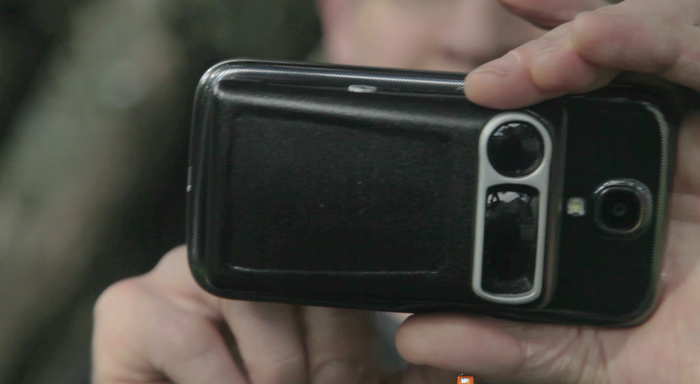
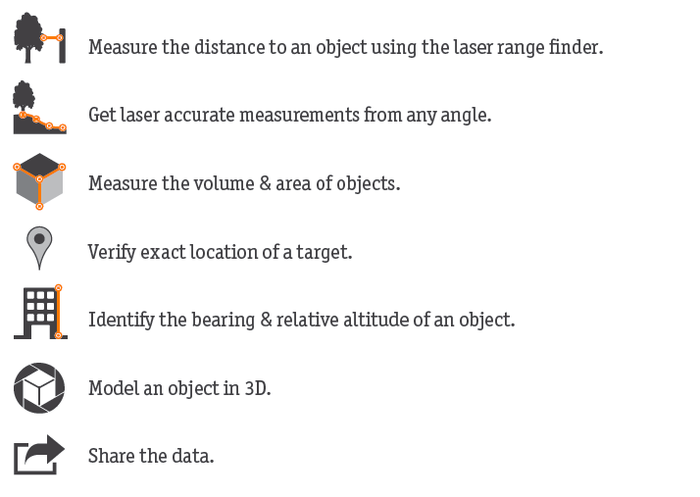
Theodolite Pro is an app for the iPhone, iPod Touch and the iPad.  Made by Hunter Research & Technology , it’s a multi-function augmented-reality app that combines a compass, GPS, digital map, zoom camera, rangefinder, and two-axis inclinometer. Theodolite overlays real time information about position, altitude, bearing, range, and inclination on the iPhone’s live camera image, like an electronic viewfinder.

At $9.99, it’s worth more than 4 times the price.

Theodolite Pro screen

The apps screen data gives you your position in either latitude and longitude or UTM units, as well as the time and date and your elevation. On each side are the horizontal and vertical indicators in tenths of a degree. The device has a one-button calibration function as well as a 2x and 4x magnification for pin-pointing a particular object. There are several options for the center crosshairs, one of them are a pair of multicolored floating boxes which merge and turn white when you are plumb in both directions.

You’ll get a much better result if you mount the device on a tripod. For an iPhone, the method I like is with a Snap Mount. It has 1/4″ female sockets for mounting in either a vertical or horizontal direction.

Snap Mount device for the iPhone 4

Once the phone is mounted, you point the center at the top of the object and push the “A” buttton to take a reading. Then tilt the device toward the bottom of the object and take  the “B” reading.

Then the app will ask you for your distance to the object. The more accurate your answer the more accurate the result will be. So, you’ll either have to pace off your position or measure the distance with a reel tape or laser measure device.

If this isn’t possible, you can use the option to determine the distance and height, although this will probably not be as accurate.

There is also an optical rangefinder built into the view screen that works by way of a series of concentric circles in either size factors or mils, that you can use to determine distance if you already know the size of an object in the foreground.

optical rangefinder rings

This app has been a best-selling navigational app for some time and has become a very useful tool in many different fields. You’ll find it’s very useful when doing field surveys and it’s certainly a lot cheaper than an analog theodolite.

2.  Clinometer

A clinometer, or inclinometer is a device which measures the angle of slope and uses basic trigonometry for estimating height. My clinometer is a combination clinometer and optical compass made by the Finnish company Suunto and is called the Suunto Tandem. Like the iPhone, you’ll get better results if it’s mounted to a tripod and the Suunto has a 1/4″ socket for this.

The Suunto Tandem

You look through the peep sight, leaving both eyes open. The graduated scale is superimposed over the object you’re centered on and you can read the results as either a percentage of slope or degrees of elevation.

You sight the top of the object in the device and read out the angle. Then you refer to the cosine table on the back of the device. From there it’s just a simple trig calculation. Adding the height from the ground to the center of the clinometer will give you a very close figure for the objects height. Like before you need to know your distance from the object you’re measuring, so it would be a good idea to determine your average stride to have a semi-accurate way of pacing off distance when surveying.

The back of the Tandem has tables of cosines and cotangents printed on it to make calculations easy.

The list price of the Tandem isn’t cheap, but I’ve seen them go for $20 on Ebay, so you should check there before you buy a new one. The results may not be quite as accurate as with the Theodolite app, but you’ll never have to worry about a dead battery and the device will still work perfectly 50 years from now. Like the Theodolite app, it’s good for shooting grades and taking elevation surveys as well.

A handy addition to both the above devices is to get a Keson Pocket Rod. It’s a collapsable surveyors stadia that rolls into it’s case. It has black and white graduated scales on one side and red and white on the other. It’s a great tool to have to put in location survey photographs as well for accurately scaling details from photos when you don’t have time to measure everything at a location. They come in both Imperial and metric units.

Keson Pocket Rod

3.  Biltmore Stick

This is the cheapest and easiest method of determining height but it’s also the least accurate. This is a trick I learned from my Boy Scout days. It’s based on the Biltmore Cruiser stick which is a way of determining the heights and widths of trees and how much lumber they would yield. The Biltmore Stick ( sometimes called a hypsometer ) gets it’s name from the famed Biltmore Estate in Asheville, North Carolina and was invented in the 1890’s by a German forester named Carl Schenk who was the master forester at the estate.

A real Biltmore stick has graduated markings that take into account for foreshortening but there’s a less expensive method. We were taught to use a yard stick (not very compact) or a 6 foot folding rule, which is a little wobbly to hold vertically. I like to use a Four Fold rule which is the original folding rule from the mid 19th century. They were sometimes called Blindman’s rules because the numbers are large and easy to read, making them perfect for this use. Garrett Wade carries a good reproduction of them. They fold down to just 9 inches long and fit nicely in a survey bag.

The way to use this one is to pace off 25 feet from the tree, building, etc. Turn and face it, holding the rule at arm’s length. 25 inches from your eye is the ideal distance. hold the rule so that the bottom of it lines up with the bottom of the object, like so:

using the Four Fold rule as a Biltmore stick

Read off the number than lines up with the top of the object and that will give you the height in feet. If the object is above the 25 inch mark, back up another 25 feet and multiply the results by 2. If it is still above the 25 inch mark, back up to 75 feet away and multiply the results by 3, and so on.

This method won’t necessarily give you a really accurate height, but it will give you a number that will be pretty close, say within 3% to 4% of the true measurement, providing you are very close in the distance increment and the rule is very close to 25 inches from your eye.