Understanding RED Camera Formats & Camera Angles

In the Sketchup™ Camera Tools seminar this past weekend I talked about the current trend in digital cameras and how they relate in using camera lens angles to view 3D models and illustrations.
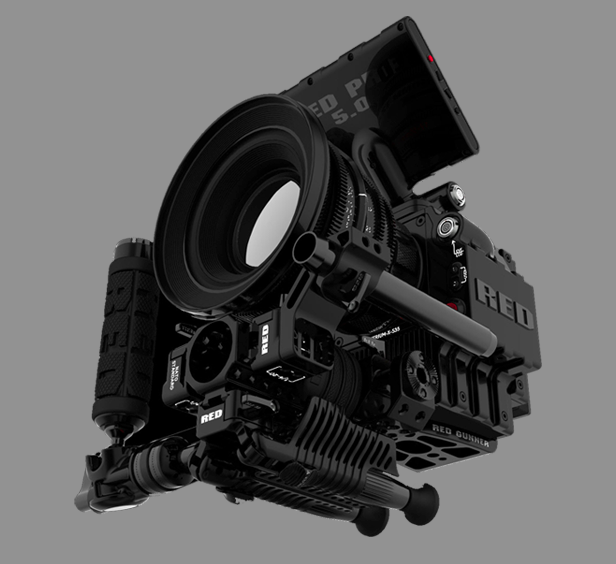
The RED Epic™

A camera that is creating a great deal of excitement in the camera world, and a lot of confusion in Art Departments, is the RED camera. Just over three years ago the Red Digital Cinema Camera Company  entered the market with what they called a DSMC system, or Digital Still and Motion camera system. The camera was basically a component system with the body, or brain, containing the sensor and the other various components needed to record an image. The system was designed to be configured and upgraded as the user saw best to fit their work needs. The design of a camera with dual capabilities would fuel the current trend of high-end still cameras which also record HD video, but that’s getting ahead of ourselves.

Designed with a 35mm sized chip, the camera is able to record video with the same depth of field as 35mm as well as having similar focal lengths, allowing for the use of existing lenses from other camera and 35mm systems.

The system allows the user to record in four different formats: 4.5k, 4k, 3k, and 2k and each of these can be framed or extracted in different aspect ratios. With the new Epic, whose sensor is 5k (5000 pixels across), the choices are 5k, 4.5k, 4k, 3k, 2k, 1080p, and 720p.

At this point your eyes are probably crossing and you’re saying, “so what?” Basically, what you need to know is that each successive format is a smaller cropped version of the previous one.
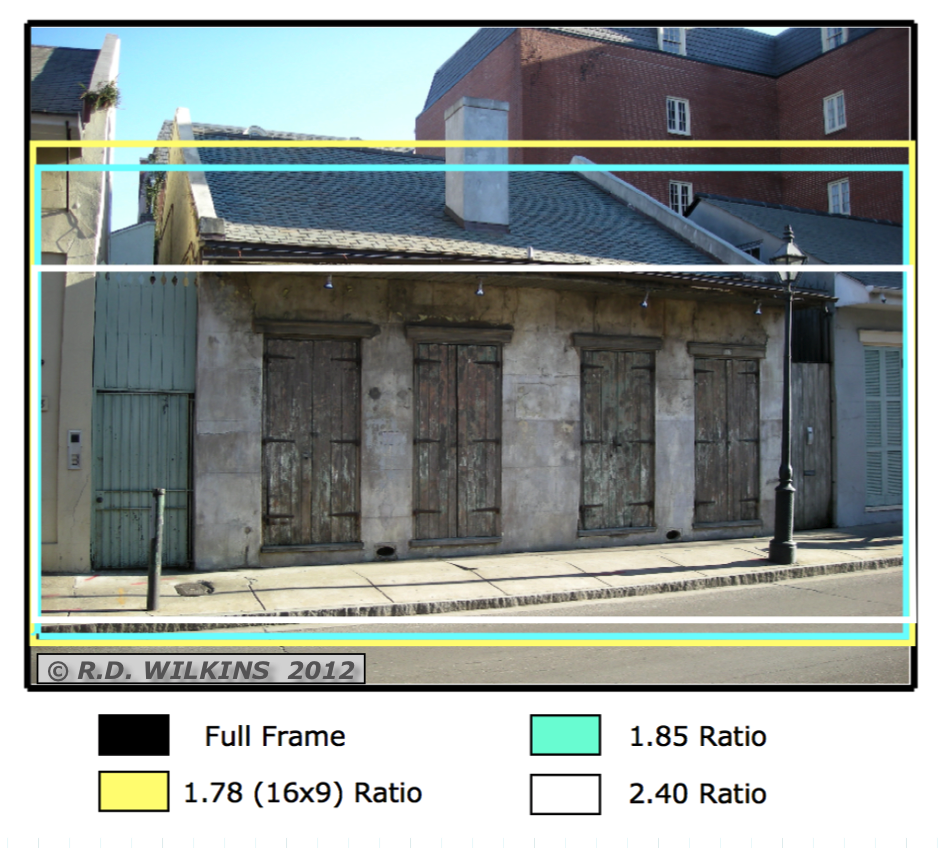
diagram showing a Super 35mm frame and the three extracted ratios

In Super 35mm, the frame, or negative is cropped according to the aspect ratio for the release. The difference is,  the cropping only occurs vertically. The width of all the formats is (nearly) the same, so that a lens focal length will be similar in each of them. Here is a diagram explaining the Super 35mm format from an article comparing digital and film formats that I wrote for theAug-Sept. 2010 issue of Perspective Magazine.

With RED, each format will have a narrower horizontal field of view than the previous one. Meaning that a 50mm lens in in 3k will have a much narrower field of view than it does shooting in full sensor 5k.

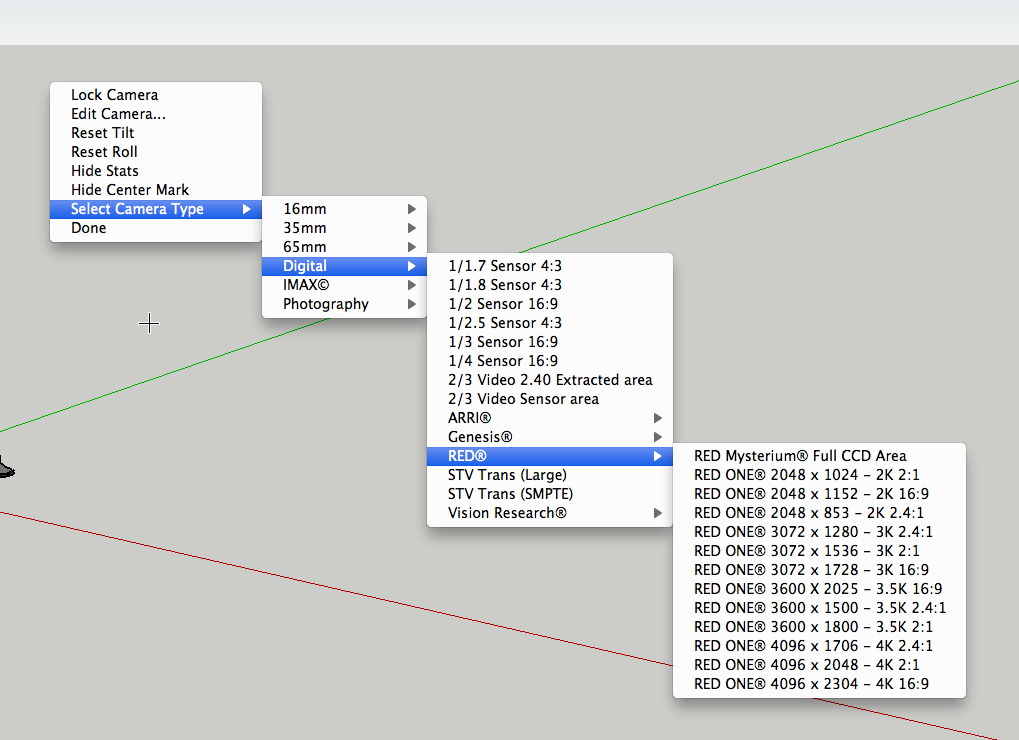
Below is a viewport in Sketchup™ set up using the Advanced Camera Tool pluging. The “camera” is set up for the full sensor option with the safe areas turned on for the other formats.
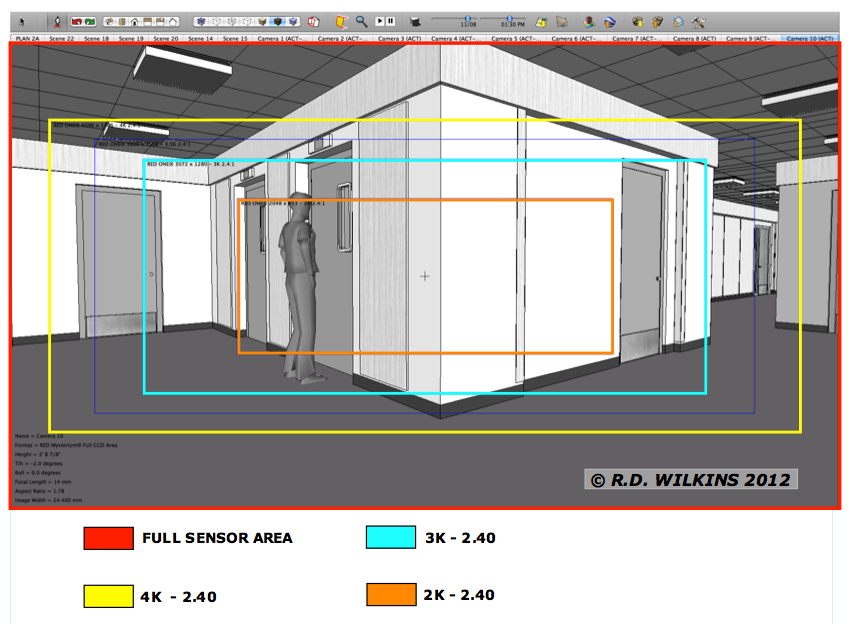
screen capture showing RED Camera full sensor area and 2K, 3K and 4K crop areas

In this screen shot of a model viewed with a 14mm lens, you can see how each progressively smaller ‘k’ format crops the sensor and has a narrower angle of view with the same lens. So, when you are setting up a model to view from a specific position with a particular lens, it’s important to know at what ‘k’ is the set going to be shot. Click on the image to enlarge it on your screen.
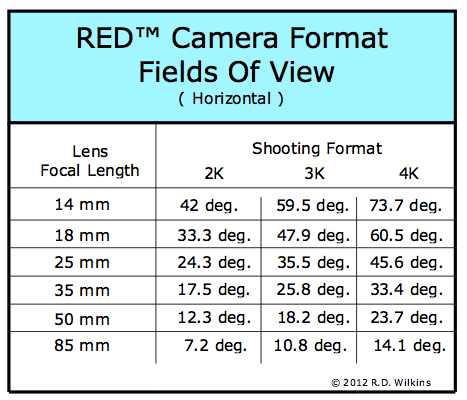
Chart of horizontal fields of view for various focal length lenses in the three different shooting formats

Here is a chart that breaks down the horizontal angle of views depending on which format the film is going to be shot in. The lenses listed are generic focal lengths and do not cover the entire range of lenses available. But, this should give you an idea of the proportional change in the horizontal angle of the captured frame based on the different shooting formats.
Sketchup Pro Camera Tools Seminar

I recently did a post on the new Advanced Camera Tool plugin for Sketchup. I’ll be teaching a seminar on Sunday, January 15, from 10 am to 2 pm that will cover the use of the plugin.


I’ll also be covering a number of other topics such as; basic camera information you need to know, how the new camera systems are changing the business, how the new method of ‘re-framing’ in post-production effects the final product and how to allow for it, and I’ll explain why they have so many RED camera settings in the plugin pre-sets!

The seminar is half-price ( $25 ) to ADG members and will be held at 13907 Ventura Boulevard, Suite 101 ( on the second floor ) in Sherman Oaks.

The facility limit is 30 attendees so you won’t be guaranteed a seat unless you reserve one in advance. To find out more and reserve a seat, go to this webpage.


The Leadholder Museum

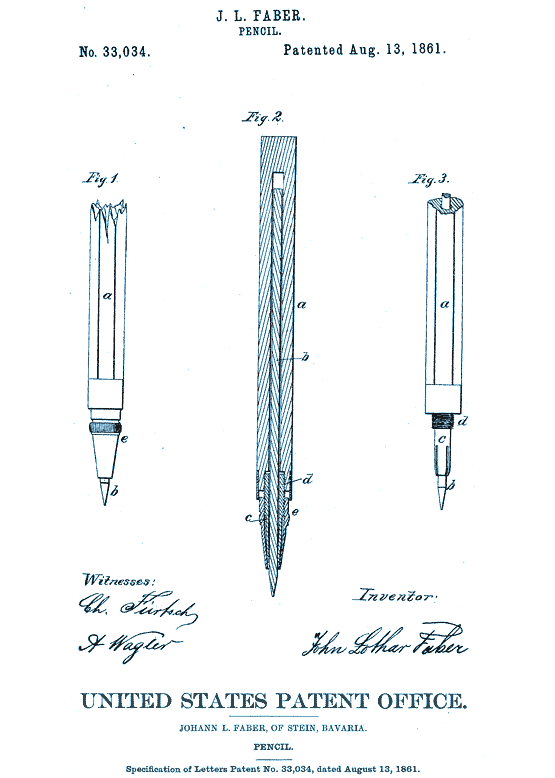
A. W. Faber patent drawing for leadholder

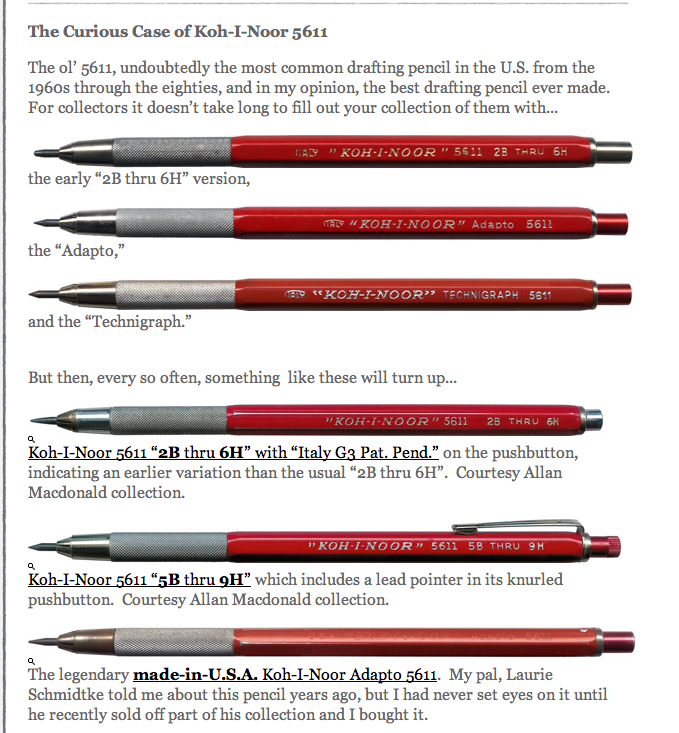
The humble leadholder has been around a lot longer than you would think. Actually since the American Civil War, when the first perfected-for-manufacture holder was patented by John Faber of Germany in 1860. If you hung out with Art Director Harry Otto, you would know these things. Harry forwarded me a link to a website called Leadholder- The Drafting Pencil Museum, which is another example of how you truly can find anything on the internet.

It features documentation on just about every lead holder ever made, all the way back to the 1560’s. It might not sound that fascinating but once you see the site you’ll end up spending quite a bit of time there, ever if you’ve never used them.

The site is nicely designed and has some great history of their use including vintage catalogues, ads and blueprints of various makes and models. You never know, these could be the Hummels of the 21st century. (Considering what some of these things go for on Ebay, you may have your kid’s college fund sitting in your desk drawer.) So, ditch that gold and buy some vintage leadholders. Get started here: Audrey’s Pencils.

Suggested Reading – “Illustrated Cabinetmaking”

Face it, having to design furniture or create construction drawings for it is not on most set designer’s list of favorite-things-to-draw. Sometimes you can get away with doing what’s basically a giant napkin drawing but most of the time you’ve got to get into some real details: like joinery, hardware and material specs. And there are the standards: what’s the widest bookshelf you can have before you’ve got a serious sagging problem?

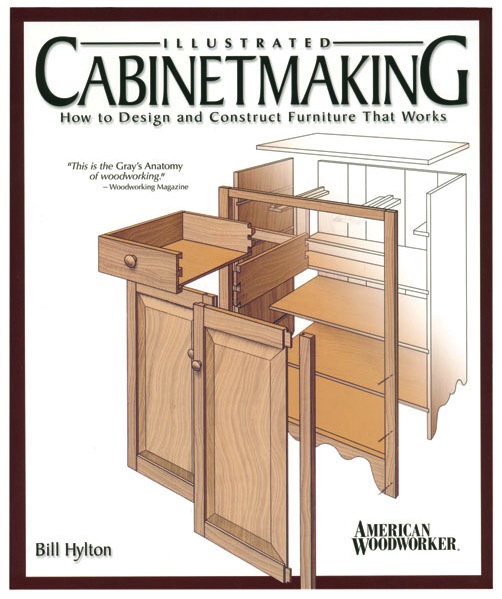
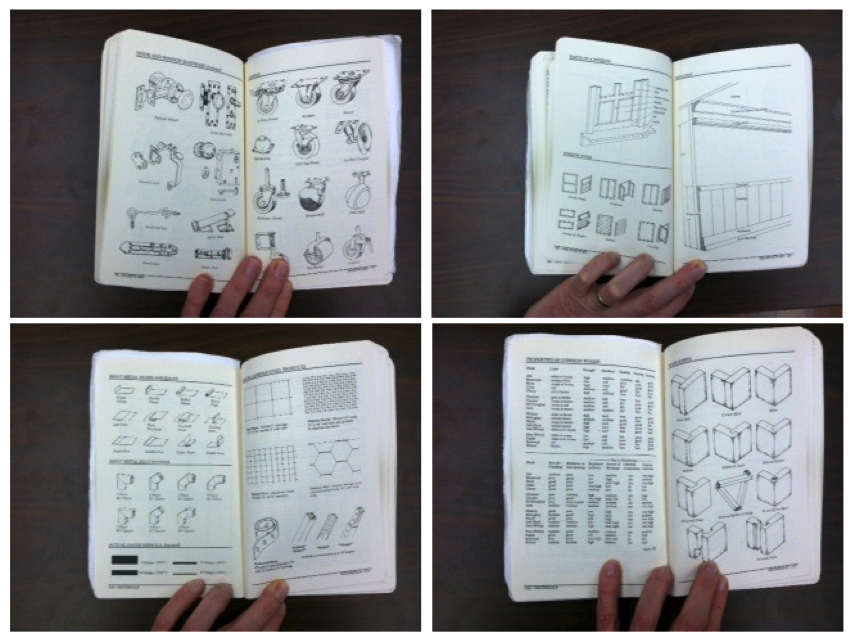
If you have only one book on furniture and cabinetry, Illustrated Cabinetmaking by Bill Hylton, is a good choice. Written for woodworkers, this book is an excellent reference for anyone who needs to draw or understand furniture design and construction. The book details over 90 different pieces and contains over 1300 beautiful pencil drawings. Each spread describes the piece in detail with exploded views and details, and gives design variations as well as sources for measured drawings.


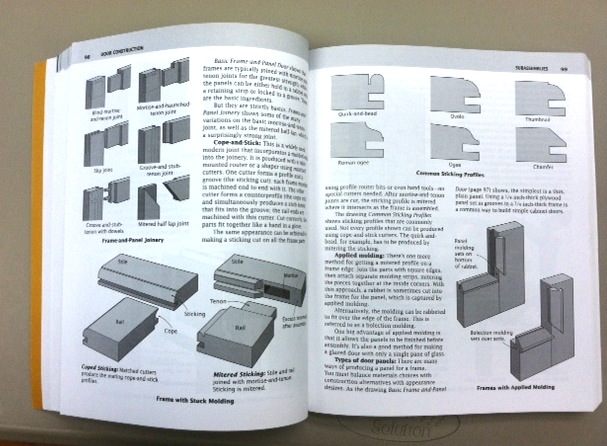
There are also chapters on joinery, door and case construction, styles and the basic design standards for each type of furnishing.

Typical layout showing exploded views and details

Examples of joinery details

Each chapter is begun with a design standards chart

The book is published by Fox Chapel Publishing and retails for $24.95.

Required Reading – “Backstage Handbook”

You can never have enough good reference books. Even with the seemingly endless information that’s available on the internet, having a good reference book close at hand can save you hours of searching internet sites for a critical bit of knowledge.

There are certain books that are part of my kit that I make sure to always have with me because the information they contain is so useful and job-specific that I’m sure I’ll refer to them numerous times during a show.

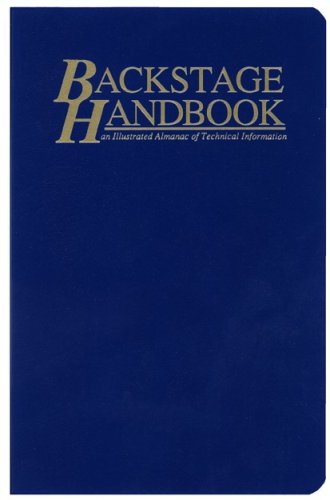
One of these is the Backstage Handbook. It’s subtitle, “An Illustrated Almanac of Technical Information”,  is a perfect description of it’s contents. Profusely illustrated with crisp black and white drawings, the book is a visual reference of hardware, materials and architectural elements. Written by  Paul Carter, the book was originally written for those in live theater. Now in it’s third edition, the book includes chapters that pertain more to film work as well.

I’m now on my third copy of the book as they often fall apart from heavy use. The book becomes my repository for notes, tables and other bits of technical info that I want to keep in one place.

It’s a nice compact volume that provides a quick way to look up typical fasteners, steel sizes, material weights and sizes and a lot of other information you’ll often need without resorting to sifting through a McMaster-Carr catalogue or various other books.

It’s published by Broadway Press and retails for $18, although you can sometimes find it cheaper through Amazon. This is definitely a book you should own.

Camera Tools For Sketchup Pro

( Note: There is a half-day seminar on using the Camera Tool plugin on January 15 in Sherman Oaks. The cost is $50 but ADG members get in for $25. See the site below for more details: )

http://www.insidetheframe.biz

Years ago Sketchup developed a plugin for the industry called the Film & Stage plugin which allowed you to view a model with a set aspect ratio and allowed you to control the focal length of the viewing window.

The plugin was never updated for newer versions and was eventually put aside once the company was acquired by Google. Many of us have moaned for years, begging for an update. I devised a way of setting the view window to get a correct view with specific focal lengths, but it was a tedious process and a painful one to try to demonstrate to others.

In March Sketchup released a completely retooled version of the plugin that was everything I had hoped for and more. The new plugin, now called Advanced Camera Tools allows you to view your model with virtually any camera now available with any aspect ratio and with any focal length you choose. There is even a method of adding new cameras.

Nearly every camera in use in the industry is included with the pre-sets as well as all the RED cameras.

Aidan Chopra, product evangelist for Sketchup told me that updating the plugin really hadn’t been on the company’s radar until they held their semi-annual Basecamp last year in Boulder. The event was attended by Local 800 member Brad Rubin who pitched an update to them at that time. While it still didn’t make it onto their hotlist, the idea was intriguing to one of their software engineers, Brian Brown. The company offers to let their employees use 20% of their time working on side projects and Brian decided to use his time reworking the old Film & Stage plugin. So, we really have Brian and Brad to thank for making these tools available again.

While the plugin is as intuitive to use as Sketchup, there are things about the plugin that work differently when you are working inside it as opposed to the normal Sketchup tools.

The plugin is free, but works only with Sketchup Pro versions.

You can get it here:   http://sketchup.google.com/intl/en/download/plugins.html

With a little effort you can quickly save multiple camera views and know that they are fully editable without having to create entirely new views if the lens or camera information changes.

Gifts For The Set Designer Who Has Everything

Can’t figure out what to give that special Set Designer on your list? Well, if you’re fresh out of $100 bills, which would be my preference, here’s some ideas for stocking stuffers –

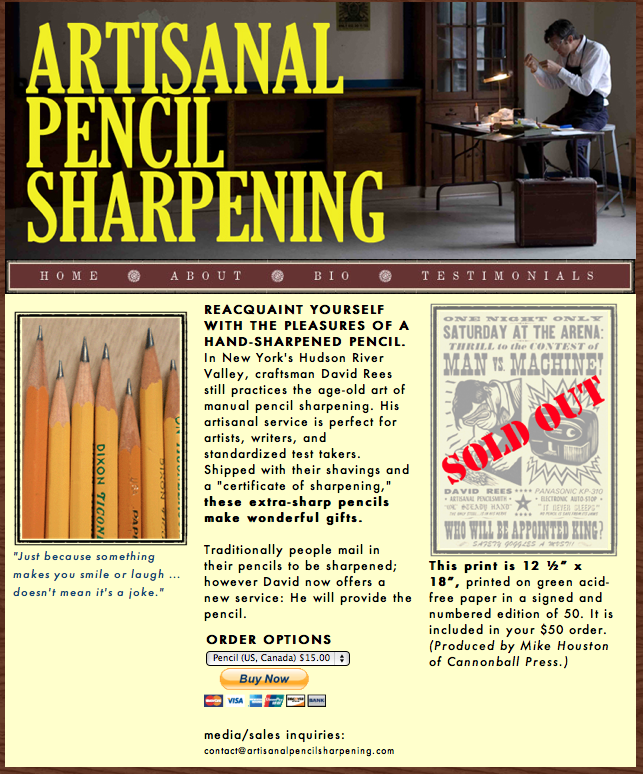
If your favorite guy or gal woes the day they had to give up their lead, you’ll have them sobbing with joy when they open the box and find three hand- sharpened pencils.

New York’s David Rees has reinvigorated this age-old art form and will send you three needle sharp pencils along with a certificate of authenticity which certifies that they are now deadly weapons.

http://www.artisanalpencilsharpening.com/

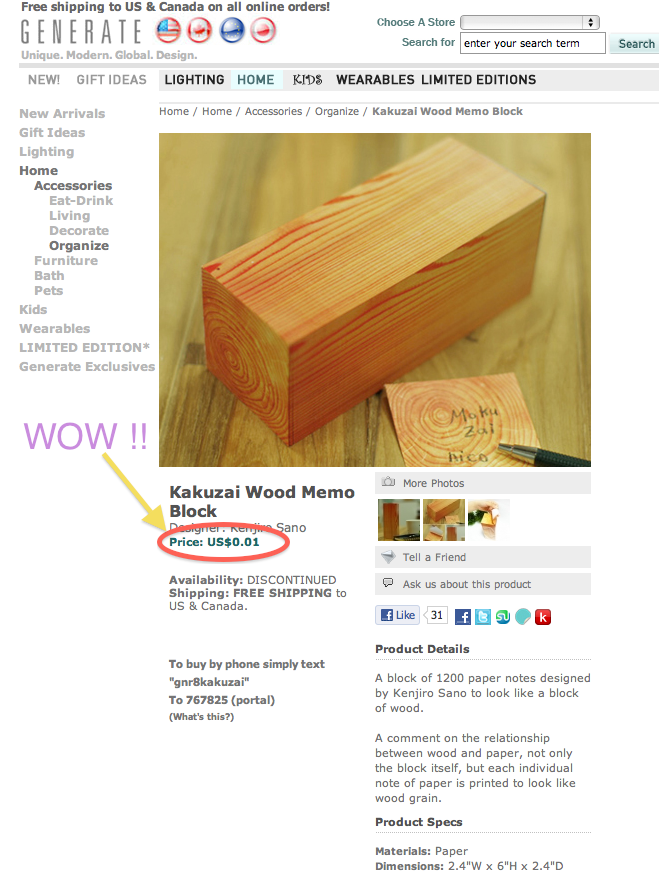
Or maybe they’d prefer a big block of wood. Actually it’s a big stack of post-its camouflaged as a block of wood. Somehow I doubt it’s actually 1 cent, but you never know, it is just wood pulp after all.

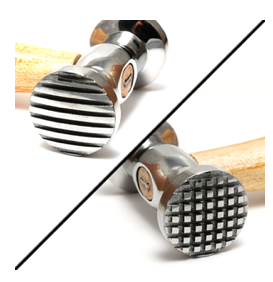
Or, how about a high tech computer monitor adjustment tool. It’s just the thing for fixing a finicky monitor. It comes with two faces, one for the traditional lined CRT monitors and the other for the standard square pixel monitors. Just apply the proper face to your screen several times, or until you’ve calmed down. I’ve found it works great on sticky keyboards too.

Heck, it’ll fix just about any gadget that’s causing you trouble. And you’ll feel so good afterwards. The price does not include a replacement monitor.

But, maybe you’re sick of those slick high tech gadgets and want something that’s a little more environmentally friendly. Well. how about something that’s ‘green’ and has historical provenance (sort of).

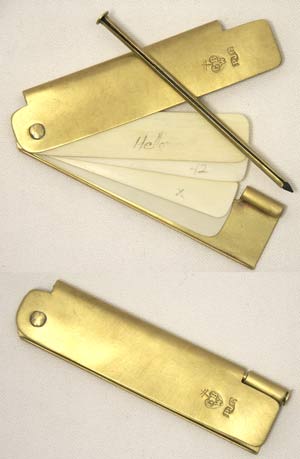
James Townsend & Son ( http://jas-townsend.com ) carry a reproduction of a brass and ivory notebook like one carried by Thomas Jefferson. It’s sort of a forever-notepad.

brass and ivory pocket notebook

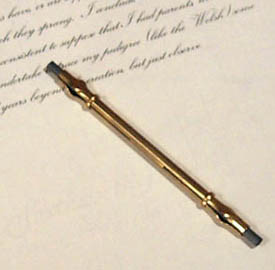
The brass cover contains four ivory leaves that are reclaimed from 150 year-old pianos. You write on the leaves with the brass closing pin that contains a replaceable lead. To clean the sheet you just wipe it with a moist finger or cloth. If the $90 seems steep, just remember that this will still work perfectly 100 years from now, long after that iPhone is at the bottom of a landfill.

For something a little lower on the price scale, they also carry reproduction Porte Crayon for $15 that come with handmade lead refills. They refer to them as mechanical pencils in their online catalogue.

Happy shopping!

Reproduction 1750's porte crayon (lead holder)

The Classical Orders Are At Your Fingertips

So, you need to work out the proportions of Doric or Ionic column and you left your reference books at home. They must be on the web, right? Yes they are, if you look in the right place.

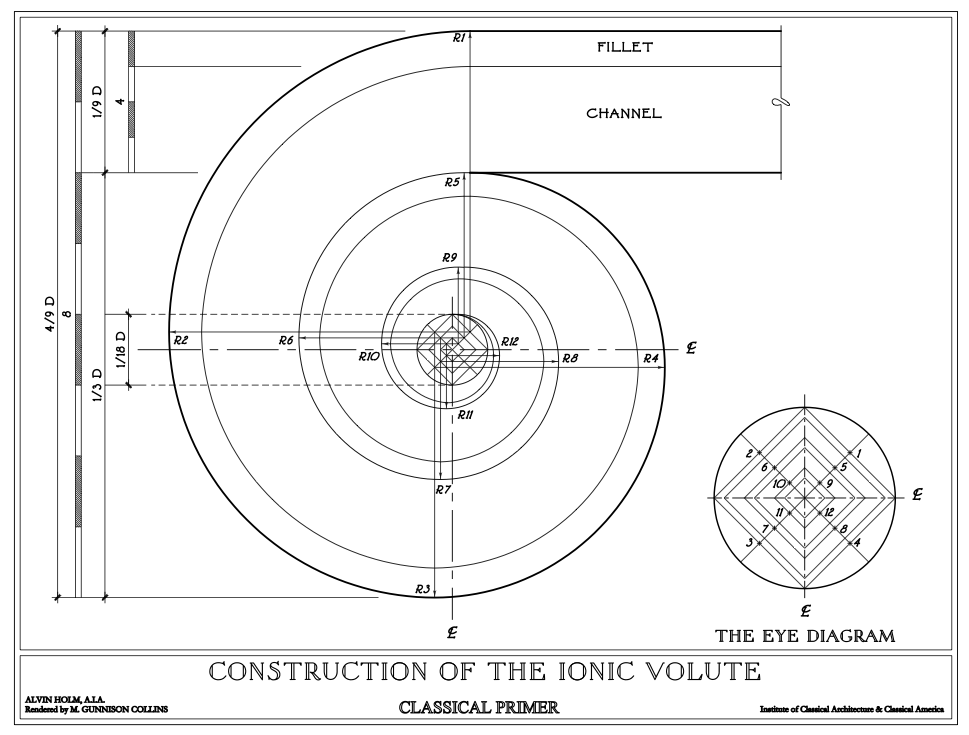
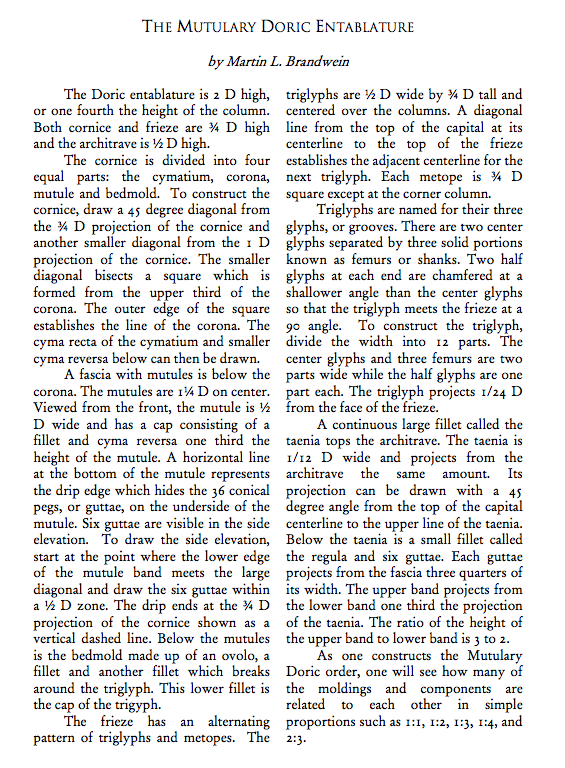
The Institute of Classical Architecture & Art has a nice on-line reference of the five orders that’s very clear and easy to use. You can download each of the pages as a PDF, or just bookmark the site for easy reference. You can find it here.

Each of the drawings is accompanied by a brief but thorough explanation of the order and the proportions and nomenclature for each of the components.

Now you don’t need to panic if you can’t remember how to lay out the entasis on that column.

Doric capitol and entablature

No Dogs or “Movies” Allowed

‘[ In the early 1900’s] some citizens of Hollywood regarded the activities of the motion –  picture people with dismay, feeling as though their respectable town had been overrun by gypsies. Film people were called “movies” by Hollywood residents, who were unaware that the term referred to the product, not the personnel. The word conjured up the right sort of vision; it was vaguely suggestive of irritating insects.’

“The Parade’s Gone By” p. 37

Early motion picture personnel were at the bottom rung of the ladder as far as the locals were concerned. Apartment buildings often had signs posted declaring neither persons owning animals nor those having employment in the film industry would be rented to. The iconic  and once luxurious Garden Court Apartments, which stood on Hollywood Blvd., held out against admitting actors until 1918.

The town was flooded by young people, believing it was easy to break into the glitzy new industry as ‘extras’. Thousands arrived, particularly young women who were shocked to find that not only had thousands of others had the same idea but the studios were not centrally located and were actually many miles apart making it difficult just to visit the various casting offices in a single day.

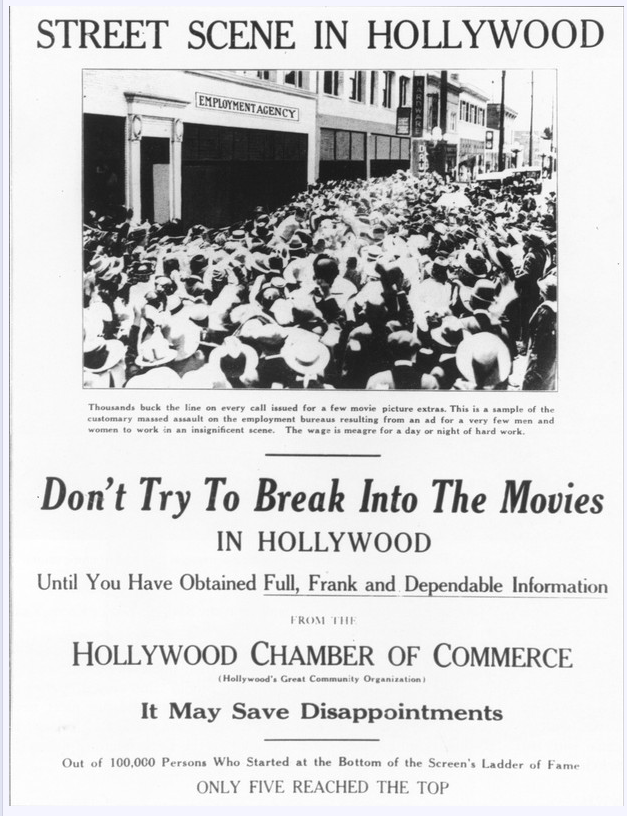
The town soon began publishing notices around the country, trying to impress on young wanna-be actors as to the reality of the situation and discouraging them from coming to Hollywood without a contract or contacts. Hordes of youth faced starvation, poverty, and sometimes even suicide.

1920 notice published in other city newspapers by the Hollywood Chamber of Commerce

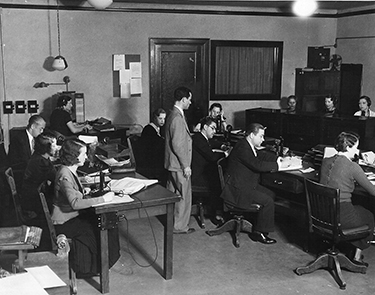
By 1922 there were over 30,000 people in Hollywood seeking extras work. The oversupply naturally led to exploitation of young women and the industry soon had a PR nightmare on their hands. Some officials were calling for government regulation which is the last thing the production companies wanted. Republican Party leader Will Hays, creator of the infamous Hays Code, would try to alleviate the situation by creating Central Casting as a way to control the pandemonium which was occurring daily at the studio lots. It gave the process legitimacy but it failed to stem the flow of eager youth into the once-sleepy town.

Central Casting Office in 1929

The Unfortunate Truth Of The Matter

Quote

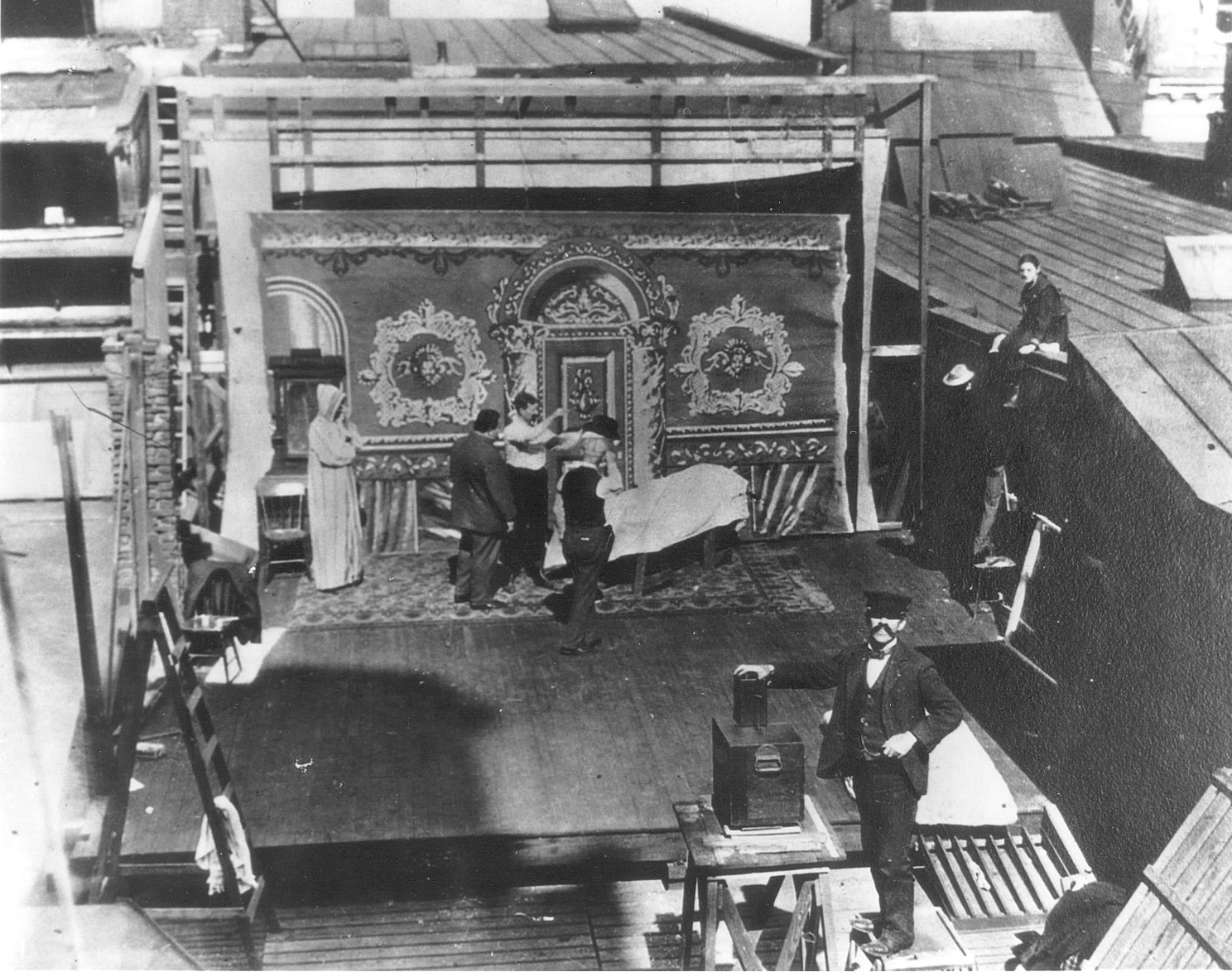
Rooftop studio of Lubin Pictures in New York, early 1900's

“The more successful the art direction, the less likely it is to be noticed. Only when it fails, only when a set looks like a set, does the work of this much-overlooked department become apparent. Set Design, set construction and set dressing are items taken for granted by audiences. Unhappily, they are often taken for granted within the industry itself. . . Art Direction, or production design, determine the look of a picture almost as forcefully as the lighting. For it dictates the atmosphere – and atmosphere, particularly in the films of period reconstruction, is tremendously important.”

Kevin Brownlow, “The Parade’s Gone By”